linguakey: Voice & Translate
อัปเดตเมื่อ
เวอร์ชันปัจจุบัน
1.2
ให้บริการโดย

เมื่อใช้ linguakey: Voice & Translate บนโทรศัพท์ของคุณไม่ต้องกังวลกับการชาร์จไฟมากเกินไปปลดปล่อยตัวคุณเองจากหน้าจอขนาดเล็กและสนุกกับการใช้แอพนี้บนหน้าจอขนาดใหญ่ จากนี้ไปรับประสบการณ์เต็มหน้าจอของแอปพลิเคชันของคุณด้วยคีย์บอร์ดและเมาส์ MEmu มีคุณสมบัติที่น่าแปลกใจที่คุณคาดหวัง: การติดตั้งที่รวดเร็วและการตั้งค่าที่ง่ายควบคุมได้ง่ายไม่ จำกัด แบตเตอรี่ข้อมูลมือถือและการโทรที่รบกวน MEmu 9 ใหม่ล่าสุดเป็นตัวเลือกที่ดีที่สุดสำหรับการใช้ Meitu – โปรแกรมแก้ไขภาพแนวธรรมชาติ บนคอมพิวเตอร์ของคุณ ด้วยรหัสการดูดซึมของเราผู้จัดการหลายอินสแตนซ์ทำให้สามารถเปิดบัญชี 2 บัญชีขึ้นไปในเวลาเดียวกันได้ และที่สำคัญที่สุดเอ็นจิ้นจำลองพิเศษของเราสามารถปลดปล่อยศักยภาพของPCของคุณและทำให้ทุกอย่างราบรื่นและสนุกสนาน
แสดงเพิ่มเติม
สัมผัสประสบการณ์สุดยอดการใช้งาน linguakey: Voice & Translate บนพีซีด้วย MEmu Play นี่คือโปรแกรมจำลอง Android ฟรีที่ทรงพลัง ให้คุณใช้งานแอป Android นับพันบนเดสก์ท็อป สนุกกับการเชื่อมต่อกับเพื่อนๆ และขัดเกลาผลงานของคุณอย่างมีประสิทธิภาพยิ่งขึ้น! LinguaKey is your all-in-one language translation companion — voice, camera, text, conversation, and offline, all in a single app.
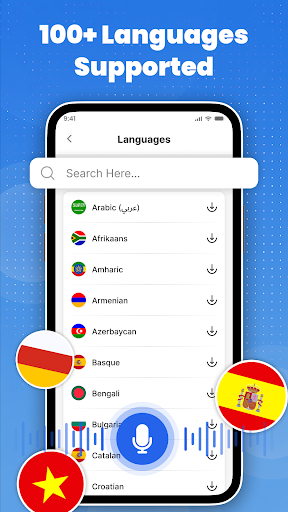
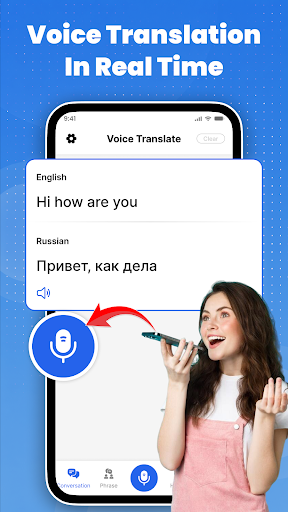
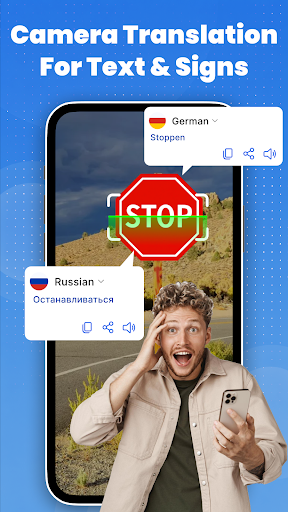
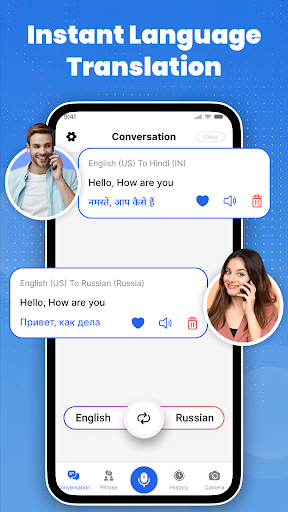
LinguaKey is your all-in-one language translation companion — voice, camera, text, conversation, and offline, all in a single app. Whether you’re traveling abroad, meeting someone who speaks a different language, or just looking up a word, LinguaKey gives you the right tool for every situation, in over 100 languages.
Voice Translator — Speak & Translate Instantly
- Speak naturally and get an instant voice translation in your chosen language
- Listen to translated text read aloud with natural pronunciation
- Copy, share, or save any translation to your favorites with one tap
Real-Time Conversation Mode
- Two-way, real-time spoken conversation translation between two people speaking different languages
- Dual microphone support — Mic 1 for one speaker, Mic 2 for the other
- Chat-style view shows both speakers’ text side by side so the conversation is easy to follow
Camera Translator — Point & Translate
- Point your camera at any text — signs, menus, documents, labels — and translate it instantly
- Select images from your gallery for translation
- Crop before translating or use direct translate for speed
- Flash control and front/back camera switch for any lighting condition
Offline Mode — Translate Without Internet
- Download language models for full offline translation — no Wi-Fi needed
- 100+ downloadable language packs, each available directly in the language list
- Perfect for travel, flights, and areas with poor connectivity
Text Translator with Drawing Pad
- Type text in any language for instant translation
- Draw text by hand using the drawing pad — characters are recognized and entered automatically
- Useful for scripts you can’t type easily, like Chinese, Arabic, or handwritten input
Phrase Library & Dictionary
- Ready-made phrases organized into 8 real-life categories: Travel, Medical, Hotel, Restaurant, Bar, Store, Work, and Time
- Tap any phrase to translate and hear it instantly in your chosen language
- Built-in dictionary with definitions, word types, examples, and synonyms
- Look up any word by typing or using voice input
⌨ Translation Keyboard
- Translate text while typing in any app — no need to switch between apps
- One-tap translate button built directly into the keyboard
History & Favorites
- Full translation and conversation history with speak, favorite, and delete options
- Save your most-used translations to Favorites for instant access anytime
LinguaKey is built for travelers, students, business professionals, expats, and anyone who communicates across language barriers every day. One app. Every language. Every situation.
Permissions
Camera — used to capture images for on-device text recognition and translation. Images are not stored or uploaded. Microphone — used for voice translation and real-time conversation. Voice recordings are processed in real time only and are never stored or shared. Storage access — used to select images from your gallery for translation and to save translated images. Selected images and files are not collected or uploaded.
แสดงเพิ่มเติม

1. ดาวน์โหลดตัวติดตั้ง MEmu และสิ้นสุดการติดตั้ง

2. เริ่ม MEmu จากนั้นเปิด Google Play บนหน้าแรก

3. ค้นหา linguakey: Voice & Translate ใน Google Play
Install
4. ดาวน์โหลดและติดตั้ง linguakey: Voice & Translate
5. เมื่อติดตั้งเสร็จให้คลิกที่ไอคอนเพื่อเริ่มใช้งาน

6. ใช้ MEmu เพื่อสัมผัสประสบการณ์ linguakey: Voice & Translate บนคอมพิวเตอร์ของคุณ
MEmu Play คือโปรแกรมจำลอง Android ที่ดีที่สุด มีผู้ใช้มากกว่า 50 ล้านคน มอบประสบการณ์การใช้งานแอป Android ขั้นสุดยอดให้กับคุณ เทคโนโลยีจำลองเสมือนของ MEmu ช่วยให้คุณรันแอป Android หลายพันแอปบนคอมพิวเตอร์ได้อย่างราบรื่น แม้แอปที่กินทรัพยากรเครื่องสูงที่สุด
จอใหญ่และกราฟฟิกสวยกว่า; เล่นได้นาน, ไม่ต้องใช้แบตเตอรี่โทรศัพท์หรือเน็ตโทรศัพท์.
ระบบปรับแต่งปุ่มคีย์บอร์ดและเม้าส์ตามที่คุณเลือก
เล่นมากกว่าหนึ่งเกมบน PC ในเวลาเดียวกันด้วยระบบหลายจอหรือ Multi-Instance manager.
Use linguakey: Voice & Translate on PC by following steps: