NoTrack: Private AI Chat
อัปเดตเมื่อ
เวอร์ชันปัจจุบัน
1.10.9
ให้บริการโดย

เมื่อใช้ NoTrack: Private AI Chat บนโทรศัพท์ของคุณไม่ต้องกังวลกับการชาร์จไฟมากเกินไปปลดปล่อยตัวคุณเองจากหน้าจอขนาดเล็กและสนุกกับการใช้แอพนี้บนหน้าจอขนาดใหญ่ จากนี้ไปรับประสบการณ์เต็มหน้าจอของแอปพลิเคชันของคุณด้วยคีย์บอร์ดและเมาส์ MEmu มีคุณสมบัติที่น่าแปลกใจที่คุณคาดหวัง: การติดตั้งที่รวดเร็วและการตั้งค่าที่ง่ายควบคุมได้ง่ายไม่ จำกัด แบตเตอรี่ข้อมูลมือถือและการโทรที่รบกวน MEmu 9 ใหม่ล่าสุดเป็นตัวเลือกที่ดีที่สุดสำหรับการใช้ Meitu – โปรแกรมแก้ไขภาพแนวธรรมชาติ บนคอมพิวเตอร์ของคุณ ด้วยรหัสการดูดซึมของเราผู้จัดการหลายอินสแตนซ์ทำให้สามารถเปิดบัญชี 2 บัญชีขึ้นไปในเวลาเดียวกันได้ และที่สำคัญที่สุดเอ็นจิ้นจำลองพิเศษของเราสามารถปลดปล่อยศักยภาพของPCของคุณและทำให้ทุกอย่างราบรื่นและสนุกสนาน
แสดงเพิ่มเติม
สัมผัสประสบการณ์สุดยอดการใช้งาน NoTrack: Private AI Chat บนพีซีด้วย MEmu Play นี่คือโปรแกรมจำลอง Android ฟรีที่ทรงพลัง ให้คุณใช้งานแอป Android นับพันบนเดสก์ท็อป สนุกกับการเชื่อมต่อกับเพื่อนๆ และขัดเกลาผลงานของคุณอย่างมีประสิทธิภาพยิ่งขึ้น! Ask anything, uncensored - without signing up, without being profiled, and without your questions following you around the internet.
Ask anything, uncensored - without signing up, without being profiled, and without your questions following you around the internet.
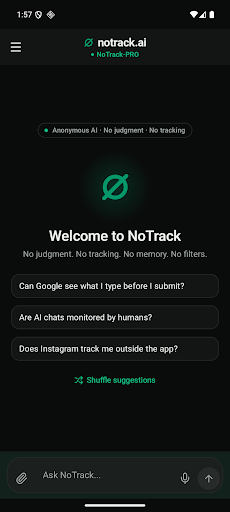
NoTrack is a private AI assistant. Open it and start typing. No email, no password, no account to delete later.
WHY PEOPLE SWITCH
- Uncensored answers - no corporate filters or refusals softening what you asked
- No third-party analytics or tracking libraries inside the app
- Your chats are tied to your device, not to an account
A GENUINELY CAPABLE ASSISTANT
This is not a stripped-down privacy toy. NoTrack answers like a modern assistant:
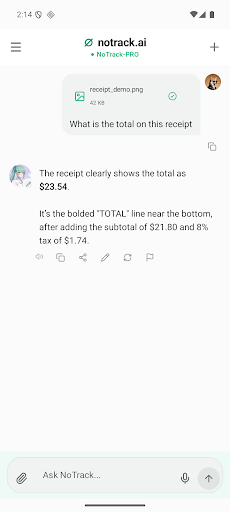
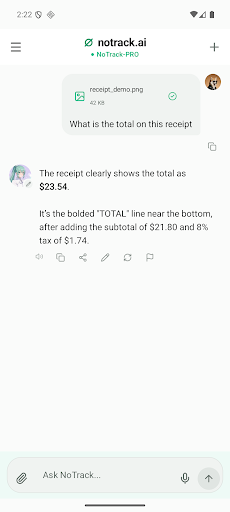
- Attach photos and documents and ask questions about them
- Live facts inside answers: weather, time, currency and crypto rates
- Markdown, code blocks and long-form writing
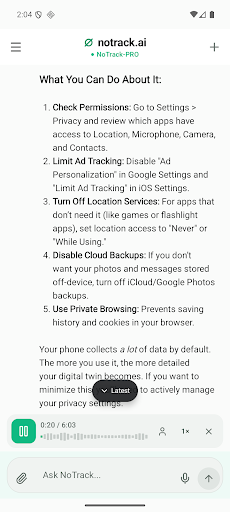
- Voice input when typing is awkward
- Listen to answers read aloud when reading isn't convenient
- 24 languages, including English, German, French, Spanish, Italian, Portuguese, Dutch, Polish, Czech, Swedish, Norwegian, Romanian, Greek, Turkish, Ukrainian, Russian, Arabic, Persian, Hindi, Vietnamese, Indonesian, Chinese, Japanese and Korean
BUILT FOR DAILY USE
- Folders, pinning and search keep a long chat list under control
- Rename a chat in place, right in the list
- Swipe to pin or delete
- Edit your own message and get the answer regenerated
- Edit a reply locally before copying it - that edit never leaves your device
- Copy, share or regenerate any answer in one tap
PRIVACY YOU CAN CHECK, NOT JUST TRUST
- App lock with fingerprint or face unlock
- Secure mode hides the app contents in the recent-apps switcher
FREE AND INDEPENDENT
NoTrack is free to use. We are not funded by advertisers who need your data, which is exactly why the app does not need to know who you are.
Website: https://notrack.ai
Support: https://notrack.ai/support
แสดงเพิ่มเติม

1. ดาวน์โหลดตัวติดตั้ง MEmu และสิ้นสุดการติดตั้ง

2. เริ่ม MEmu จากนั้นเปิด Google Play บนหน้าแรก

3. ค้นหา NoTrack: Private AI Chat ใน Google Play
Install
4. ดาวน์โหลดและติดตั้ง NoTrack: Private AI Chat
5. เมื่อติดตั้งเสร็จให้คลิกที่ไอคอนเพื่อเริ่มใช้งาน

6. ใช้ MEmu เพื่อสัมผัสประสบการณ์ NoTrack: Private AI Chat บนคอมพิวเตอร์ของคุณ
MEmu Play คือโปรแกรมจำลอง Android ที่ดีที่สุด มีผู้ใช้มากกว่า 50 ล้านคน มอบประสบการณ์การใช้งานแอป Android ขั้นสุดยอดให้กับคุณ เทคโนโลยีจำลองเสมือนของ MEmu ช่วยให้คุณรันแอป Android หลายพันแอปบนคอมพิวเตอร์ได้อย่างราบรื่น แม้แอปที่กินทรัพยากรเครื่องสูงที่สุด
จอใหญ่และกราฟฟิกสวยกว่า; เล่นได้นาน, ไม่ต้องใช้แบตเตอรี่โทรศัพท์หรือเน็ตโทรศัพท์.
ระบบปรับแต่งปุ่มคีย์บอร์ดและเม้าส์ตามที่คุณเลือก
เล่นมากกว่าหนึ่งเกมบน PC ในเวลาเดียวกันด้วยระบบหลายจอหรือ Multi-Instance manager.
Use NoTrack: Private AI Chat on PC by following steps: