OLED Saver
อัปเดตเมื่อ
เวอร์ชันปัจจุบัน
1.39
ให้บริการโดย

เมื่อใช้ OLED Saver บนโทรศัพท์ของคุณไม่ต้องกังวลกับการชาร์จไฟมากเกินไปปลดปล่อยตัวคุณเองจากหน้าจอขนาดเล็กและสนุกกับการใช้แอพนี้บนหน้าจอขนาดใหญ่ จากนี้ไปรับประสบการณ์เต็มหน้าจอของแอปพลิเคชันของคุณด้วยคีย์บอร์ดและเมาส์ MEmu มีคุณสมบัติที่น่าแปลกใจที่คุณคาดหวัง: การติดตั้งที่รวดเร็วและการตั้งค่าที่ง่ายควบคุมได้ง่ายไม่ จำกัด แบตเตอรี่ข้อมูลมือถือและการโทรที่รบกวน MEmu 9 ใหม่ล่าสุดเป็นตัวเลือกที่ดีที่สุดสำหรับการใช้ Meitu – โปรแกรมแก้ไขภาพแนวธรรมชาติ บนคอมพิวเตอร์ของคุณ ด้วยรหัสการดูดซึมของเราผู้จัดการหลายอินสแตนซ์ทำให้สามารถเปิดบัญชี 2 บัญชีขึ้นไปในเวลาเดียวกันได้ และที่สำคัญที่สุดเอ็นจิ้นจำลองพิเศษของเราสามารถปลดปล่อยศักยภาพของPCของคุณและทำให้ทุกอย่างราบรื่นและสนุกสนาน
แสดงเพิ่มเติม
ดาวน์โหลด OLED Saver บน PC ด้วย MEmu Android Emulator สนุกกับการเล่นบนหน้าจอขนาดใหญ่ When the brightness of the phone using the AMOLED screen lower the brightness past a certain point, the screen starts to flicker or pulsate.
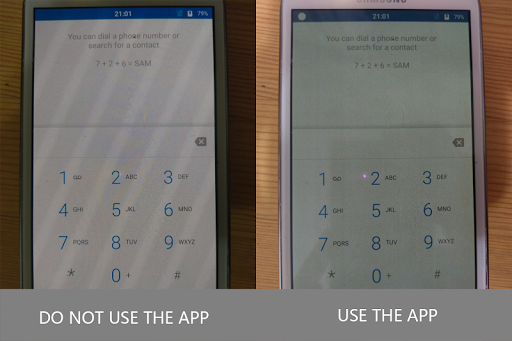
When the brightness of the phone using the AMOLED screen lower the brightness past a certain point, the screen starts to flicker or pulsate. This is a result of the AMOLED technology Samsung, among other manufacturers, use in their displays, and the way that these types of screens operate.
With a traditional LCD screen, a light is projected through the array of pixels to increase or decrease their luminosity, and brightness adjustments are made by simply dimming this light. But with AMOLED displays, each pixel emits its own light—so in order to decrease your screen's brightness, the electrical current flowing through these pixels has to be reduced in some way. It's this reduced current that can make your screen seem to pulse or flicker.
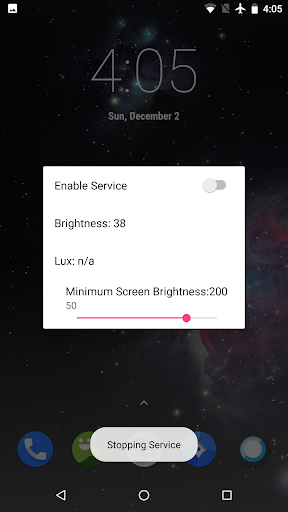
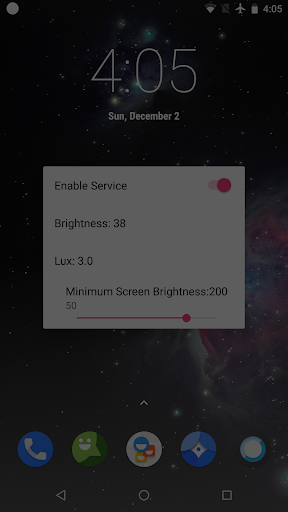
This application solves these AMOLED problems by replacing the system functions for automatic brightness adjustment, which dims the pixels displayed on the screen without having to reduce the current flowing through them. This means it can keep the physical brightness of the screen at a high enough level to avoid screen flicker problems, while automatically reducing the actual display brightness according to ambient light, protecting your eyes. It reduces screen brightness by turning off some pixels and adding a transparent black mask layer, and then provides you with an easy-to-access control bar to further adjust the brightness. Another benefit is allowing you to darken your screen further than the minimum stock brightness level.
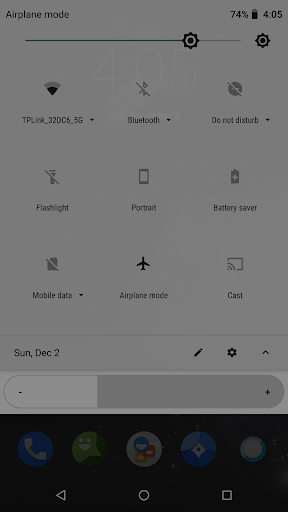
After the android o version, this app still effective in the status bar, notification drop-down menu or lock screen.
แสดงเพิ่มเติม

1. ดาวน์โหลดตัวติดตั้ง MEmu และสิ้นสุดการติดตั้ง

2. เริ่ม MEmu จากนั้นเปิด Google Play บนหน้าแรก

3. ค้นหา OLED Saver ใน Google Play
Install
4. ดาวน์โหลดและติดตั้ง OLED Saver
5. เมื่อติดตั้งเสร็จให้คลิกที่ไอคอนเพื่อเริ่มใช้งาน

6. ใช้ MEmu เพื่อสัมผัสประสบการณ์ OLED Saver บนคอมพิวเตอร์ของคุณ
MEmu Play คือโปรแกรมจำลอง Android ที่ดีที่สุด มีผู้ใช้มากกว่า 50 ล้านคน มอบประสบการณ์การใช้งานแอป Android ขั้นสุดยอดให้กับคุณ เทคโนโลยีจำลองเสมือนของ MEmu ช่วยให้คุณรันแอป Android หลายพันแอปบนคอมพิวเตอร์ได้อย่างราบรื่น แม้แอปที่กินทรัพยากรเครื่องสูงที่สุด
จอใหญ่และกราฟฟิกสวยกว่า; เล่นได้นาน, ไม่ต้องใช้แบตเตอรี่โทรศัพท์หรือเน็ตโทรศัพท์.
ระบบปรับแต่งปุ่มคีย์บอร์ดและเม้าส์ตามที่คุณเลือก
เล่นมากกว่าหนึ่งเกมบน PC ในเวลาเดียวกันด้วยระบบหลายจอหรือ Multi-Instance manager.
Use OLED Saver on PC by following steps: