PCSO Lotto Results PC

ดาวน์โหลด PCSO Lotto Results บน PC

PCSO Lotto Results PC
  • อัปเดตเมื่อ

  • เวอร์ชันปัจจุบัน

    1.0.0.3

  • ให้บริการโดย

    PCSO Lotto Results PC

คุณสมบัติของ PCSO Lotto Results บน PC

เมื่อใช้ PCSO Lotto Results บนโทรศัพท์ของคุณไม่ต้องกังวลกับการชาร์จไฟมากเกินไปปลดปล่อยตัวคุณเองจากหน้าจอขนาดเล็กและสนุกกับการใช้แอพนี้บนหน้าจอขนาดใหญ่ จากนี้ไปรับประสบการณ์เต็มหน้าจอของแอปพลิเคชันของคุณด้วยคีย์บอร์ดและเมาส์ MEmu มีคุณสมบัติที่น่าแปลกใจที่คุณคาดหวัง: การติดตั้งที่รวดเร็วและการตั้งค่าที่ง่ายควบคุมได้ง่ายไม่ จำกัด แบตเตอรี่ข้อมูลมือถือและการโทรที่รบกวน MEmu 9 ใหม่ล่าสุดเป็นตัวเลือกที่ดีที่สุดสำหรับการใช้ Meitu – โปรแกรมแก้ไขภาพแนวธรรมชาติ บนคอมพิวเตอร์ของคุณ ด้วยรหัสการดูดซึมของเราผู้จัดการหลายอินสแตนซ์ทำให้สามารถเปิดบัญชี 2 บัญชีขึ้นไปในเวลาเดียวกันได้ และที่สำคัญที่สุดเอ็นจิ้นจำลองพิเศษของเราสามารถปลดปล่อยศักยภาพของPCของคุณและทำให้ทุกอย่างราบรื่นและสนุกสนาน

แสดงเพิ่มเติม

สกรีนช็อตและ & วีดีโอของ PCSO Lotto Results บน PC

ดาวน์โหลด PCSO Lotto Results บน PC ด้วย MEmu Android Emulator สนุกกับการเล่นบนหน้าจอขนาดใหญ่ PCSO Lotto Results app.
ข้อมูลการสมัคร

PCSO Lotto Results app


Disclaimer:This APP is in no way associated with any government entity, including the Philippines Charity Sweepstakes Office (PCSO), nor any other official lottery organizer. This APP is unofficial source of lottery results and tools for players. The source of the data are public information services including pcso.gov.ph.

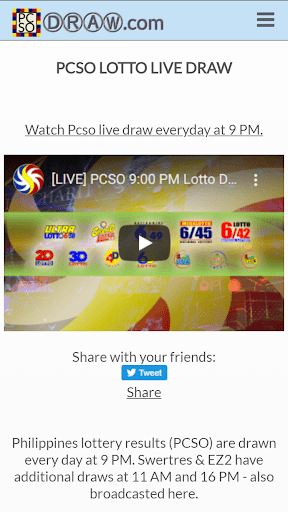
Summary: Keep up-to-date with the latest PCSO lotto results, including live streams of Lotto draws, quick pick number and ticket generators, and lottery results visual map statistics. This app is specifically designed for players of the Philippines' PCSO lottery games.

Main goals of this app


The PCSO Lotto Results app is a comprehensive tool for players of the PCSO lottery games. Its main features include:

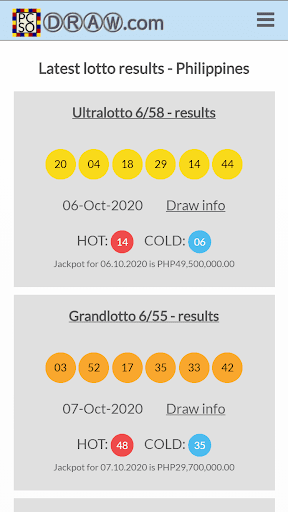
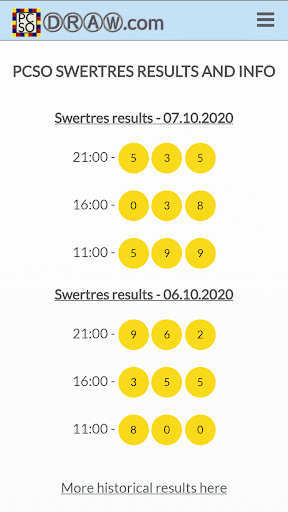
1. Lotto Results and Analysis: The app provides quick access to the results of all PCSO lottery games, including Ultra Lotto 6/58, Grand Lotto 6/55, Super Lotto 6/49, Mega Lotto 6/45, Lotto 6/42, Suertres, EZ2, 4 Digit Lotto, and 6 Digit Lotto. You can also find analysis of the results, with statistics and visual maps to help you understand which numbers are hot or cold.

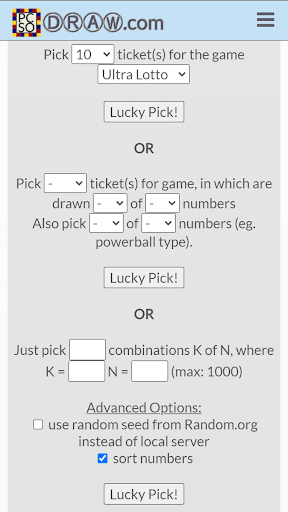
2. Quick Pick Number Generator: If you're looking for inspiration for your next set of numbers, the app's quick pick generator can give you a random set of lotto numbers with just one tap. You can use this feature for all PCSO games, and the app allows you to save your favorite numbers for future use.

3. Live Lotto Draw Streams: You can watch live streams of PCSO Lotto draws directly in the app. This feature is especially useful if you're unable to watch the draw on TV or online, or if you're simply curious about how the draw process works.

4. Information on Winners and Prizes: The app provides a comprehensive list of past winners and their prizes, including details on which numbers they played and when they won. You can also check the expected jackpot amounts for upcoming draws.

5. How to Play PCSO Lotto: If you're new to PCSO Lotto, the app offers a tutorial on how to play the game, as well as information on how to claim your prize and when Lotto retailers are open. You can also find out how much time you have to claim your winning ticket.

Get PCSO Lotto Results on the go!


The PCSO Lotto Results app is your one-stop shop for all your PCSO lottery needs. Whether you're a seasoned player or a newbie, this app has all the information you need to stay up-to-date with the latest results, analysis, and news. So why wait? Download the app today and start winning big! Also accessible at pcsodraw.com

แสดงเพิ่มเติม

ดาวน์โหลด PCSO Lotto Results บน PC

  • PCSO Lotto Results PC

    1. ดาวน์โหลดตัวติดตั้ง MEmu และสิ้นสุดการติดตั้ง

  • PCSO Lotto Results PC

    2. เริ่ม MEmu จากนั้นเปิด Google Play บนหน้าแรก

  • PCSO Lotto Results PC

    3. ค้นหา PCSO Lotto Results ใน Google Play

  • PCSO Lotto Results PC Install

    4. ดาวน์โหลดและติดตั้ง PCSO Lotto Results

  • PCSO Lotto Results PC

    5. เมื่อติดตั้งเสร็จให้คลิกที่ไอคอนเพื่อเริ่มใช้งาน

  • PCSO Lotto Results PC
    PCSO Lotto Results PC PCSO Lotto Results PC

    6. ใช้ MEmu เพื่อสัมผัสประสบการณ์ PCSO Lotto Results บนคอมพิวเตอร์ของคุณ

ทำไมถึงควรใช้ Memu สำหรับ PCSO Lotto Results

MEmu Play คือโปรแกรมจำลอง Android ที่ดีที่สุด มีผู้ใช้มากกว่า 50 ล้านคน มอบประสบการณ์การใช้งานแอป Android ขั้นสุดยอดให้กับคุณ เทคโนโลยีจำลองเสมือนของ MEmu ช่วยให้คุณรันแอป Android หลายพันแอปบนคอมพิวเตอร์ได้อย่างราบรื่น แม้แอปที่กินทรัพยากรเครื่องสูงที่สุด

  • จอใหญ่และกราฟฟิกสวยกว่า; เล่นได้นาน, ไม่ต้องใช้แบตเตอรี่โทรศัพท์หรือเน็ตโทรศัพท์.

  • ระบบปรับแต่งปุ่มคีย์บอร์ดและเม้าส์ตามที่คุณเลือก

  • เล่นมากกว่าหนึ่งเกมบน PC ในเวลาเดียวกันด้วยระบบหลายจอหรือ Multi-Instance manager.

พร้อมที่จะเริ่มสัมผัสประสบการณ์นี้หรือยัง?

หัวข้อร้อน

PCSO Lotto Results - FAQs

  • วิธีการใช้ PCSO Lotto Results บน PC?

    Use PCSO Lotto Results on PC by following steps:

    • Download MEmu, then install and launch it
    • Login to Google Play Store, install the app
    • Enjoy using the app on PC with MEmu
  • ข้อกำหนดขั้นต่ำของระบบในการใช้งาน PCSO Lotto Results บน PC มีอะไรบ้าง?
    • Intel or AMD Processor
    • Microsoft Windows 7 and above
    • 2GB of memory
    • 5GB of free disk space
    • Hardware Virtualization Technology