
The Wall Street Journal.
อัปเดตเมื่อ
เวอร์ชันปัจจุบัน
6.6.0.0
ให้บริการโดย

เมื่อใช้ The Wall Street Journal. บนโทรศัพท์ของคุณไม่ต้องกังวลกับการชาร์จไฟมากเกินไปปลดปล่อยตัวคุณเองจากหน้าจอขนาดเล็กและสนุกกับการใช้แอพนี้บนหน้าจอขนาดใหญ่ จากนี้ไปรับประสบการณ์เต็มหน้าจอของแอปพลิเคชันของคุณด้วยคีย์บอร์ดและเมาส์ MEmu มีคุณสมบัติที่น่าแปลกใจที่คุณคาดหวัง: การติดตั้งที่รวดเร็วและการตั้งค่าที่ง่ายควบคุมได้ง่ายไม่ จำกัด แบตเตอรี่ข้อมูลมือถือและการโทรที่รบกวน MEmu 9 ใหม่ล่าสุดเป็นตัวเลือกที่ดีที่สุดสำหรับการใช้ Meitu – โปรแกรมแก้ไขภาพแนวธรรมชาติ บนคอมพิวเตอร์ของคุณ ด้วยรหัสการดูดซึมของเราผู้จัดการหลายอินสแตนซ์ทำให้สามารถเปิดบัญชี 2 บัญชีขึ้นไปในเวลาเดียวกันได้ และที่สำคัญที่สุดเอ็นจิ้นจำลองพิเศษของเราสามารถปลดปล่อยศักยภาพของPCของคุณและทำให้ทุกอย่างราบรื่นและสนุกสนาน
แสดงเพิ่มเติม
ดาวน์โหลด The Wall Street Journal. บน PC ด้วย MEmu Android Emulator สนุกกับการเล่นบนหน้าจอขนาดใหญ่ **By downloading the app you agree to Dow Jones Terms of Use, Privacy Notice, and Cookie Notice**.



**By downloading the app you agree to Dow Jones Terms of Use, Privacy Notice, and Cookie Notice**
Stay ahead of the competition with the app that’s as ambitious as you are. Get the trusted insights and in-depth analysis you need from The Wall Street Journal, America’s most trusted newspaper—providing key decision-makers around the world with peerless reporting since 1889.
Download the WSJ app today and receive instant access to The Wall Street Journal’s award-winning journalism, including world-renowned coverage of the latest news moving stock markets and impacting business.
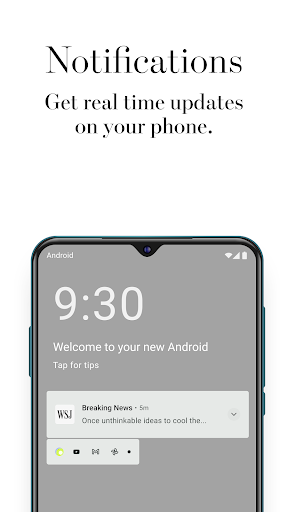
Simple and easy to use, the WSJ app provides you with instant access to the trusted insights you need, wherever, and whenever you need them— from real-time quotes and breaking news, to the latest headlines impacting business, finance and global markets. Receive alerts and notifications with breaking news developments and updates from around the world—from the United States and Canada, to Europe, Asia and more.
Plus, explore a wide range of dedicated sections with insightful articles, including: Politics, Opinion, World News, Lifestyle, U.S. News, Technology, Economy and more.
Key benefits include:
(+) Full access to the WSJ app, WSJ.com and WSJ. Magazine—our award-winning lifestyle publication.
(+) Multiple ways to read the newspaper including access to global digital editions of The Wall Street Journal—U.S., Europe and Asia.
(+) Trusted insights from a world-renowned newspaper, with over 125 years of peerless reporting and award-winning journalism.
(+) Unlimited access to a wide range of dedicated site sections, including: Business, Markets, Politics, Opinion, World News, U.S. News, Economy, Technology, Lifestyle, Finance and more.
(+) World-renowned business and finance news with coverage on the economy, including real-time stock quotes, global markets data, and the latest on mergers and acquisitions.
(+) Global headlines, breaking news coverage and real-time market quotes, along with The Wall Street Journal’s expert insights, in-depth analysis and informed commentary.
(+) New feature: What’s News feed: A real-time news feed, curated by The Wall Street Journal’s award-winning journalists—featuring the must-know global news across business, finance, politics and the economy throughout the day.
(+) New feature: Ability to print out articles directly from your mobile device.
(+) New feature: Save and Share articles to read later.
(+) Off-line reading, enabling you to remain ambitious, wherever you are.
(+) Alerts and notifications for breaking news, latest headlines, developing stories and live updates—including the ability to follow your favorite journalists.
(+) Seamlessly integrated markets data available within articles, along with real-time stock quotes, company-specific metrics, historical share performance, charts and more.
(+) Get the latest headlines and breaking news from around the world, instantly available with the ability to save and read later. Stay informed, wherever you are.
You can now have the world-renowned and respected journalism from The Wall Street Journal, America’s most trusted newspaper. Available for subscription for $32.99 per month and receive unlimited digital access—including instant access to WSJ.com, the WSJ app and the WSJ. Magazine digital edition.
Subscriber Agreement and Terms of Use:
https://www.dowjones.com/terms-of-use/
Privacy Notice:
https://www.dowjones.com/privacy-notice/?mod=appstore
Cookie Notice:
https://www.dowjones.com/cookie-notice/?mod=appstore
Masthead:
https://www.wsj.com/masthead?mod=appstore
https://www.facebook.com/wsj
https://twitter.com/WSJ
แสดงเพิ่มเติม

1. ดาวน์โหลดตัวติดตั้ง MEmu และสิ้นสุดการติดตั้ง

2. เริ่ม MEmu จากนั้นเปิด Google Play บนหน้าแรก

3. ค้นหา The Wall Street Journal. ใน Google Play
Install
4. ดาวน์โหลดและติดตั้ง The Wall Street Journal.
5. เมื่อติดตั้งเสร็จให้คลิกที่ไอคอนเพื่อเริ่มใช้งาน

6. ใช้ MEmu เพื่อสัมผัสประสบการณ์ The Wall Street Journal. บนคอมพิวเตอร์ของคุณ
MEmu Play คือโปรแกรมจำลอง Android ที่ดีที่สุด มีผู้ใช้มากกว่า 50 ล้านคน มอบประสบการณ์การใช้งานแอป Android ขั้นสุดยอดให้กับคุณ เทคโนโลยีจำลองเสมือนของ MEmu ช่วยให้คุณรันแอป Android หลายพันแอปบนคอมพิวเตอร์ได้อย่างราบรื่น แม้แอปที่กินทรัพยากรเครื่องสูงที่สุด
จอใหญ่และกราฟฟิกสวยกว่า; เล่นได้นาน, ไม่ต้องใช้แบตเตอรี่โทรศัพท์หรือเน็ตโทรศัพท์.
ระบบปรับแต่งปุ่มคีย์บอร์ดและเม้าส์ตามที่คุณเลือก
เล่นมากกว่าหนึ่งเกมบน PC ในเวลาเดียวกันด้วยระบบหลายจอหรือ Multi-Instance manager.
Use The Wall Street Journal. on PC by following steps: