
Trade In Plus
อัปเดตเมื่อ
เวอร์ชันปัจจุบัน
1.0.16
ให้บริการโดย

เมื่อใช้ Trade In Plus บนโทรศัพท์ของคุณไม่ต้องกังวลกับการชาร์จไฟมากเกินไปปลดปล่อยตัวคุณเองจากหน้าจอขนาดเล็กและสนุกกับการใช้แอพนี้บนหน้าจอขนาดใหญ่ จากนี้ไปรับประสบการณ์เต็มหน้าจอของแอปพลิเคชันของคุณด้วยคีย์บอร์ดและเมาส์ MEmu มีคุณสมบัติที่น่าแปลกใจที่คุณคาดหวัง: การติดตั้งที่รวดเร็วและการตั้งค่าที่ง่ายควบคุมได้ง่ายไม่ จำกัด แบตเตอรี่ข้อมูลมือถือและการโทรที่รบกวน MEmu 9 ใหม่ล่าสุดเป็นตัวเลือกที่ดีที่สุดสำหรับการใช้ Meitu – โปรแกรมแก้ไขภาพแนวธรรมชาติ บนคอมพิวเตอร์ของคุณ ด้วยรหัสการดูดซึมของเราผู้จัดการหลายอินสแตนซ์ทำให้สามารถเปิดบัญชี 2 บัญชีขึ้นไปในเวลาเดียวกันได้ และที่สำคัญที่สุดเอ็นจิ้นจำลองพิเศษของเราสามารถปลดปล่อยศักยภาพของPCของคุณและทำให้ทุกอย่างราบรื่นและสนุกสนาน
แสดงเพิ่มเติม
สัมผัสประสบการณ์สุดยอดการใช้งาน Trade In Plus บนพีซีด้วย MEmu Play นี่คือโปรแกรมจำลอง Android ฟรีที่ทรงพลัง ให้คุณใช้งานแอป Android นับพันบนเดสก์ท็อป สนุกกับการเชื่อมต่อกับเพื่อนๆ และขัดเกลาผลงานของคุณอย่างมีประสิทธิภาพยิ่งขึ้น! This is the mobile hardware checking application that the customer needs to install to verify all hardware devices on their mobile device before joining the Trade-In campaign in the Shop.
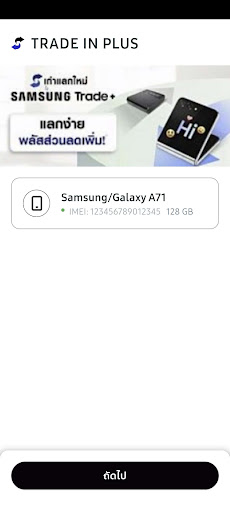
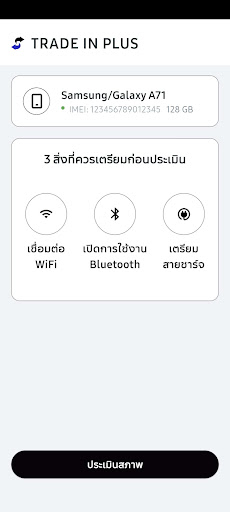
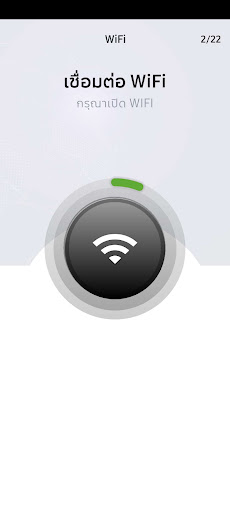
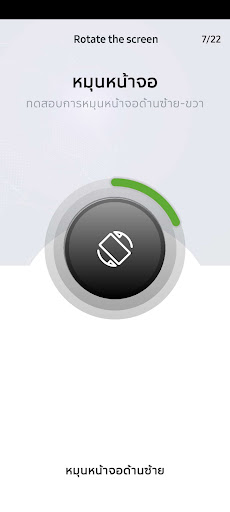
This is the mobile hardware checking application that the customer needs to install to verify all hardware devices on their mobile device before joining the Trade-In campaign in the Shop. The shop staff will inform the customer to install this application and submit the verification result to the shop before creating a sale order.
Features of the hardware inspection
- Bluetooth
- Wifi
- GPS
- GSM
- Front Camera
- Back Camera
- Screen Rotation
- User Authentication
- Microphone
- Charging Port
- Proximity Sensor
- Vibration
- Speaker
- Phone Speaker
- Volume Up/Down Button
- Touch Screen
- Screen Scratch
- Body Scratch
- Battery Performance
- iCloud Lock
- Dead Pixel
- Apple Pencil (if Capable)
แสดงเพิ่มเติม

1. ดาวน์โหลดตัวติดตั้ง MEmu และสิ้นสุดการติดตั้ง

2. เริ่ม MEmu จากนั้นเปิด Google Play บนหน้าแรก

3. ค้นหา Trade In Plus ใน Google Play
Install
4. ดาวน์โหลดและติดตั้ง Trade In Plus
5. เมื่อติดตั้งเสร็จให้คลิกที่ไอคอนเพื่อเริ่มใช้งาน

6. ใช้ MEmu เพื่อสัมผัสประสบการณ์ Trade In Plus บนคอมพิวเตอร์ของคุณ
MEmu Play คือโปรแกรมจำลอง Android ที่ดีที่สุด มีผู้ใช้มากกว่า 50 ล้านคน มอบประสบการณ์การใช้งานแอป Android ขั้นสุดยอดให้กับคุณ เทคโนโลยีจำลองเสมือนของ MEmu ช่วยให้คุณรันแอป Android หลายพันแอปบนคอมพิวเตอร์ได้อย่างราบรื่น แม้แอปที่กินทรัพยากรเครื่องสูงที่สุด
จอใหญ่และกราฟฟิกสวยกว่า; เล่นได้นาน, ไม่ต้องใช้แบตเตอรี่โทรศัพท์หรือเน็ตโทรศัพท์.
ระบบปรับแต่งปุ่มคีย์บอร์ดและเม้าส์ตามที่คุณเลือก
เล่นมากกว่าหนึ่งเกมบน PC ในเวลาเดียวกันด้วยระบบหลายจอหรือ Multi-Instance manager.
Use Trade In Plus on PC by following steps: