USA TODAY: US & Breaking News
อัปเดตเมื่อ
เวอร์ชันปัจจุบัน
7.14.2
ให้บริการโดย

เมื่อใช้ USA TODAY: US & Breaking News บนโทรศัพท์ของคุณไม่ต้องกังวลกับการชาร์จไฟมากเกินไปปลดปล่อยตัวคุณเองจากหน้าจอขนาดเล็กและสนุกกับการใช้แอพนี้บนหน้าจอขนาดใหญ่ จากนี้ไปรับประสบการณ์เต็มหน้าจอของแอปพลิเคชันของคุณด้วยคีย์บอร์ดและเมาส์ MEmu มีคุณสมบัติที่น่าแปลกใจที่คุณคาดหวัง: การติดตั้งที่รวดเร็วและการตั้งค่าที่ง่ายควบคุมได้ง่ายไม่ จำกัด แบตเตอรี่ข้อมูลมือถือและการโทรที่รบกวน MEmu 9 ใหม่ล่าสุดเป็นตัวเลือกที่ดีที่สุดสำหรับการใช้ Meitu – โปรแกรมแก้ไขภาพแนวธรรมชาติ บนคอมพิวเตอร์ของคุณ ด้วยรหัสการดูดซึมของเราผู้จัดการหลายอินสแตนซ์ทำให้สามารถเปิดบัญชี 2 บัญชีขึ้นไปในเวลาเดียวกันได้ และที่สำคัญที่สุดเอ็นจิ้นจำลองพิเศษของเราสามารถปลดปล่อยศักยภาพของPCของคุณและทำให้ทุกอย่างราบรื่นและสนุกสนาน
แสดงเพิ่มเติม
ดาวน์โหลด USA TODAY: US & Breaking News บน PC ด้วย MEmu Android Emulator สนุกกับการเล่นบนหน้าจอขนาดใหญ่ The USA TODAY app gets you to the heart of the matter — fast.
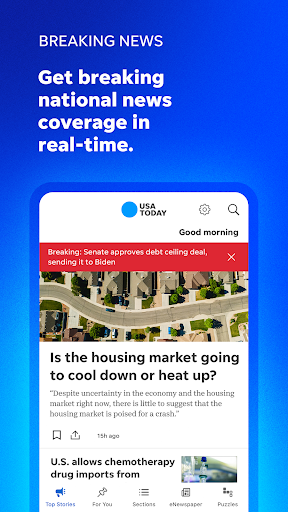
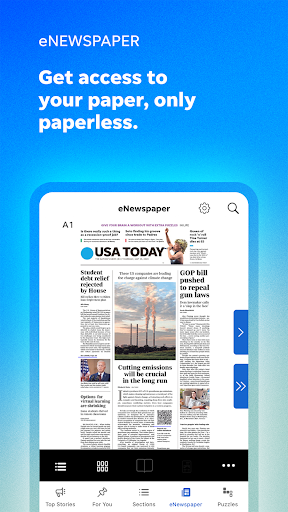

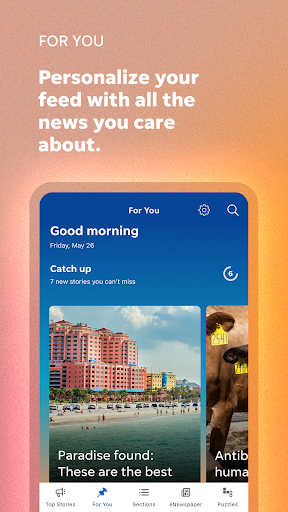
The USA TODAY app gets you to the heart of the matter — fast. Whether it's money, sports, entertainment, or breaking news, get succinct, personalized coverage along with award-winning videos, captivating photography, and interactive user features. The point is — get major coverage all in a compact device that fits right in the palm of your hand.
APP FEATURES
• National and breaking news, including access to 200+ local publications.
• News to the point: Easily keep up with news, sports, money, entertainment, health, and more with quick reads.
• A personalized feed: Pick your favorite subjects in My Topics and receive a curated feed on the For You page.
• eNewspaper: Just like our print edition but accessible on your mobile devices. And access to 200+ local eNewspapers.
• Puzzles: Play Crossword, QuickCross, and Sudoku (tablet only) to keep your mind sharp.
• Award-winning podcasts: Listen to your favorite USA TODAY NETWORK podcasts on demand.
• Stay informed about the latest news, analysis, and results of the 2024 Presidential Election, as well as races for the U.S. Senate and House of Representatives.
Subscription Information:
• The USA Today app is free to download and all users can access a sampling of free articles every month.
• New subscriptions are charged to your Google Play account at confirmation of purchase and automatically renew each month or year, unless turned off in your Google Play account settings at least 24 hours before the end of the current period. See "Subscription Support" in the app's Settings for more details and customer service contact information.
More Information:
Privacy Policy: http://static.usatoday.com/privacy/
Terms of Service: http://static.usatoday.com/terms/
Questions or comments? Visit http://www.usatoday.com/mobile-apps or email: USATODAYmobile@usatoday.com
แสดงเพิ่มเติม

1. ดาวน์โหลดตัวติดตั้ง MEmu และสิ้นสุดการติดตั้ง

2. เริ่ม MEmu จากนั้นเปิด Google Play บนหน้าแรก

3. ค้นหา USA TODAY: US & Breaking News ใน Google Play
Install
4. ดาวน์โหลดและติดตั้ง USA TODAY: US & Breaking News
5. เมื่อติดตั้งเสร็จให้คลิกที่ไอคอนเพื่อเริ่มใช้งาน

6. ใช้ MEmu เพื่อสัมผัสประสบการณ์ USA TODAY: US & Breaking News บนคอมพิวเตอร์ของคุณ
MEmu Play คือโปรแกรมจำลอง Android ที่ดีที่สุด มีผู้ใช้มากกว่า 50 ล้านคน มอบประสบการณ์การใช้งานแอป Android ขั้นสุดยอดให้กับคุณ เทคโนโลยีจำลองเสมือนของ MEmu ช่วยให้คุณรันแอป Android หลายพันแอปบนคอมพิวเตอร์ได้อย่างราบรื่น แม้แอปที่กินทรัพยากรเครื่องสูงที่สุด
จอใหญ่และกราฟฟิกสวยกว่า; เล่นได้นาน, ไม่ต้องใช้แบตเตอรี่โทรศัพท์หรือเน็ตโทรศัพท์.
ระบบปรับแต่งปุ่มคีย์บอร์ดและเม้าส์ตามที่คุณเลือก
เล่นมากกว่าหนึ่งเกมบน PC ในเวลาเดียวกันด้วยระบบหลายจอหรือ Multi-Instance manager.
Use USA TODAY: US & Breaking News on PC by following steps: