USB OTG Camera
อัปเดตเมื่อ
เวอร์ชันปัจจุบัน
4.0
ให้บริการโดย

เมื่อใช้ USB OTG Camera บนโทรศัพท์ของคุณไม่ต้องกังวลกับการชาร์จไฟมากเกินไปปลดปล่อยตัวคุณเองจากหน้าจอขนาดเล็กและสนุกกับการใช้แอพนี้บนหน้าจอขนาดใหญ่ จากนี้ไปรับประสบการณ์เต็มหน้าจอของแอปพลิเคชันของคุณด้วยคีย์บอร์ดและเมาส์ MEmu มีคุณสมบัติที่น่าแปลกใจที่คุณคาดหวัง: การติดตั้งที่รวดเร็วและการตั้งค่าที่ง่ายควบคุมได้ง่ายไม่ จำกัด แบตเตอรี่ข้อมูลมือถือและการโทรที่รบกวน MEmu 9 ใหม่ล่าสุดเป็นตัวเลือกที่ดีที่สุดสำหรับการใช้ Meitu – โปรแกรมแก้ไขภาพแนวธรรมชาติ บนคอมพิวเตอร์ของคุณ ด้วยรหัสการดูดซึมของเราผู้จัดการหลายอินสแตนซ์ทำให้สามารถเปิดบัญชี 2 บัญชีขึ้นไปในเวลาเดียวกันได้ และที่สำคัญที่สุดเอ็นจิ้นจำลองพิเศษของเราสามารถปลดปล่อยศักยภาพของPCของคุณและทำให้ทุกอย่างราบรื่นและสนุกสนาน
แสดงเพิ่มเติม
สัมผัสประสบการณ์สุดยอดการใช้งาน USB OTG Camera บนพีซีด้วย MEmu Play นี่คือโปรแกรมจำลอง Android ฟรีที่ทรงพลัง ให้คุณใช้งานแอป Android นับพันบนเดสก์ท็อป สนุกกับการเชื่อมต่อกับเพื่อนๆ และขัดเกลาผลงานของคุณอย่างมีประสิทธิภาพยิ่งขึ้น! Transform your Android device into a powerful inspection device with the USB OTG Camera app!
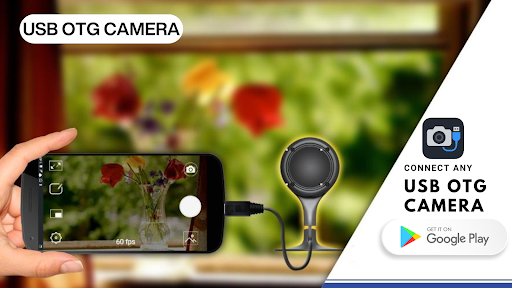
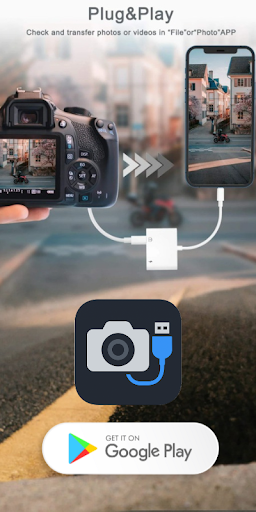
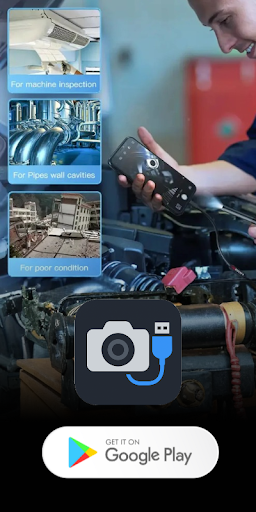
Transform your Android device into a powerful inspection device with the USB OTG Camera app! Whether you're checking plumbing, inspecting hard-to-reach areas, or working on small electronic devices, this app transforms your phone into a complete smart endoscope inspection tool for Android.
With USB OTG support, you can easily connect external cameras like endoscopes, microscopes, and other inspection tools to capture high-quality images wherever you are.
Key Features of the USB OTG Endoscope Camera App :
- Live Video Capture: View and record real-time images from connected USB endoscope cameras.
- USB OTG Compatibility: Supports external devices like endoscopes, microscopes, and USB inspection cameras.
- Plug-and-Play Setup: Easy setup thanks to the built-in OTG connection software for Android.
- High-Resolution Recording: Capture sharp videos and images with the Microscope Camera: Endoscope app.
- Built-in Gallery: All captured media files are stored in an intuitive gallery integrated into the app.
- Media Management Tools: Delete, view, and share files with a simple gesture.
- Performance Optimized: Designed to work perfectly with all USB OTG endoscopic cameras.
- Universal Compatibility: Compatible with a wide range of USB OTG devices and Android phones.
- Easy Setup: Live viewing in seconds
Simply connect your USB OTG camera, launch the app, and tap the camera icon for instant live viewing. Whether you're using an endoscope to inspect pipes or a microscope for precision work, you'll get reliable and fast connections every time.
- Ideal for DIY enthusiasts, technicians, and everyday users
From plumbing and automotive diagnostics to electronic repairs and DIY projects, the USB OTG endoscope camera is the ideal solution. No more guesswork: clearly discover what's hidden in tight and dark spaces.
- Explore every corner
The app is fully compatible with a wide variety of USB OTG endoscope camera tools, making it ideal for both casual and professional use. With the Endoscope tool: OTG Connector software for Android, even microscope users benefit from the same simple interface and powerful features.
- Capture, save, and share with ease
Every photo and video is saved in the app's built-in gallery, where you can manage your files effortlessly. Long-press a file to delete or share it instantly. Whether you're organizing your professional tasks or personal projects, the Microscope Camera: Endoscope app lets you keep everything organized and accessible.
- Download USB OTG Camera for Android now
Harness the full potential of your Android device with the Endoscope Camera: USB OTG Camera app. Whether you're using a microscope camera, endoscope, or other inspection device, this app provides you with the tools and features you need.
Start exploring today – download now and clearly discover hidden details with your endoscope camera: OTG USB!
แสดงเพิ่มเติม

1. ดาวน์โหลดตัวติดตั้ง MEmu และสิ้นสุดการติดตั้ง

2. เริ่ม MEmu จากนั้นเปิด Google Play บนหน้าแรก

3. ค้นหา USB OTG Camera ใน Google Play
Install
4. ดาวน์โหลดและติดตั้ง USB OTG Camera
5. เมื่อติดตั้งเสร็จให้คลิกที่ไอคอนเพื่อเริ่มใช้งาน

6. ใช้ MEmu เพื่อสัมผัสประสบการณ์ USB OTG Camera บนคอมพิวเตอร์ของคุณ
MEmu Play คือโปรแกรมจำลอง Android ที่ดีที่สุด มีผู้ใช้มากกว่า 50 ล้านคน มอบประสบการณ์การใช้งานแอป Android ขั้นสุดยอดให้กับคุณ เทคโนโลยีจำลองเสมือนของ MEmu ช่วยให้คุณรันแอป Android หลายพันแอปบนคอมพิวเตอร์ได้อย่างราบรื่น แม้แอปที่กินทรัพยากรเครื่องสูงที่สุด
จอใหญ่และกราฟฟิกสวยกว่า; เล่นได้นาน, ไม่ต้องใช้แบตเตอรี่โทรศัพท์หรือเน็ตโทรศัพท์.
ระบบปรับแต่งปุ่มคีย์บอร์ดและเม้าส์ตามที่คุณเลือก
เล่นมากกว่าหนึ่งเกมบน PC ในเวลาเดียวกันด้วยระบบหลายจอหรือ Multi-Instance manager.
Use USB OTG Camera on PC by following steps: