Chess
Güncellendi
Mevcut Sürüm
3.86
Sunan

Chess oynamak için bu kadar tutkuluyken, ellerin telefonunun küçük ekranıyla sınırlı kalmamalı.Bir profesyonel gibi oyna ve klavye ve fare ile oyununun tüm kontrolü sende olsun.MEmu sana beklediğin her şeyi sunuyor.PC'de Chess indir ve oyna. İstediğin kadar oyna, artık pil sınırlamaları, mobil veri ve rahatsız edici çağrılar yok.Yepyeni MEmu 9, PC'de Chess oynamak için en iyi seçim. Uzmanlığımızla hazırlanan zarif ön ayar tuş eşleme sistemi Chess oyununu gerçek bir PC oyununa dönüştürüyor.MEmu çoklu örnek yöneticisi, aynı cihazda 2 veya daha fazla hesap oynamayı mümkün kılıyor.Ve en önemlisi, özel emülasyon motorumuz PC'nizin tüm potansiyelini ortaya çıkarıyor, her şeyi sorunsuz hale getiriyor.
Daha fazla göster
Chess’i MEmu Android Emülatör ile PC’ye indirin. Büyük ekranda oynamanın keyfini çıkarın. ★ Top Developer (awarded 2011, 2012, 2013 and 2015) and many years "Editors Choice" ★.
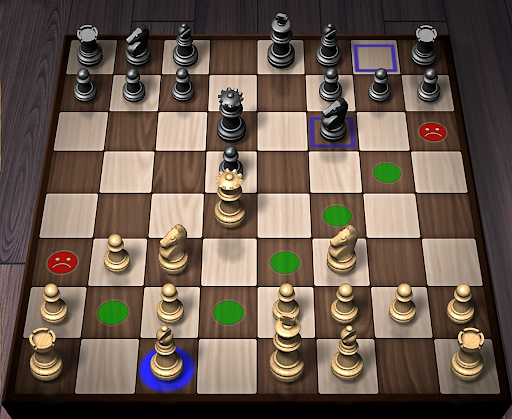
★ Top Developer (awarded 2011, 2012, 2013 and 2015) and many years "Editors Choice" ★
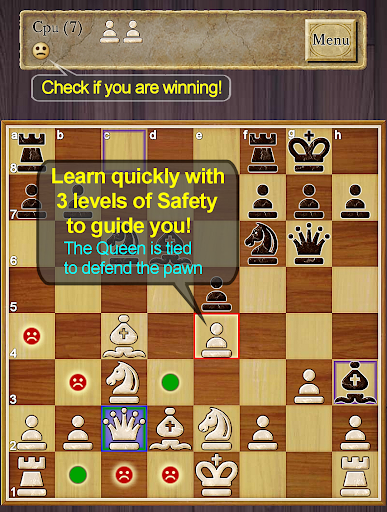
AI Factory's Chess is the quickest and easiest way to learn Chess on Android. For years it has been top ranked among the 600+ Chess apps listed! Its first class tutor makes it great for both developing Chess strategy and improving your Chess skills.
Completely free! All options are unlocked.
Featuring:
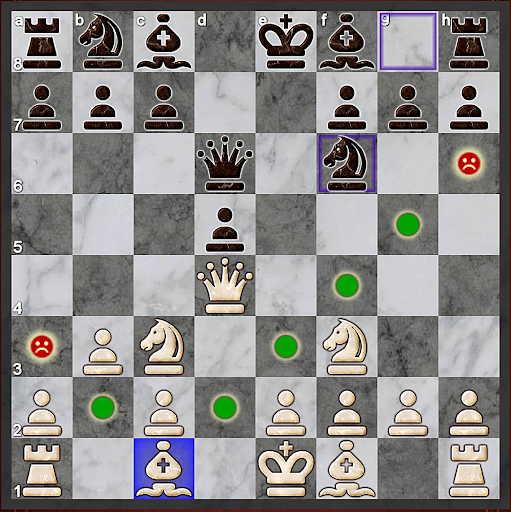
- ★NEW★ Improved teaching, also showing where moves are unsafe, including an optional enhanced safety for pins and ties
- ★NEW★ Now with a comprehensive indexed help, teaching you how to learn Chess with the app
- ★NEW★ A Smiley lets you know who is winning!
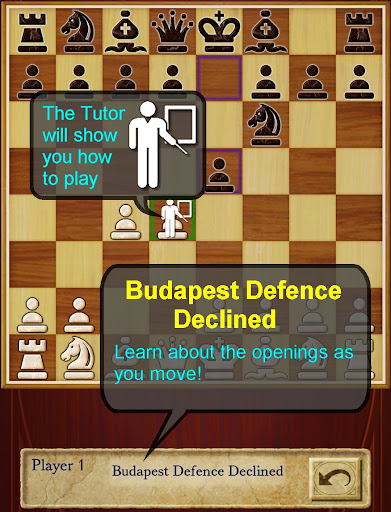
-- Displays the Chess opening line you are in, e.g. Queen's Gambit
-- 12 play levels (Novice->Master) This uses intelligent weakening for lower levels. Good for beginners.
-- Casual and Pro modes. Learn on Casual and progress to Pro.
-- Chess Tutor. This powerful option shows a recommended piece to move and lets you think about the full move - , excellent for developing Chess strategy and avoiding simple mistakes.
-- Hint shows a complete recommended move.
-- Analyse move. Perform deeper analysis on your move.
-- “Show CPU Thinking” option for level 3+. Allows you to see what the AI is considering.
-- Achievements and Leaderboards! Uses your Google Play Games account.
-- Provides ELO Rating based on your results against CPU in Pro Mode.
-- Review game mode. Step through your game!
-- Load/Save game files & PGN Export
-- Designed for both Tablet and Phone, supporting Landscape mode for all Tablets and most Phones.
-- 2 player hot-seat and online. Play against your friends!! Online play uses your Google Play Games account.
-- Chess Stats, Timers and Handicaps
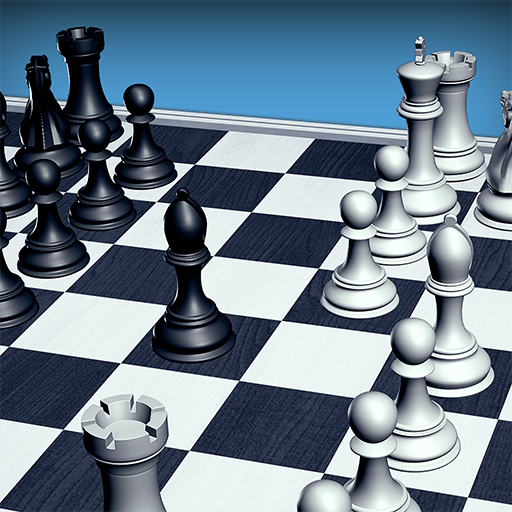
-- Choose between a large selection of 2D and 3D boards and piece sets!
-- Uses Treebeard Chess engine (as used in Microsoft's MSN Chess). This has a unique "human-like" style.
This free version is supported by 3rd party ads. Ads may use internet connectivity, and therefore subsequent data charges may apply.ds.
Download the best Chess for Android now!
Daha fazla göster

1. MEmu yükleyicisini indirin ve kurulumu tamamlayın

2. MEmu'yu başlatın ve ana sayfada Google Play'i açın

3. Google Play'de Chess arayın
Install
4. Chess indirin ve yükleyin
5. Kurulum tamamlandığında başlamak için simgeye tıklayın

6. PC’de MEmu ile Chess oyunun keyfini çıkarın
MEmu App Player, en iyi ücretsiz Android emülatörüdür ve 50 milyon insan zaten mükemmel Android oyun deneyimini yaşamaktadır. MEmu sanallaştırma teknolojisi, binlerce grafik oyunu hatta grafikte en yoğun olanları bile sorunsuz bir şekilde bilgisayarınızda oynamanızı sağlar.
Daha büyük ekranla daha iyi grafiklere sahip; Pil veya mobil veri sınırlaması olmaksızın uzun süre.
Keymapping klavye ve fare veya gamepad'in hassas kontrolü için destek verir.
Multi-Instance yöneticisi ile tek bir bilgisayarda aynı anda birden fazla oyun hesabı veya görev gerçekleşilebilir.
Play Chess on PC by following steps: