Chess
Updated
Current Version
3.86
Offered By

With your passion for Chess, you shouldn’t have to limit yourself to the small screen of a phone. Play like a pro and take full control of the game using a keyboard and mouse. MEmu gives you everything you’re looking for. Download and play Chess on PC. Play as long as you want — no more worries about battery life, mobile data, or unexpected calls. The all-new MEmu 9 is the best way to play Chess on PC. With our expertly designed keymapping system, Chess feels just like a real PC game. The MEmu multi-instance manager lets you run two or more accounts on the same device at the same time. Most importantly, our exclusive emulation engine unlocks your PC’s full potential, delivering smooth and seamless performance.
Show more
Download Chess on PC with MEmu Android Emulator. Enjoy playing on big screen. ★ Top Developer (awarded 2011, 2012, 2013 and 2015) and many years "Editors Choice" ★.
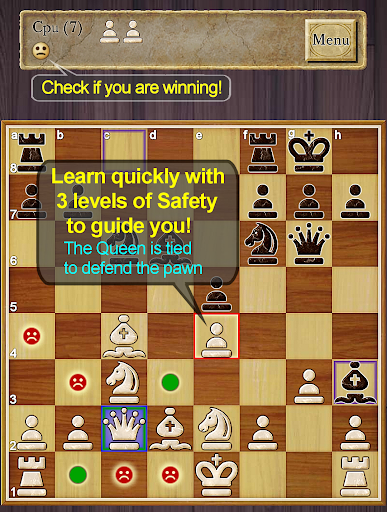
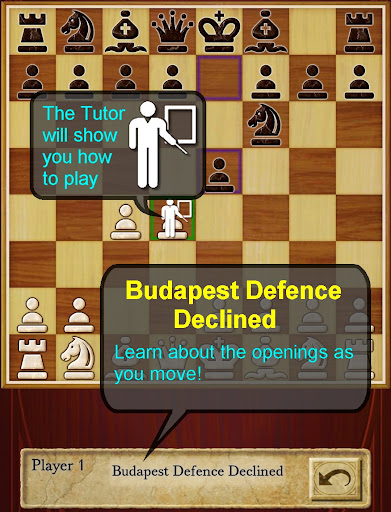
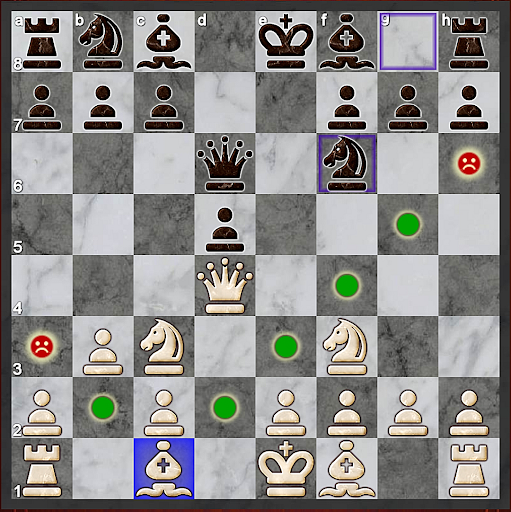
★ Top Developer (awarded 2011, 2012, 2013 and 2015) and many years "Editors Choice" ★
AI Factory's Chess is the quickest and easiest way to learn Chess on Android. For years it has been top ranked among the 600+ Chess apps listed! Its first class tutor makes it great for both developing Chess strategy and improving your Chess skills.
Completely free! All options are unlocked.
Featuring:
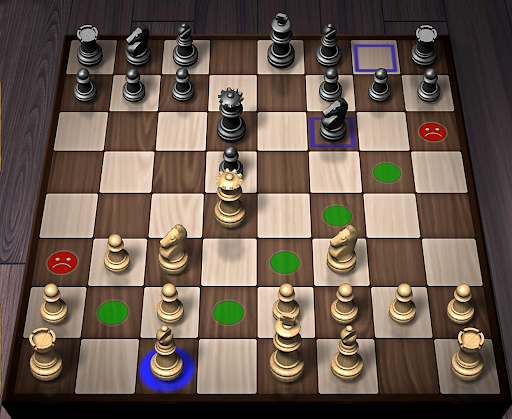
- ★NEW★ Improved teaching, also showing where moves are unsafe, including an optional enhanced safety for pins and ties
- ★NEW★ Now with a comprehensive indexed help, teaching you how to learn Chess with the app
- ★NEW★ A Smiley lets you know who is winning!
-- Displays the Chess opening line you are in, e.g. Queen's Gambit
-- 12 play levels (Novice->Master) This uses intelligent weakening for lower levels. Good for beginners.
-- Casual and Pro modes. Learn on Casual and progress to Pro.
-- Chess Tutor. This powerful option shows a recommended piece to move and lets you think about the full move - , excellent for developing Chess strategy and avoiding simple mistakes.
-- Hint shows a complete recommended move.
-- Analyse move. Perform deeper analysis on your move.
-- “Show CPU Thinking” option for level 3+. Allows you to see what the AI is considering.
-- Achievements and Leaderboards! Uses your Google Play Games account.
-- Provides ELO Rating based on your results against CPU in Pro Mode.
-- Review game mode. Step through your game!
-- Load/Save game files & PGN Export
-- Designed for both Tablet and Phone, supporting Landscape mode for all Tablets and most Phones.
-- 2 player hot-seat and online. Play against your friends!! Online play uses your Google Play Games account.
-- Chess Stats, Timers and Handicaps
-- Choose between a large selection of 2D and 3D boards and piece sets!
-- Uses Treebeard Chess engine (as used in Microsoft's MSN Chess). This has a unique "human-like" style.
This free version is supported by 3rd party ads. Ads may use internet connectivity, and therefore subsequent data charges may apply.ds.
Download the best Chess for Android now!
Show more

1. Download MEmu installer and finish the setup

2. Start MEmu then open Google Play on the desktop

3. Search Chess in Google Play
Install
4. Download and Install Chess
5. On install completion click the icon to start

6. Enjoy playing Chess on PC with MEmu
MEmu Play is the best Android emulator and 100 million people already enjoy its superb Android gaming experience. The MEmu virtualization technology empowers you to play thousands of Android games smoothly on your PC, even the most graphic-intensive ones.
Bigger screen with better graphics; Long duration, without limitation of battery or mobile data.
Full Keymapping support for precise control of keyboard and mouse or gamepad.
Multiple game accounts or tasks on single PC at one time with Multi-Instance manager.
Play Chess on PC by following steps: