Chess
更新日期
当前版本
3.86
提供者

爱玩Chess的你,双手不应该被束缚在手机的小屏幕上。像职业选手一样用键盘和滑鼠来全面控制你的游戏吧。在电脑上下载、安装Chess并尽情游玩。再也不用担心剩余电量、流量消耗和烦人的来电。全新的逍遥模拟器8是你在电脑上游玩Chess的好选择!我们用心准备,完美的按键映射系统让Chess宛如电脑游戏;
更多
透过逍遥模拟器,在电脑上下载Chess,享受大荧屏的畅快体验。 ★ Top Developer (awarded 2011, 2012, 2013 and 2015) and many years "Editors Choice" ★.
★ Top Developer (awarded 2011, 2012, 2013 and 2015) and many years "Editors Choice" ★
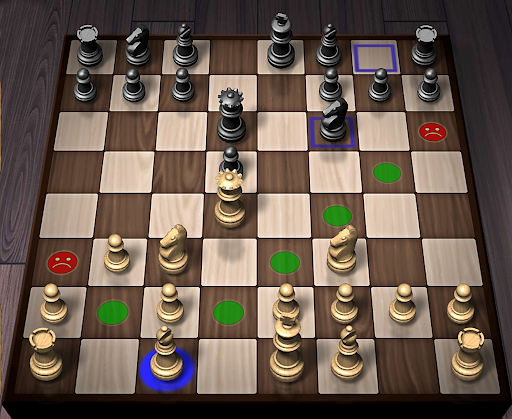
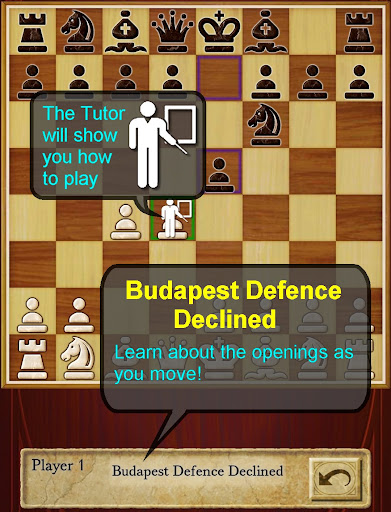
AI Factory's Chess is the quickest and easiest way to learn Chess on Android. For years it has been top ranked among the 600+ Chess apps listed! Its first class tutor makes it great for both developing Chess strategy and improving your Chess skills.
Completely free! All options are unlocked.
Featuring:
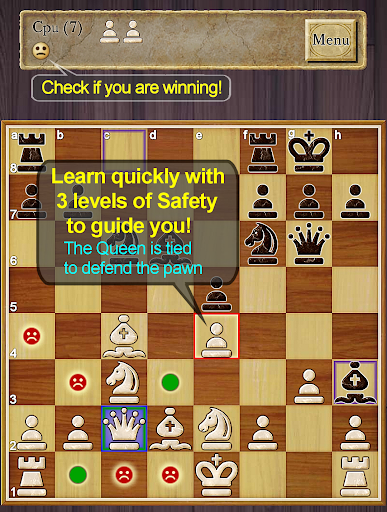
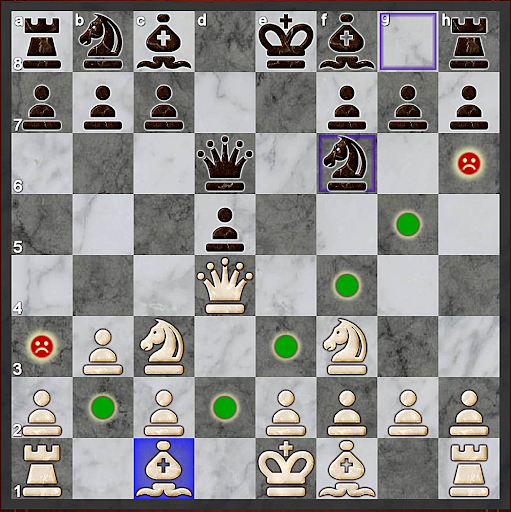
- ★NEW★ Improved teaching, also showing where moves are unsafe, including an optional enhanced safety for pins and ties
- ★NEW★ Now with a comprehensive indexed help, teaching you how to learn Chess with the app
- ★NEW★ A Smiley lets you know who is winning!
-- Displays the Chess opening line you are in, e.g. Queen's Gambit
-- 12 play levels (Novice->Master) This uses intelligent weakening for lower levels. Good for beginners.
-- Casual and Pro modes. Learn on Casual and progress to Pro.
-- Chess Tutor. This powerful option shows a recommended piece to move and lets you think about the full move - , excellent for developing Chess strategy and avoiding simple mistakes.
-- Hint shows a complete recommended move.
-- Analyse move. Perform deeper analysis on your move.
-- “Show CPU Thinking” option for level 3+. Allows you to see what the AI is considering.
-- Achievements and Leaderboards! Uses your Google Play Games account.
-- Provides ELO Rating based on your results against CPU in Pro Mode.
-- Review game mode. Step through your game!
-- Load/Save game files & PGN Export
-- Designed for both Tablet and Phone, supporting Landscape mode for all Tablets and most Phones.
-- 2 player hot-seat and online. Play against your friends!! Online play uses your Google Play Games account.
-- Chess Stats, Timers and Handicaps
-- Choose between a large selection of 2D and 3D boards and piece sets!
-- Uses Treebeard Chess engine (as used in Microsoft's MSN Chess). This has a unique "human-like" style.
This free version is supported by 3rd party ads. Ads may use internet connectivity, and therefore subsequent data charges may apply.ds.
Download the best Chess for Android now!
更多

1. 下载逍遥安装器并完成设置

2. 启动逍遥后打开位于桌面上的谷歌商店

3. 在谷歌商店中搜索Chess
Install
4. 下载并安装Chess
5. 下载完成后点击图标来启动

6. 通过逍遥在电脑上享受Chess
逍遥安卓是优秀的安卓模拟器,全球超过5000万用户的优先选择。逍遥安卓以虚拟化技术为核心,为用户打造突破手机配置局限的游戏平台!
大屏精细展示;无限待机,超越电池和流量限制
键鼠、手把操作全面支持,操作更精准
用逍遥多开同时运行多个游戏、应用。
Play Chess on PC by following steps:




![リアル麻雀 雀龍門M [麻雀ゲーム]电脑版](https://dl.memuplay.com/new_market/img/jp.co.ncjapan.janryumon.icon.2025-06-14-13-53-44.png)