Chess
تازہ کاری
موجودہ ورژن
3.86
پیشکش بذریعہ

Chess کھیلنے کے اپنے پورے جنون کے دوران آپ کے ہاتھ آپ کے فون کی ایک چھوٹی سی اسکرین تک محدود نہیں ہونے چاہئیں۔ پرو کی طرح کھیلیں اور کی بورڈ اور ماؤس کے سہارے اپنے گیم پر مکمل کنٹرول حاصل کریں۔ MEmu آپ کو وہ تمام چیزیں پیش کرتا ہے جس کی آپ امید کرتے ہیں۔ پی سی پر Chess ڈاؤن لوڈ کریں اور کھیلیں۔ جتنی دیر تک آپ چاہیں کھیلیں، بیٹری، موبائل ڈیٹا کی کوئی حد نہیں ہے اور پریشان کن کالز نہیں ہیں۔ نئے برانڈ کا MEmu 9 پی سی پر Chess کھیلنے کا بہترین اختیار ہے۔ ہماری مہارت کی مدد سے تیار کردہ، شاندار پری سیٹ کی میپنگ سسٹم Chess کو ایک ریئل پی سی گیم بناتا ہے۔ MEmu کثیر نظیری منیجرایک ہی ڈیوائس پر 2 یا زیادہ اکاؤنٹس پلے کرنا ممکن بناتا ہے۔ اور سب سے اہم بات یہ ہے کہ، ہمارا خصوصی ایمولیشن انجن آپ کے پی سی کی مکمل طاقت ریلیز کرتے ہوئے ہر چیز ہموار بنا سکتا ہے۔
مزید دکھائیں
Download Chess on PC with MEmu Android Emulator. Enjoy playing on big screen. ★ Top Developer (awarded 2011, 2012, 2013 and 2015) and many years "Editors Choice" ★.
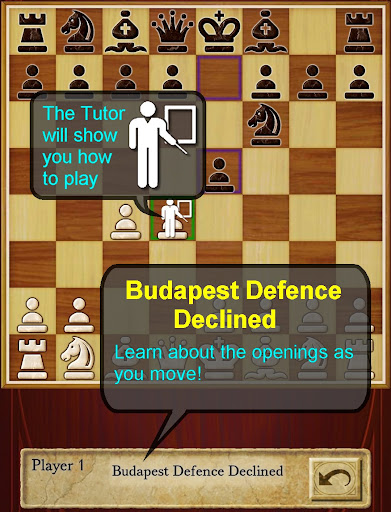
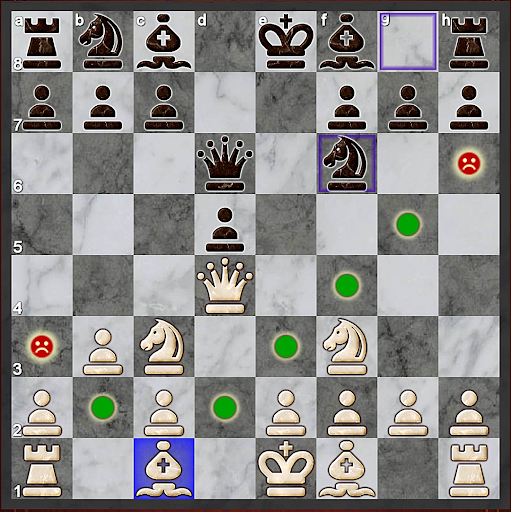
★ Top Developer (awarded 2011, 2012, 2013 and 2015) and many years "Editors Choice" ★
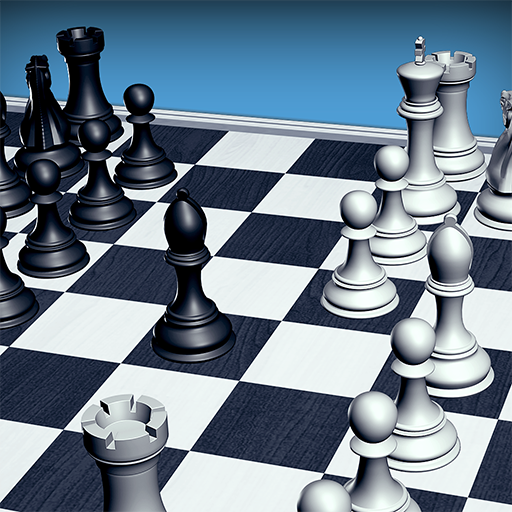
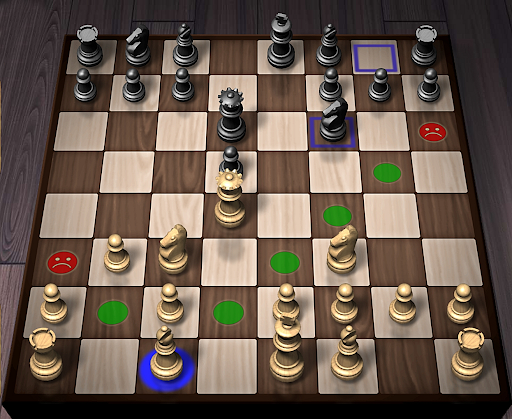
AI Factory's Chess is the quickest and easiest way to learn Chess on Android. For years it has been top ranked among the 600+ Chess apps listed! Its first class tutor makes it great for both developing Chess strategy and improving your Chess skills.
Completely free! All options are unlocked.
Featuring:
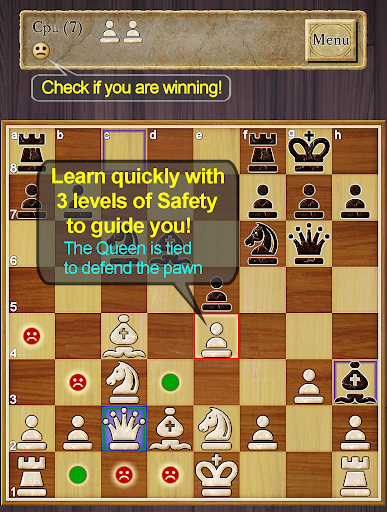
- ★NEW★ Improved teaching, also showing where moves are unsafe, including an optional enhanced safety for pins and ties
- ★NEW★ Now with a comprehensive indexed help, teaching you how to learn Chess with the app
- ★NEW★ A Smiley lets you know who is winning!
-- Displays the Chess opening line you are in, e.g. Queen's Gambit
-- 12 play levels (Novice->Master) This uses intelligent weakening for lower levels. Good for beginners.
-- Casual and Pro modes. Learn on Casual and progress to Pro.
-- Chess Tutor. This powerful option shows a recommended piece to move and lets you think about the full move - , excellent for developing Chess strategy and avoiding simple mistakes.
-- Hint shows a complete recommended move.
-- Analyse move. Perform deeper analysis on your move.
-- “Show CPU Thinking” option for level 3+. Allows you to see what the AI is considering.
-- Achievements and Leaderboards! Uses your Google Play Games account.
-- Provides ELO Rating based on your results against CPU in Pro Mode.
-- Review game mode. Step through your game!
-- Load/Save game files & PGN Export
-- Designed for both Tablet and Phone, supporting Landscape mode for all Tablets and most Phones.
-- 2 player hot-seat and online. Play against your friends!! Online play uses your Google Play Games account.
-- Chess Stats, Timers and Handicaps
-- Choose between a large selection of 2D and 3D boards and piece sets!
-- Uses Treebeard Chess engine (as used in Microsoft's MSN Chess). This has a unique "human-like" style.
This free version is supported by 3rd party ads. Ads may use internet connectivity, and therefore subsequent data charges may apply.ds.
Download the best Chess for Android now!
مزید دکھائیں

1. MEmu انسٹالر ڈاؤن لوڈ کریں اور سیٹ اپ مکمل کریں

2. MEmu شروع کریں اسکے بعد ڈیسکٹاپ پر Google Play کھولیں

3. Google Play میں Chess تلاش کریں
Install
4. Chess ڈاؤن لوڈ کریں اور انسٹال کریں
5. انسٹال مکمل ہونے کے بعد سٹارٹ کرنے کے لیے آئیکن پر کلک کریں

6. MEmu کے ساتھ پی سی پر Chess کھیلنے کا لطف لیں
MEmu پلے بہترین اینڈرائڈ ایمولیٹر ہے اور 100 ملین لوگ اس کے زبردست اینڈرائڈ گیمنگ تجربہ سے لطف اندوز ہو رہے ہیں۔ MEmu کی ورچولائزیشن ٹیکنالوجی آپ کو اپنے PC پر ہزاروں اینڈرائڈ گیمز یہاں تک کہ انتہائی گرافک والے گیمز باسہولت کھیلنے کی طاقت دیتی ہے۔
بہتر گرافکس کے ساتھ بڑی اسکرین؛ طویل دورانیہ، بیٹری یا لامحدود موبائل ڈیٹا کے بغیر۔
کی بورڈ اور ماؤس یا گیم پیڈ کے عین مطابق کنٹرول کے لیے کی میپنگ کا پورا سپورٹ۔
کثیر مثالی منیجر کے ساتھ بیک وقت ایک پی سی پر متعدد گیم اکاؤنٹس یا ٹاسکس۔
پی سی پر درج ذیل مراحل پر عمل کرتے ہوئے Chess کھیلیں: