Chess
تم التحديث
الإصدار الحالي
3.86
تقديم

مع كل شغفك للعب Chess ,يديك لايجب ان تكون محدودة بشاشة صغيرة علي تليفونك. العب كمحترف واحصل علي تحكم كامل علي لعبتك عن طريق لوحة المفاتيح والفأره. MEmuيقدم جميع الاشياء التي تتوقعها.حمل والعب Chess علي جهاز الحاسوب الخاص بك العب كماتريد ,لايوجد حدود علي البطارية والباقة ولا يوجد اتصالات مزعجة النسخة الجديدة من MEmu7 هو افضل وسيلة للعب Chess علي جهاز الحاسب معد عن طريق خبراتنا , لوحة المفاتيح المعده مسبقا تجعل Chess العبة لعبة كمبيوتر حقيقة تم برمجتها باقصي استيعابنا .المتحكم في عدة نوافذ يجعل لعب لعبتين او اكثر او استعمال اكثر من حساب اسهل واهم شئ ان المحرك الخاص بنا يمكن ان يخرج كل امكانيات جهازك ويجعل كل شئ اكثر سلاسة نحن لانهتم بكيف تلعب فقط بل ايضا بالسعادة التي تغمرك من اللعب
أظهر المزيد
قم بتنزيل Chess على الكمبيوتر بإستخدام جهاز مقلد أندروز MEmu.استمتع بمتعة اللعب على الشاشة الكبيرة. ★ Top Developer (awarded 2011, 2012, 2013 and 2015) and many years "Editors Choice" ★.
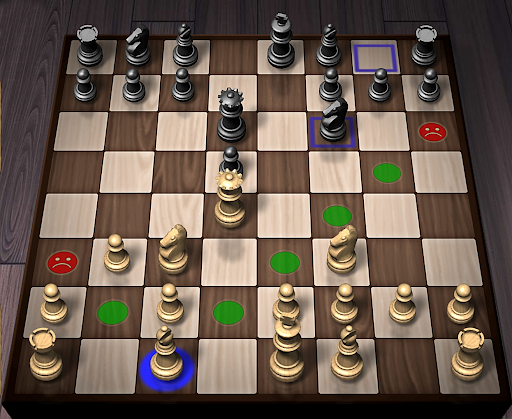
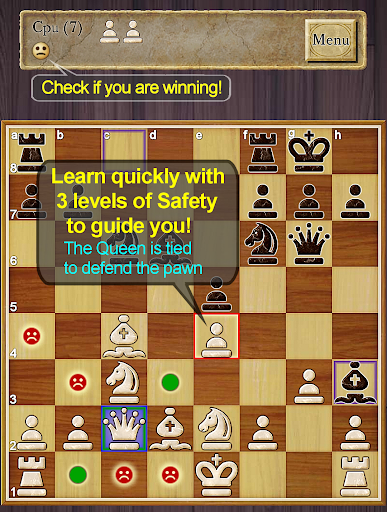
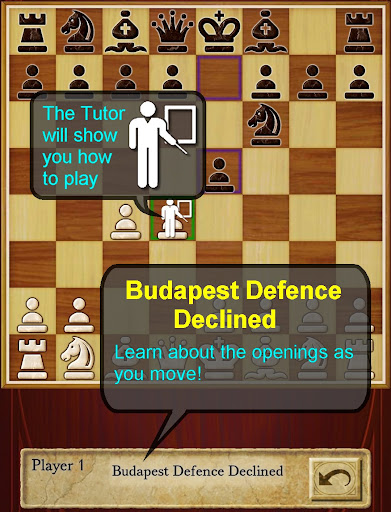
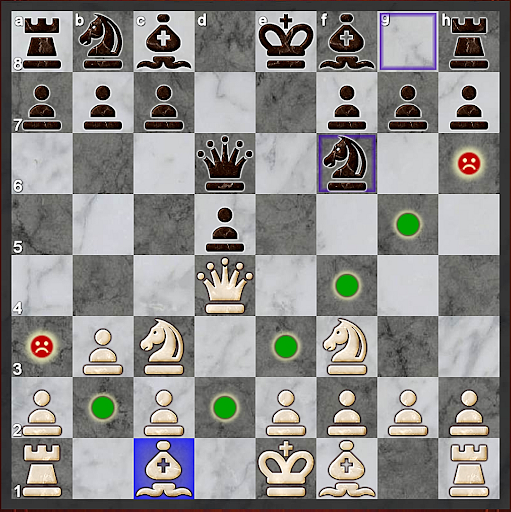
★ Top Developer (awarded 2011, 2012, 2013 and 2015) and many years "Editors Choice" ★
AI Factory's Chess is the quickest and easiest way to learn Chess on Android. For years it has been top ranked among the 600+ Chess apps listed! Its first class tutor makes it great for both developing Chess strategy and improving your Chess skills.
Completely free! All options are unlocked.
Featuring:
- ★NEW★ Improved teaching, also showing where moves are unsafe, including an optional enhanced safety for pins and ties
- ★NEW★ Now with a comprehensive indexed help, teaching you how to learn Chess with the app
- ★NEW★ A Smiley lets you know who is winning!
-- Displays the Chess opening line you are in, e.g. Queen's Gambit
-- 12 play levels (Novice->Master) This uses intelligent weakening for lower levels. Good for beginners.
-- Casual and Pro modes. Learn on Casual and progress to Pro.
-- Chess Tutor. This powerful option shows a recommended piece to move and lets you think about the full move - , excellent for developing Chess strategy and avoiding simple mistakes.
-- Hint shows a complete recommended move.
-- Analyse move. Perform deeper analysis on your move.
-- “Show CPU Thinking” option for level 3+. Allows you to see what the AI is considering.
-- Achievements and Leaderboards! Uses your Google Play Games account.
-- Provides ELO Rating based on your results against CPU in Pro Mode.
-- Review game mode. Step through your game!
-- Load/Save game files & PGN Export
-- Designed for both Tablet and Phone, supporting Landscape mode for all Tablets and most Phones.
-- 2 player hot-seat and online. Play against your friends!! Online play uses your Google Play Games account.
-- Chess Stats, Timers and Handicaps
-- Choose between a large selection of 2D and 3D boards and piece sets!
-- Uses Treebeard Chess engine (as used in Microsoft's MSN Chess). This has a unique "human-like" style.
This free version is supported by 3rd party ads. Ads may use internet connectivity, and therefore subsequent data charges may apply.ds.
Download the best Chess for Android now!
أظهر المزيد

1. قم بتنزيل برنامج MEmu واكمال تثبيته

2. قم بتشغيل برنامج MEmu وفتح Google Play على الصفحة الرئيسية

3. ابح Chess في Google Play
Install
4. تنزيل وتثبيت Chess
5. انقر على الرمز للتشغيل بعد اكتمال التثبيت

6. استمتع بلعب *** على الكمبيوتر Chess تخدام برنامج MEmu
تطبيق MEmuهو افضل محاكى اندرويد مجانى وبالفعل 50 مليون شخص يستمتعون حاليا بتجربه اللعب عليه. تمكّنك تقنية MEmu الافتراضية من تشغيل آلاف ألعاب Android بسلاسة على الكمبيوتر الشخصي ، حتى أكثرها استخدامًا للرسومات.
شاشة أكبر وجرافيك افضل ووقت أطول بدون حدود البطارية وباقة التليفون
لوحة مفاتيح كاملة تدعم تحكم كامل عن طريق لوحة المفاتيح و الفأره وجيم باد
عدة العاب وحسابات ومهمات علي جهاز الكمبيوتر في وقت معين عن طريق Memu متعدد النوافذ
Play Chess on PC by following steps: