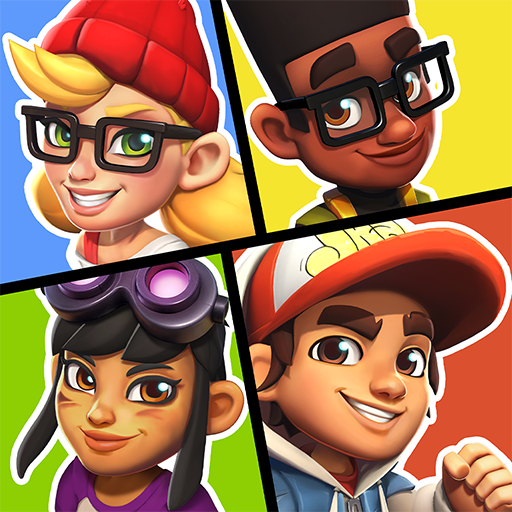
Hoverboard Party
Оновлено
Поточна версія
1.0.1
Постачальник

Перестаньте турбуватися про надмірні витрати, використовуючи ххх на своєму мобільному телефоні, звільніться від крихітного екрану і насолоджуйтеся використанням програми на набагато більшому дисплеї. Відтепер отримуйте повний екран свого додатка за допомогою клавіатури та миші. MEmu пропонує вам усі дивовижні функції, які ви очікували: швидка установка та просте налаштування, інтуїтивно зрозумілі елементи керування, більше обмежень від акумулятора, мобільних даних та тривожних дзвінків. Новий MEmu 9 - найкращий вибір використання Hoverboard Party на вашому комп’ютері. За допомогою нашого поглинання менеджер із кількома примірниками одночасно дозволяє відкрити 2 або більше рахунків. І найголовніше, наш ексклюзивний емуляційний двигун може вивільнити весь потенціал вашого ПК, зробити все гладким і приємним.
Show more
Насолоджуйтесь чудовим досвідом Hoverboard Party гри на ПК за допомогою програми MEMU App Player. Це потужний безкоштовний емулятор Android, який дозволяє вам грати в тисячі ігор Android. Ready to roll?
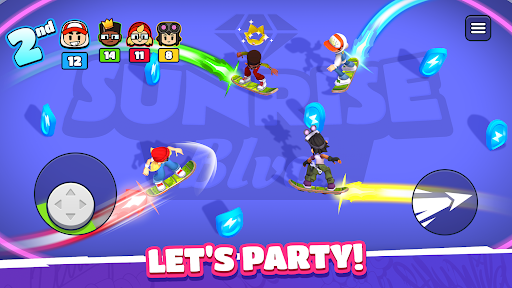
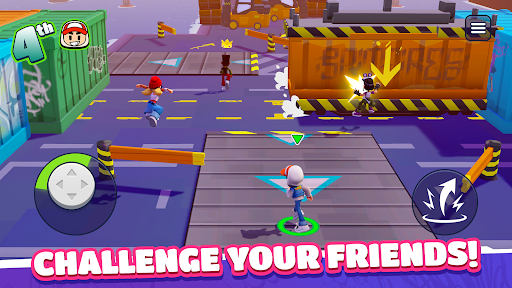
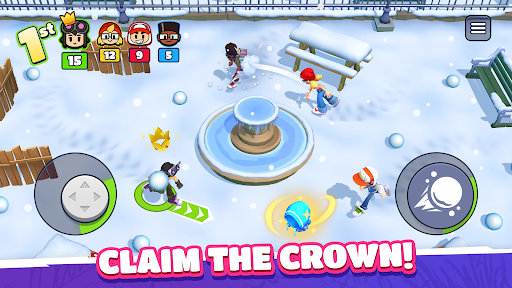
Ready to roll? Challenge your friends anywhere and anytime in Hoverboard Party! Whether you're looking to prove your skills to the world or settle a score with your pals, this is the ultimate party-game experience. Get ready for fun, competition, and a little bit of chaos!
Gather the Squad & Compete!
Experience a quick-fire multiplayer competition format built for fast fun. Create a private party to play with your friends or jump into instant online PvP matchmaking to find new rivals in seconds. Face off in three back-to-back rounds where every second counts. Score points, climb the podium, and show them who is the boss!
Action-Packed Mini-Games
Every round brings a new challenge. You’ll need more than just luck to win:
Cage Football: A 4-way arena match where shutting goals and a rain of balls turn the pitch into a scoring frenzy.
Crossy Rails: Dodge speeding trains while hunting for coins. Don't get hit, or your loot is up for grabs!
Hoverboard Mayhem: Light up the arena! Trace and grow your energy trail to zap your rivals and take the lead.
Snowball Fight: Get tactical. Take cover to dodge incoming attacks and unleash a storm of snowballs to steal the show!
...and many more! From jetpack battles to obstacle races, there's always a new way to win.
Why You’ll Love It:
Play Together: Easily invite friends to your party for private matches.
Own the Streets: Show your true colors! Win big, unlock new characters and stand out with the freshest skins!
Infinite Variety: A huge rotation of racing, brawling, and survival minigames!
Do you have what it takes to outlast the competition? Grab your board and join the party!
Show more

1. Download MEmu installer and finish the setup

2. Start MEmu then open Google Play on the desktop

3. Search Hoverboard Party in Google Play
Install
4. Download and Install Hoverboard Party
5. On install completion click the icon to start

6. Enjoy playing Hoverboard Party on PC with MEmu
MEmu App Player є кращим безкоштовним емулятором Android, і 50 мільйонів людей вже користуються його чудовим ігровим досвідом Android. Технологія віртуалізації MEmu дає вам змогу відтворювати тисячі ігор Android на вашому комп'ютері, навіть найбільш насичених графікою.
Bigger screen with better graphics; Long duration, without limitation of battery or mobile data.
Full Keymapping support for precise control of keyboard and mouse or gamepad.
Multiple game accounts or tasks on single PC at one time with Multi-Instance manager.
Play Hoverboard Party on PC by following steps: