Hoverboard Party
Aktualisiert
Aktuelle Version
1.0.1
Angeboten von

Bei all Ihrer Leidenschaft für das Spielen von Hoverboard Party sollten Ihre Hände nicht auf einen winzigen Bildschirm Ihres Telefons beschränkt sein. Spielen Sie wie ein Profi und übernehmen Sie die volle Kontrolle über Ihr Spiel mit Tastatur und Maus. MEmu bietet Ihnen all die Dinge, die Sie erwarten. Laden Sie Hoverboard Party herunter und spielen Sie es auf dem PC. Spielen Sie so lange, wie Sie wollen, ohne Grenzwerte für Akku, mobile Daten und störende Anrufe. Das brandneue MEmu 9 ist die beste Wahl, um Hoverboard Party auf dem PC zu spielen. Das exquisite voreingestellte Tastaturbelegungssystem, das mit unserem Fachwissen vorbereitet wurde, macht Hoverboard Party zu einem echten PC-Spiel. Der MEmu Multi-Instanz-Manager ermöglicht das Spielen von 2 oder mehr Konten auf demselben Gerät. Und das Wichtigste: Unsere exklusive Emulations-Engine kann das volle Potenzial Ihres PCs freisetzen und für reibungslose Abläufe sorgen.
Mehr anzeigen
Laden Sie Play Hoverboard Party auf dem PC mit MEmu Android Emulator. Viel Spaß beim Spielen auf großmundieren. Ready to roll?
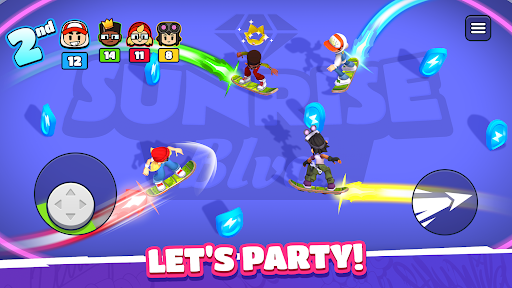
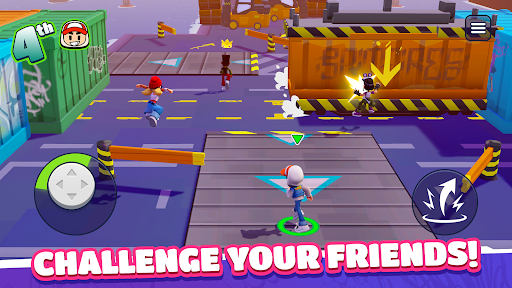
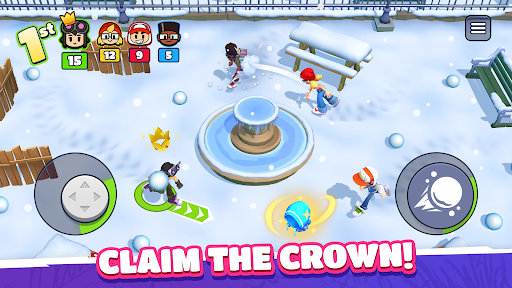
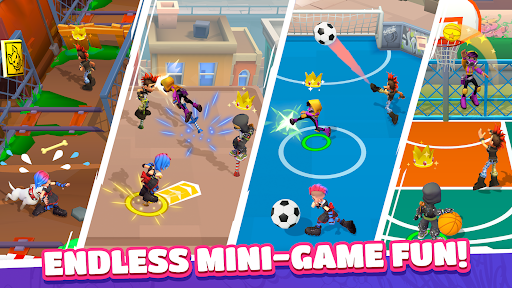
Ready to roll? Challenge your friends anywhere and anytime in Hoverboard Party! Whether you're looking to prove your skills to the world or settle a score with your pals, this is the ultimate party-game experience. Get ready for fun, competition, and a little bit of chaos!
Gather the Squad & Compete!
Experience a quick-fire multiplayer competition format built for fast fun. Create a private party to play with your friends or jump into instant online PvP matchmaking to find new rivals in seconds. Face off in three back-to-back rounds where every second counts. Score points, climb the podium, and show them who is the boss!
Action-Packed Mini-Games
Every round brings a new challenge. You’ll need more than just luck to win:
Cage Football: A 4-way arena match where shutting goals and a rain of balls turn the pitch into a scoring frenzy.
Crossy Rails: Dodge speeding trains while hunting for coins. Don't get hit, or your loot is up for grabs!
Hoverboard Mayhem: Light up the arena! Trace and grow your energy trail to zap your rivals and take the lead.
Snowball Fight: Get tactical. Take cover to dodge incoming attacks and unleash a storm of snowballs to steal the show!
...and many more! From jetpack battles to obstacle races, there's always a new way to win.
Why You’ll Love It:
Play Together: Easily invite friends to your party for private matches.
Own the Streets: Show your true colors! Win big, unlock new characters and stand out with the freshest skins!
Infinite Variety: A huge rotation of racing, brawling, and survival minigames!
Do you have what it takes to outlast the competition? Grab your board and join the party!
Mehr anzeigen

1. Laden das MEmu-Installationsprogramm herunter und beenden die Installation

2. MEmu starten und Google Play auf der Homepage öffnen

3. Suchen Hoverboard Party in Google Play
Install
4. Herunterladen und Installieren Hoverboard Party
5. Klicken nach Abschluss der Installation auf das Symbol, um es zu starten

6. Viel Spaß beim Spielen von Hoverboard Party auf dem PC mit MEmu
MEmu App Player ist der beste kostenlose Android-Emulator und 50 Millionen Menschen genießen bereits seine hervorragende Android-Gaming-Erfahrung. Mit der MEmu-Virtualisierungstechnologie können Sie Tausende von Android-Spielen problemlos auf Ihrem PC spielen, selbst bei grafikintensiven Spielen.
BGrößeres Bild mit besserer Grafik; Keine unterbrechungen, keine sorgen um Akku
Komplette Tastenbelegung unterstützt mit Maus und Tastatur oder Controller
Mit dem „Multi-Instance-Manager“ können Sie mehrere Spielkonten oder Spiele gleichzeitig auf einem PC ausführen.
Play Hoverboard Party on PC by following steps: