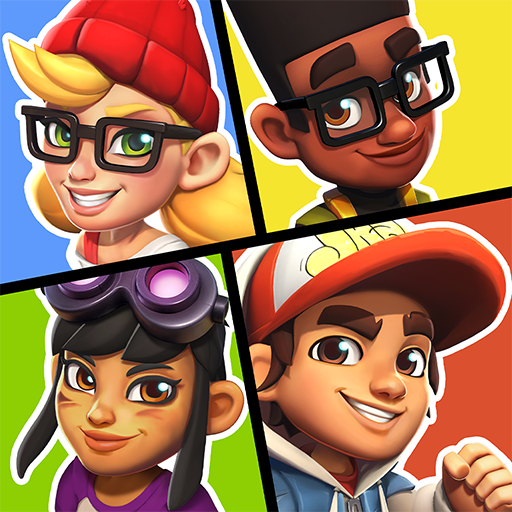
Hoverboard Party
อัปเดตเมื่อ
เวอร์ชันปัจจุบัน
1.0.1
ให้บริการโดย

เวลาคุณเล่น Hoverboard Party, คุณอาจรู้สึกว่ามือคุณอาจบังจอแล้วทำให้ไม่ได้เล่นแบบเต็มที่. เล่นแบบไร้ขีดจำกัดด้วยเม้าส์และคีย์บอร์ด. MEmu มีตัวเลือกหลายอย่างให้คุณใช้งานเกมที่คุณเล่นแบบที่คุณต้องการ. ดาวน์โหลดและเล่น Hoverboard Party บน PC. เล่นนานแค่ไหนก็ได้, ไม่ต้องชาร์จแบตเตอรี่, หรือเจอคนโทรเข้ามาระหว่างเล่น. MEmu 9 เป็นตัวเลือกสำหรับการเล่น Hoverboard Party บน PC. ทางทีมงานเราได้ปรับแต่งเกม, ปรับให้เล่นเกมบางเกมได้เหมือนเล่น Hoverboard Party เป็นเกม PC เช่นเล็งด้วยเม้าส์หรือใช้คีย์บอร์ด. ระบบของเรายังทำให้คุณสามารถเปิดเล่นได้มากกว่า 2 เกมพร้อมๆกันในคอมของคุณ. และที่สำคัญที่สุด, ระบบโปรแกรมของเราสามารถทำให้คุณใช้ระบบของ PC ทำให้เกมลื่นเหมือนกับใช้โทรศัพท์รุ่นล่าสุด. เราไม่ได้ดูแลเรื่องการเล่นเกม, แต่เราดูแลถึงความสนุกสนานที่คุณได้จากการเล่นด้วย.
แสดงเพิ่มเติม
ดาวน์โหลด Hoverboard Party บน PC ด้วย MEmu Android Emulator สนุกกับการเล่นบนหน้าจอขนาดใหญ่ Ready to roll?
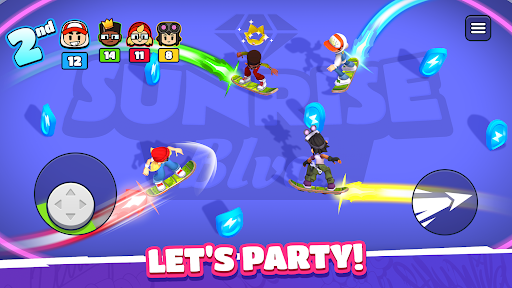
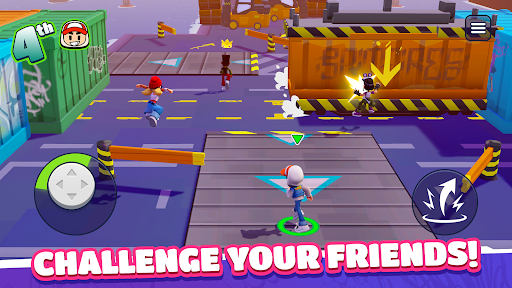
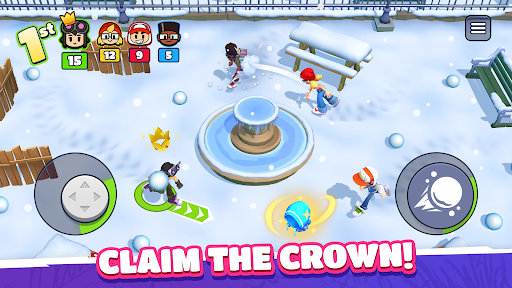
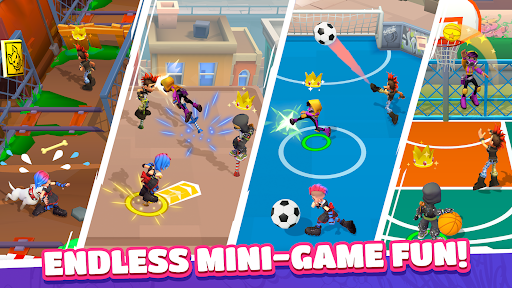
Ready to roll? Challenge your friends anywhere and anytime in Hoverboard Party! Whether you're looking to prove your skills to the world or settle a score with your pals, this is the ultimate party-game experience. Get ready for fun, competition, and a little bit of chaos!
Gather the Squad & Compete!
Experience a quick-fire multiplayer competition format built for fast fun. Create a private party to play with your friends or jump into instant online PvP matchmaking to find new rivals in seconds. Face off in three back-to-back rounds where every second counts. Score points, climb the podium, and show them who is the boss!
Action-Packed Mini-Games
Every round brings a new challenge. You’ll need more than just luck to win:
Cage Football: A 4-way arena match where shutting goals and a rain of balls turn the pitch into a scoring frenzy.
Crossy Rails: Dodge speeding trains while hunting for coins. Don't get hit, or your loot is up for grabs!
Hoverboard Mayhem: Light up the arena! Trace and grow your energy trail to zap your rivals and take the lead.
Snowball Fight: Get tactical. Take cover to dodge incoming attacks and unleash a storm of snowballs to steal the show!
...and many more! From jetpack battles to obstacle races, there's always a new way to win.
Why You’ll Love It:
Play Together: Easily invite friends to your party for private matches.
Own the Streets: Show your true colors! Win big, unlock new characters and stand out with the freshest skins!
Infinite Variety: A huge rotation of racing, brawling, and survival minigames!
Do you have what it takes to outlast the competition? Grab your board and join the party!
แสดงเพิ่มเติม

1. ดาวน์โหลดตัวติดตั้ง MEmu และสิ้นสุดการติดตั้ง

2. เริ่ม MEmu จากนั้นเปิด Google Play บนหน้าแรก

3. ค้นหา Hoverboard Party ใน Google Play
Install
4. ดาวน์โหลดและติดตั้ง Hoverboard Party
5. เมื่อติดตั้งเสร็จให้คลิกที่ไอคอนเพื่อเริ่มใช้งาน

6. สนุกกับการเล่น Hoverboard Party บนพีซีด้วย MEmu
MEmu App Player เป็นอีมูเลเตอร์ Android ที่ดีที่สุดและผู้คนกว่า 50 ล้านคนเพลิดเพลินไปกับประสบการณ์การเล่นเกม Android ที่ยอดเยี่ยม เทคโนโลยีการจำลองเสมือนของ MEmu ช่วยให้คุณเล่นเกม Android หลายพันเกมได้อย่างราบรื่นบนพีซีของคุณแม้แต่เกมที่ต้องใช้กราฟิกมากที่สุด
จอใหญ่และกราฟฟิกสวยกว่า; เล่นได้นาน, ไม่ต้องใช้แบตเตอรี่โทรศัพท์หรือเน็ตโทรศัพท์.
ระบบปรับแต่งปุ่มคีย์บอร์ดและเม้าส์ตามที่คุณเลือก
เล่นมากกว่าหนึ่งเกมบน PC ในเวลาเดียวกันด้วยระบบหลายจอหรือ Multi-Instance manager.
Play Hoverboard Party on PC by following steps:



















![[ไกด์เกม] CookieRun Classic แนะนำ 5 คุกกี้น่าปั้น น่าลงทุน ที่มือใหม่ห้ามพลาด! (เล่นบน PC ผ่าน MEmu ให้ลื่นสุด ๆ) PC](https://www.memuplay.com/blog/wp-content/uploads/2026/08/579c01ab-a953-45b3-8115-9b6279b7d6f9.png)