Hoverboard Party
Updated
Current Version
1.0.1
Offered By

With your passion for Hoverboard Party, you shouldn’t have to limit yourself to the small screen of a phone. Play like a pro and take full control of the game using a keyboard and mouse. MEmu gives you everything you’re looking for. Download and play Hoverboard Party on PC. Play as long as you want — no more worries about battery life, mobile data, or unexpected calls. The all-new MEmu 9 is the best way to play Hoverboard Party on PC. With our expertly designed keymapping system, Hoverboard Party feels just like a real PC game. The MEmu multi-instance manager lets you run two or more accounts on the same device at the same time. Most importantly, our exclusive emulation engine unlocks your PC’s full potential, delivering smooth and seamless performance.
Show more
Download Hoverboard Party on PC with MEmu Android Emulator. Enjoy playing on big screen. Ready to roll?
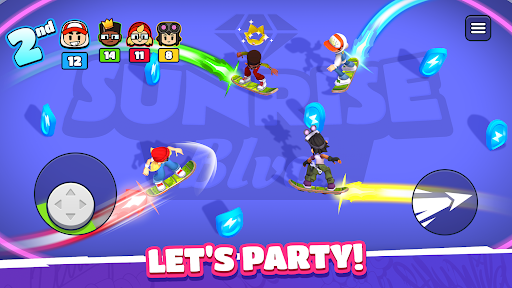
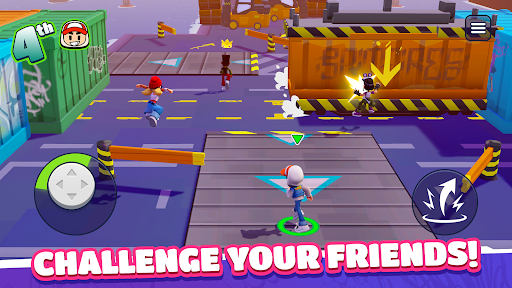
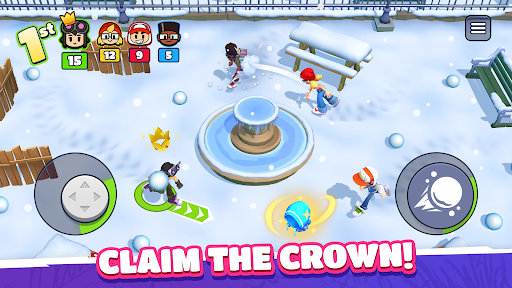
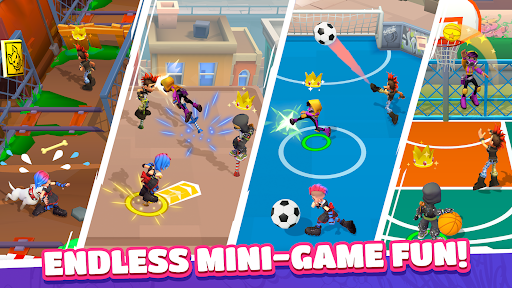
Ready to roll? Challenge your friends anywhere and anytime in Hoverboard Party! Whether you're looking to prove your skills to the world or settle a score with your pals, this is the ultimate party-game experience. Get ready for fun, competition, and a little bit of chaos!
Gather the Squad & Compete!
Experience a quick-fire multiplayer competition format built for fast fun. Create a private party to play with your friends or jump into instant online PvP matchmaking to find new rivals in seconds. Face off in three back-to-back rounds where every second counts. Score points, climb the podium, and show them who is the boss!
Action-Packed Mini-Games
Every round brings a new challenge. You’ll need more than just luck to win:
Cage Football: A 4-way arena match where shutting goals and a rain of balls turn the pitch into a scoring frenzy.
Crossy Rails: Dodge speeding trains while hunting for coins. Don't get hit, or your loot is up for grabs!
Hoverboard Mayhem: Light up the arena! Trace and grow your energy trail to zap your rivals and take the lead.
Snowball Fight: Get tactical. Take cover to dodge incoming attacks and unleash a storm of snowballs to steal the show!
...and many more! From jetpack battles to obstacle races, there's always a new way to win.
Why You’ll Love It:
Play Together: Easily invite friends to your party for private matches.
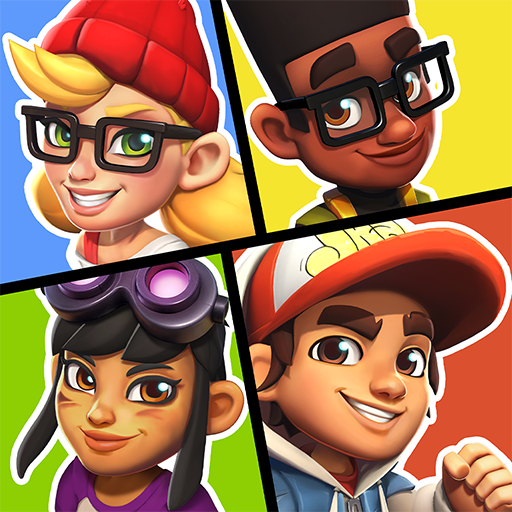
Own the Streets: Show your true colors! Win big, unlock new characters and stand out with the freshest skins!
Infinite Variety: A huge rotation of racing, brawling, and survival minigames!
Do you have what it takes to outlast the competition? Grab your board and join the party!
Show more

1. Download MEmu installer and finish the setup

2. Start MEmu then open Google Play on the desktop

3. Search Hoverboard Party in Google Play
Install
4. Download and Install Hoverboard Party
5. On install completion click the icon to start

6. Enjoy playing Hoverboard Party on PC with MEmu
MEmu Play is the best Android emulator and 100 million people already enjoy its superb Android gaming experience. The MEmu virtualization technology empowers you to play thousands of Android games smoothly on your PC, even the most graphic-intensive ones.
Bigger screen with better graphics; Long duration, without limitation of battery or mobile data.
Full Keymapping support for precise control of keyboard and mouse or gamepad.
Multiple game accounts or tasks on single PC at one time with Multi-Instance manager.
Play Hoverboard Party on PC by following steps: