Playfy Tv: Livescores
Оновлено
Поточна версія
1.0.0
Постачальник

Перестаньте турбуватися про надмірні витрати, використовуючи ххх на своєму мобільному телефоні, звільніться від крихітного екрану і насолоджуйтеся використанням програми на набагато більшому дисплеї. Відтепер отримуйте повний екран свого додатка за допомогою клавіатури та миші. MEmu пропонує вам усі дивовижні функції, які ви очікували: швидка установка та просте налаштування, інтуїтивно зрозумілі елементи керування, більше обмежень від акумулятора, мобільних даних та тривожних дзвінків. Зовсім новий MEmu 9 – найкращий вибір для використання Єдина Школа на вашому комп’ютері. За допомогою нашого поглинання менеджер із кількома примірниками одночасно дозволяє відкрити 2 або більше рахунків. І найголовніше, наш ексклюзивний емуляційний двигун може вивільнити весь потенціал вашого ПК, зробити все гладким і приємним.
Show more
Насолоджуйтесь чудовим досвідом використання Playfy Tv: Livescores на ПК за допомогою MEmu Play. Це потужний безкоштовний емулятор Android, який пропонує тисячі програм Android для настільних комп'ютерів. Насолоджуйтесь спілкуванням з друзями та покращенням своєї роботи з більшою ефективністю! Playfy TV: LiveScores is a fast and reliable football app designed for fans who want to stay updated with live scores and match results â½Follow matches in real time, check fixtures, view final results, and explore detailed football information â all in one clean and easy-to-use app.
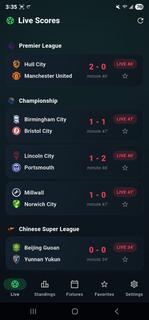
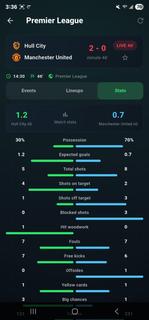
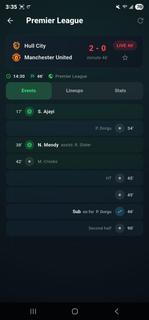
Playfy TV: LiveScores is a fast and reliable football app designed for fans who want to stay updated with live scores and match results â½Follow matches in real time, check fixtures, view final results, and explore detailed football information â all in one clean and easy-to-use app.Playfy TV: LiveScores is an app designed for those who can't get enough of watching live football games. It's easy to navigate and lets you watch all the latest live football matches. The quality of the matches varies depending on your Internet speed; for those with high-speed Internet, matches are streamed in HD, while for those with 3G, the quality is lower.Dive into the world of soccer with PlayFy TV: LiveScores. Get detailed updates and stay connected with the action from your favourite football games, no matter where you are.Whether it's league matches or international tournaments, our app ensures you never miss a moment. Designed to offer seamless usability, it provides accurate scores and match details through a user-friendly interface tailored for all fans.Key Featuresâ½ï¸ Live Score UpdatesGet instant alerts for goals, cards, substitutions, and match highlights.ð In-Depth Match StatsExplore detailed live stats like possession, shots, passes, and more.ð¥ Player LineupsCheck full starting lineups to understand each teamâs match strategy.ðLeague DetailsBrowse schedules, team info, and history from leagues worldwide.ðTables & FixturesTrack standings, past results, and upcoming matches with ease.âï¸ Favorite TeamsFollow your teams closely with personalized updates and notifications.ð¡ Data SourceAll football data, including live scores, fixtures, and results, is provided by trusted public sports data APIs.â ï¸ Disclaimer!!!PlayFy does NOT stream or broadcast live matches.The app provides scores, results, and match information only.All team names, logos, and trademarks belong to their respective owners.ð² Download PlayFy now and never miss a football score again!Disclaimer: This provides football information only and does not endorse any tournaments, teams, or betting activities.
Show more

1. Download MEmu installer and finish the setup

2. Start MEmu then open Google Play on the desktop

3. Search Playfy Tv: Livescores in Google Play
Install
4. Download and Install Playfy Tv: Livescores
5. On install completion click the icon to start

6. Enjoy using Playfy Tv: Livescores on PC with MEmu
MEmu App Player є кращим безкоштовним емулятором Android, і 50 мільйонів людей вже користуються його чудовим ігровим досвідом Android. Технологія віртуалізації MEmu дає вам змогу відтворювати тисячі ігор Android на вашому комп'ютері, навіть найбільш насичених графікою.
Bigger screen with better graphics; Long duration, without limitation of battery or mobile data.
Full Keymapping support for precise control of keyboard and mouse or gamepad.
Multiple game accounts or tasks on single PC at one time with Multi-Instance manager.
Use Playfy Tv: Livescores on PC by following steps: