How to solve multiple MEmu start error
 |
|
1.0 The first thing is to make sure you have enough space to create multiple MEmu, otherwise you cannot create a multiple one.
2.0 After check the disk and make sure it has enough space, you can download MemuHyperv to check the files is completely or not.
2.1 Export this zip file.
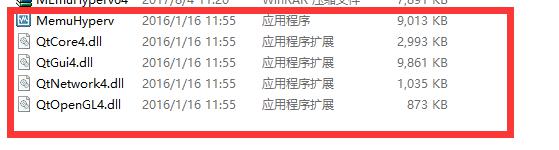
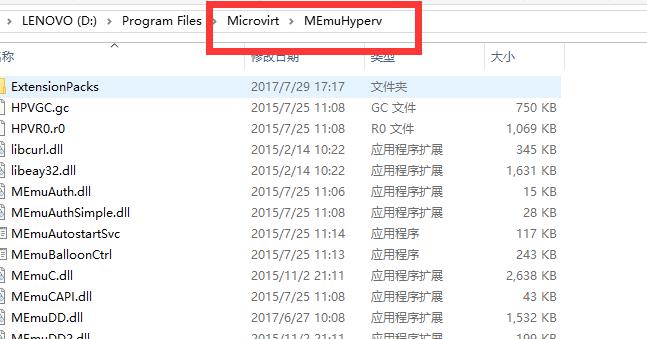
2.2 Paste the five files in “MEmuHyperv” folder.
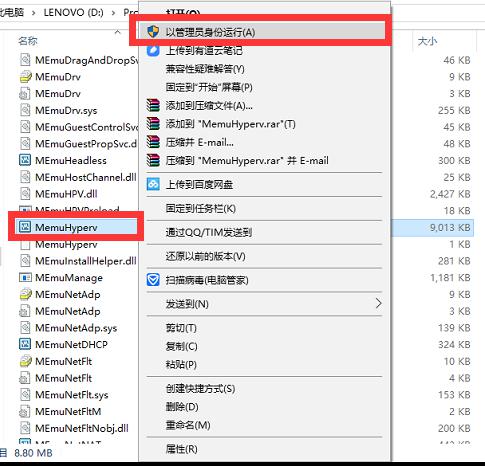
2.3 Find MemuHyperv.exe, open it in admin.
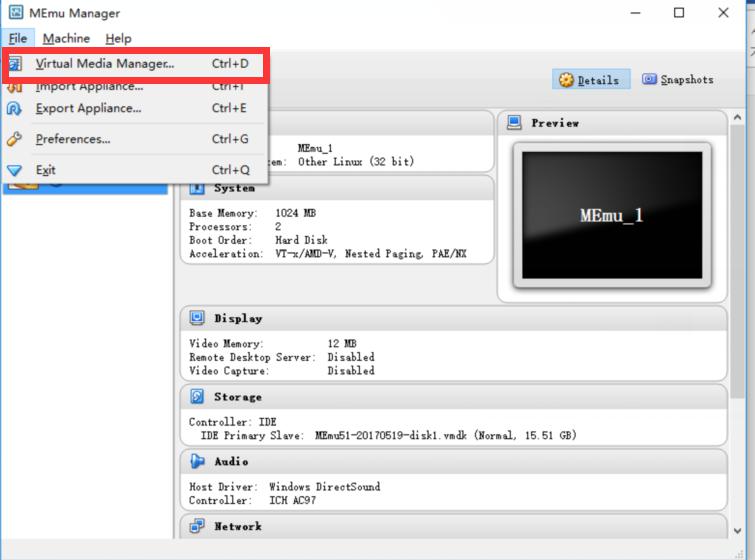
2.4 Choose MEmu_1, then open Virtual Media Manager via Files
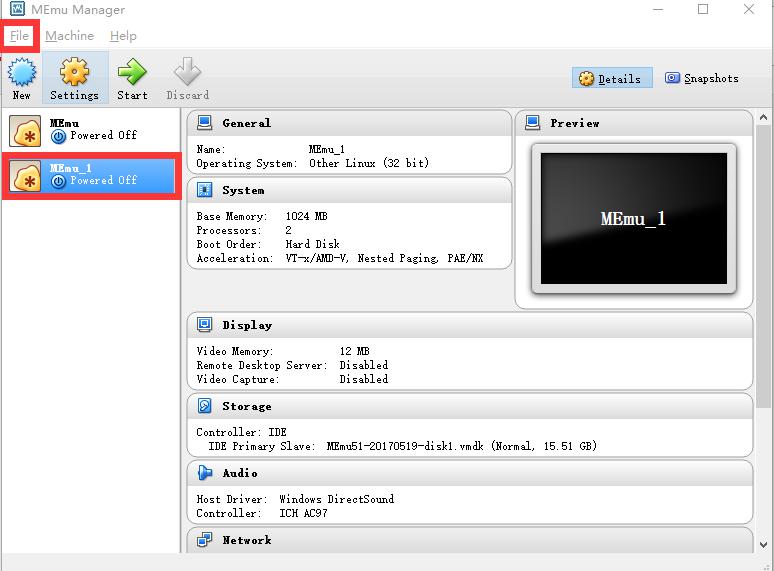
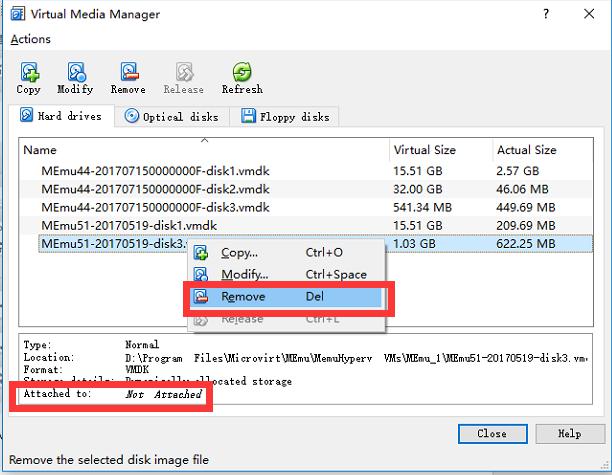
2.5 Check every file, remove all the files which shows “not attached”
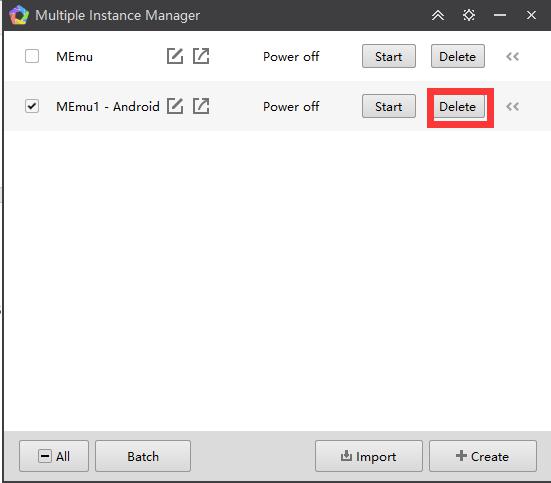
2.6 Delete the MEmu multiple one in Multiple Instance Manager, restart MEmu and create a new one.
Official Website: https://www.memuplay.com
Online Support: https://www.facebook.com/memuplayer
User Group: https://www.facebook.com/groups/memuplayer