How to Update Chrome to the Latest Version on the Google Play Store
 |
|
For certain reasons, some apps or games require the latest version of Chrome to function properly. This blog aims to guide players on how to update Chrome on the MEmu emulator.
How to update Chrome on MEmu (Step-by-Step)
Getting started takes less than five minutes. Follow these simple steps to elevate your game:
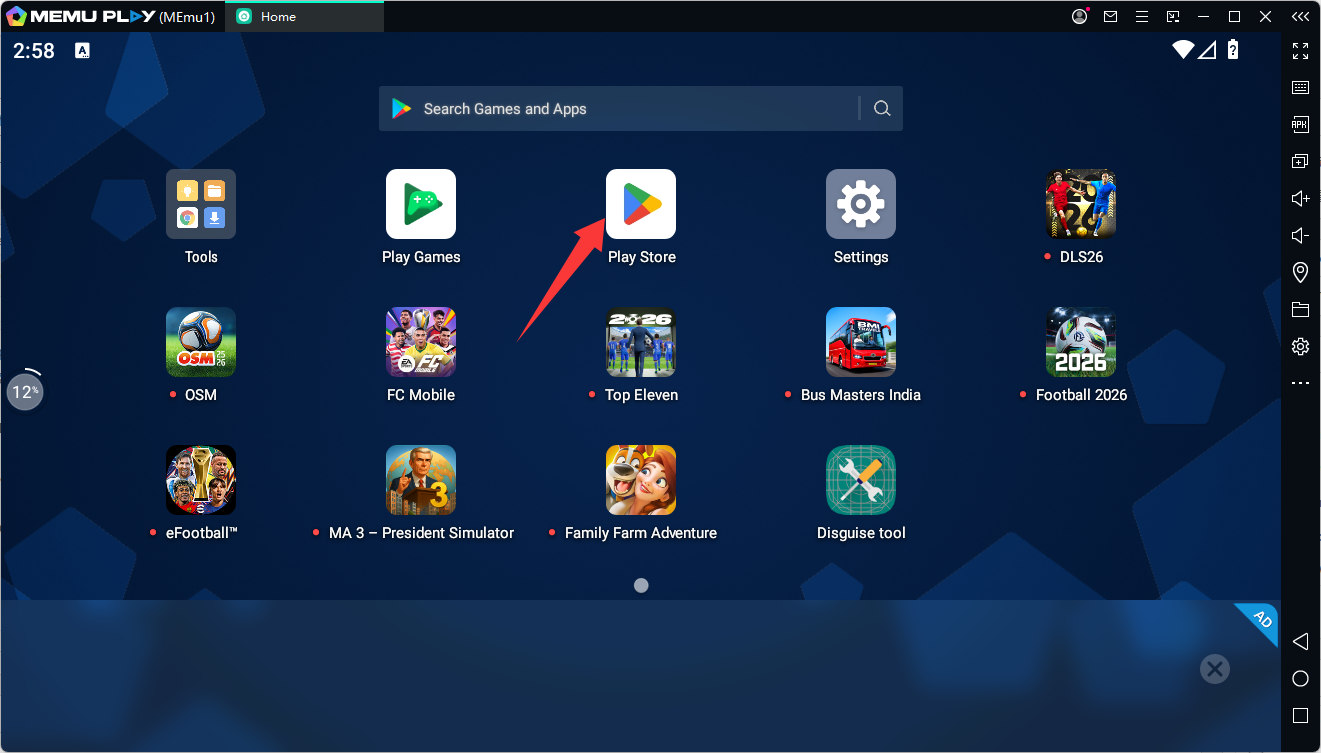
Step 1: Open the Google Play Store
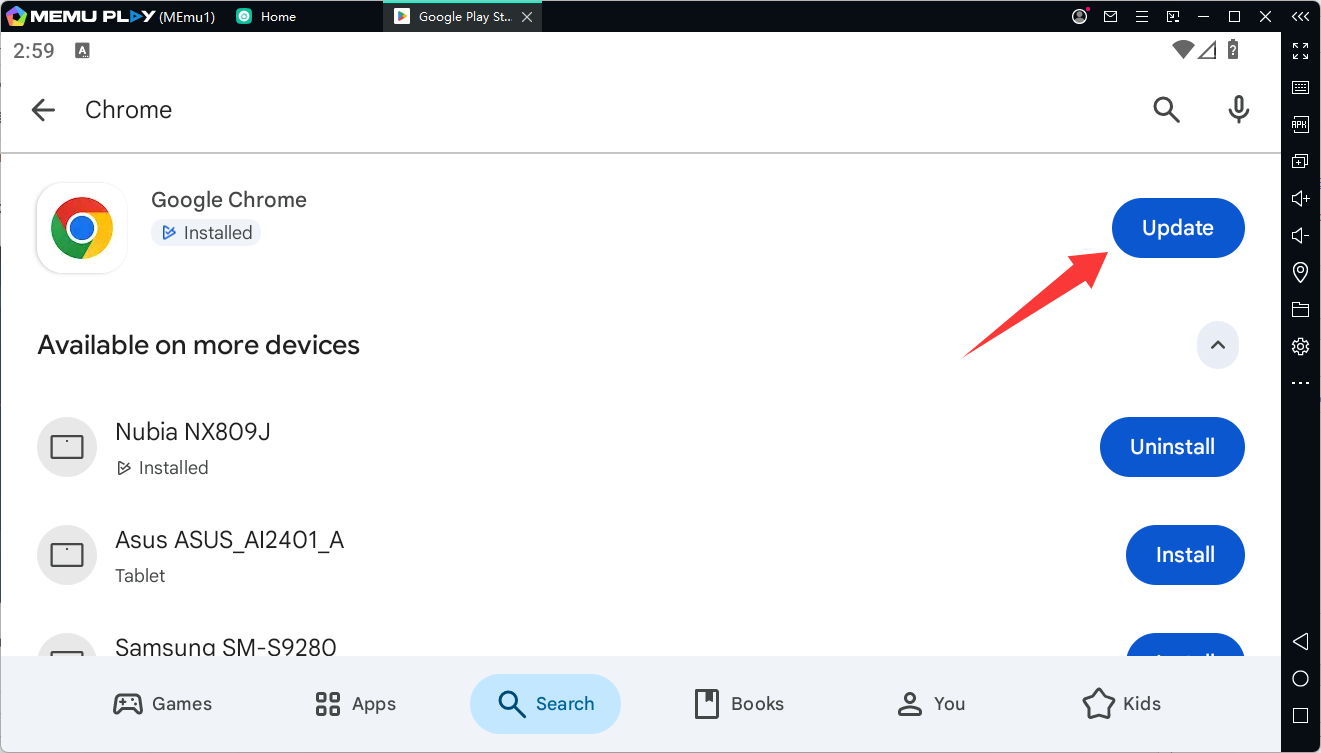
Step 2: Search 'Chrome' and Click Update
Step 3: Launch the Game After the Update is Complete.