How to Setup Network (incl. Proxy)
 |
|
#How to setup network connection in Android Emulator?#
1. Enter into Wireless & Networks setting from the desktop;
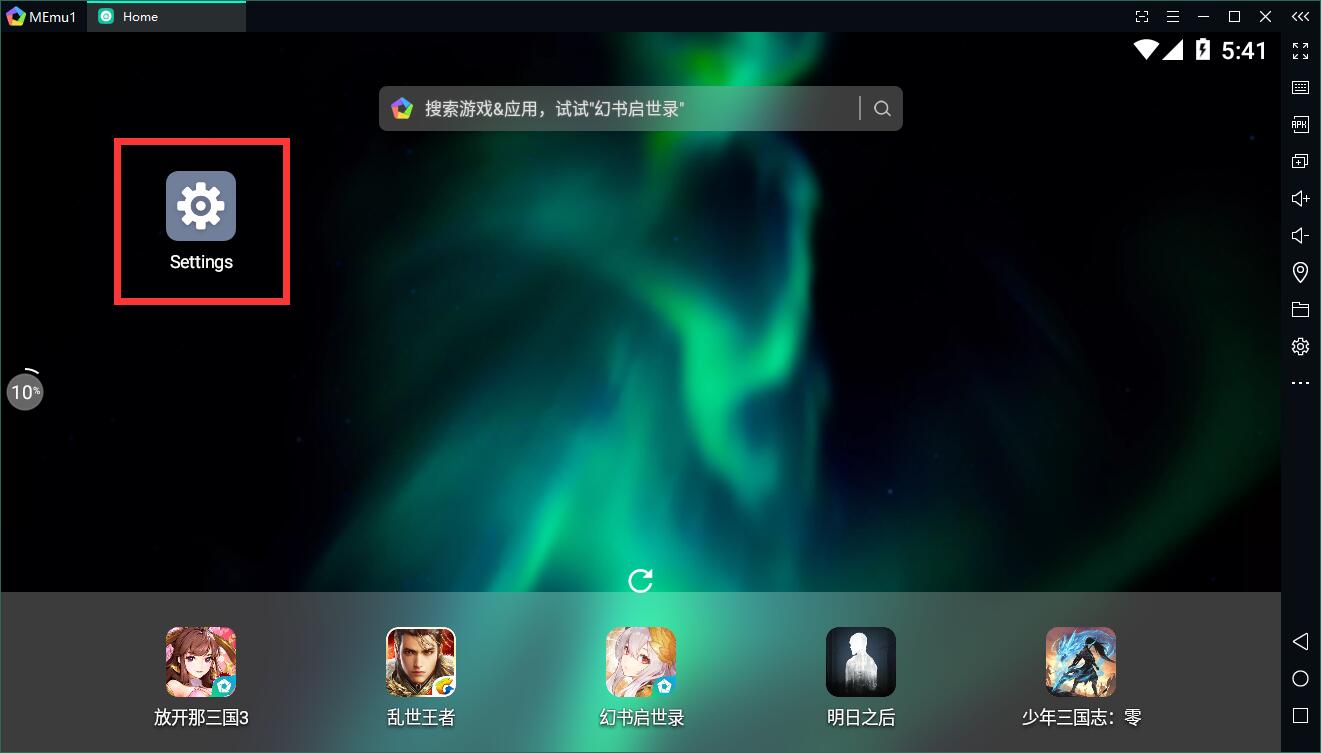
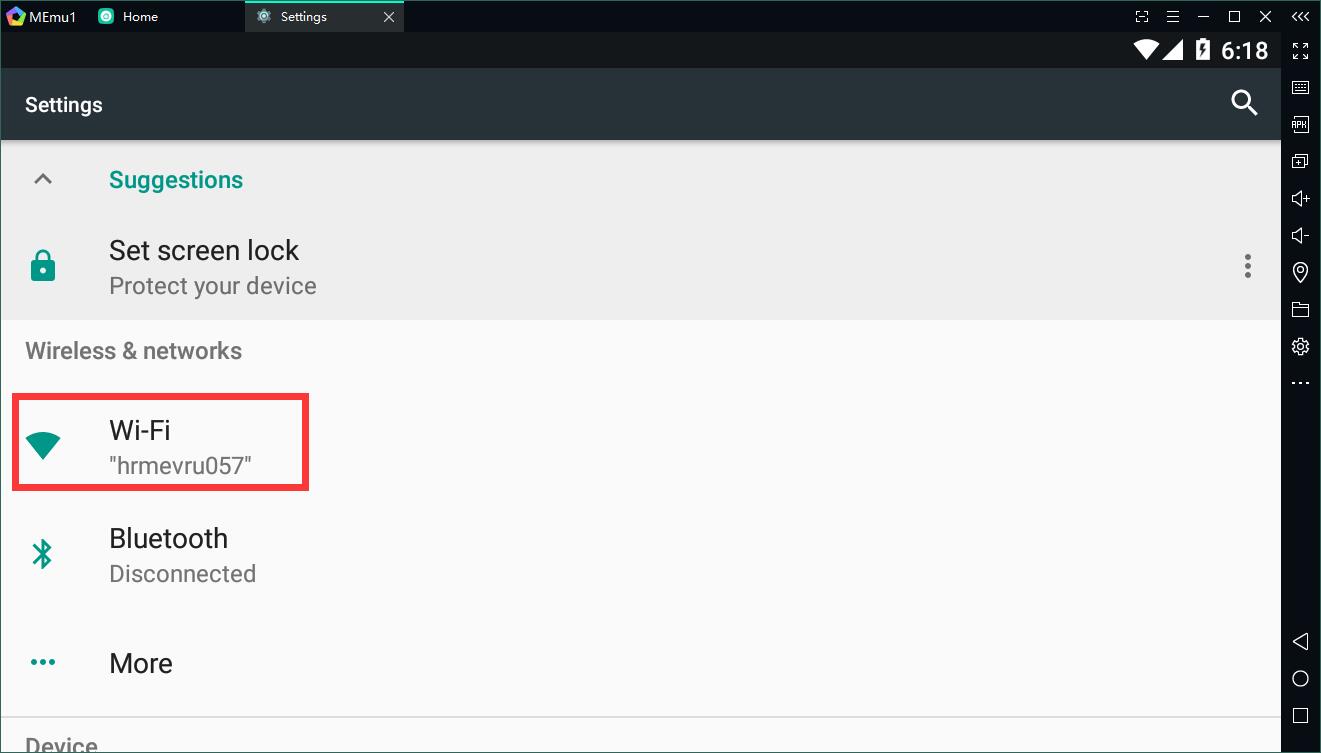
Click the Wifi setting;
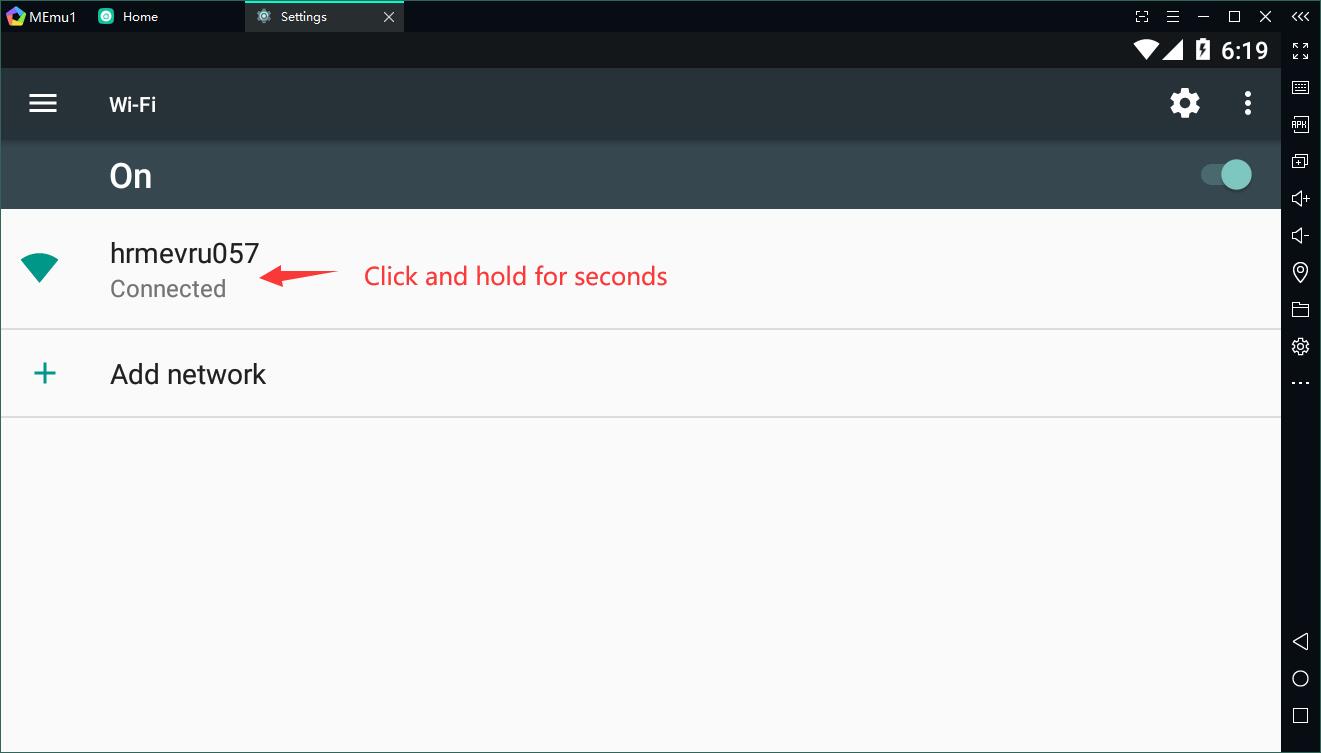
Click and hold this option for a few seconds and then you are able to edit Wifi settings;
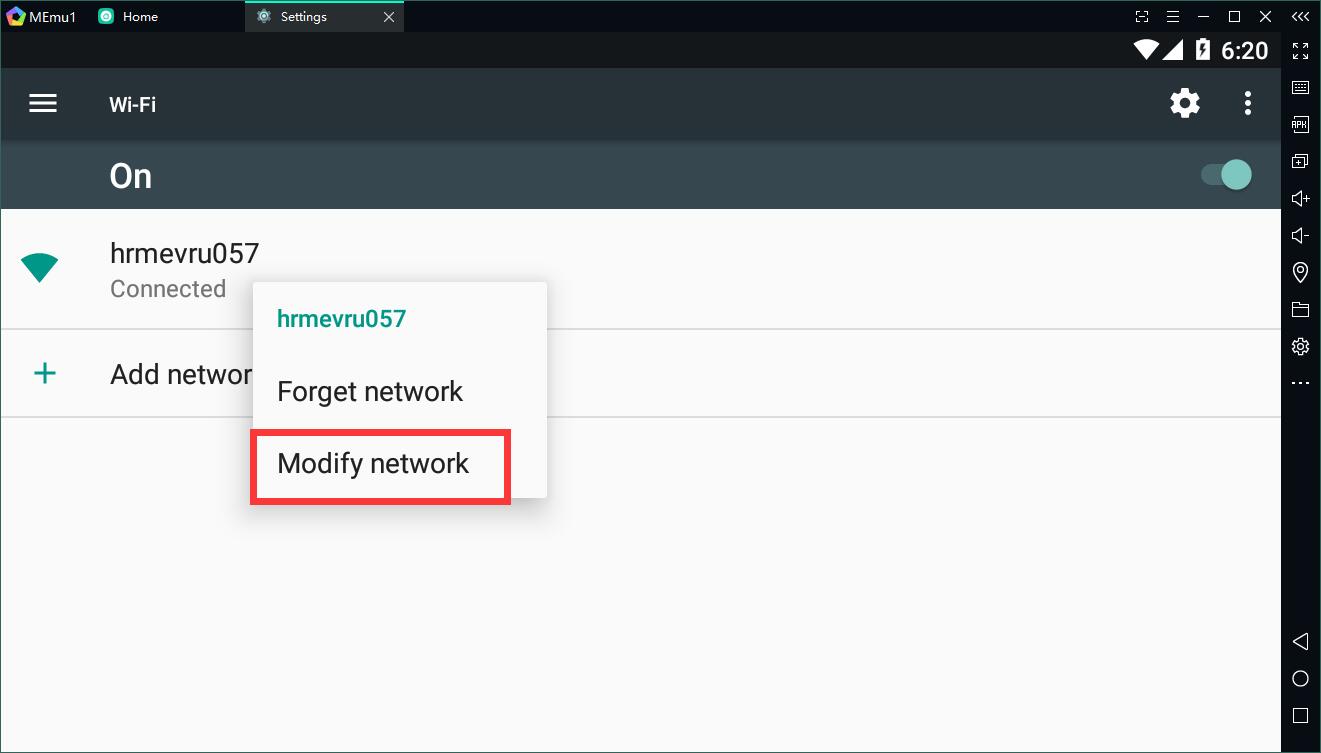
Enable "Show advanced options", enter the manual mode, then you are able to modify proxy and IP settings.

Note: The alternative way to play a game with proxy is to download an app like Proxydroid or Orbot from Google Play Store and set up proxy server thru it.
Note: If you get no connection error with google account, that's probably because google DNS doesn't work. Have a try to change the IP address of DNS. more reading
> Back to MEmu 101, everything you need to know about MEmu <<
- Official Website: https://www.memuplay.com
- Official Twitter: https://twitter.com/MicrovirtMEmu
- Facebook Page: https://www.facebook.com/memuplayer
- MEmu User Group: https://www.facebook.com/groups/memuplayer
- Discord: https://discord.gg/gA4GWV9