Xuper TV: How to Download and Run on PC with MEmu
 |
|
Looking for a convenient way to explore Spanish-language TV and Latin entertainment on a larger screen? Xuper TV, currently listed on Google Play as Series Finder:TV & y Peliculas, is an entertainment app designed for users interested in Spanish-language content, sports events, movies, and TV series.
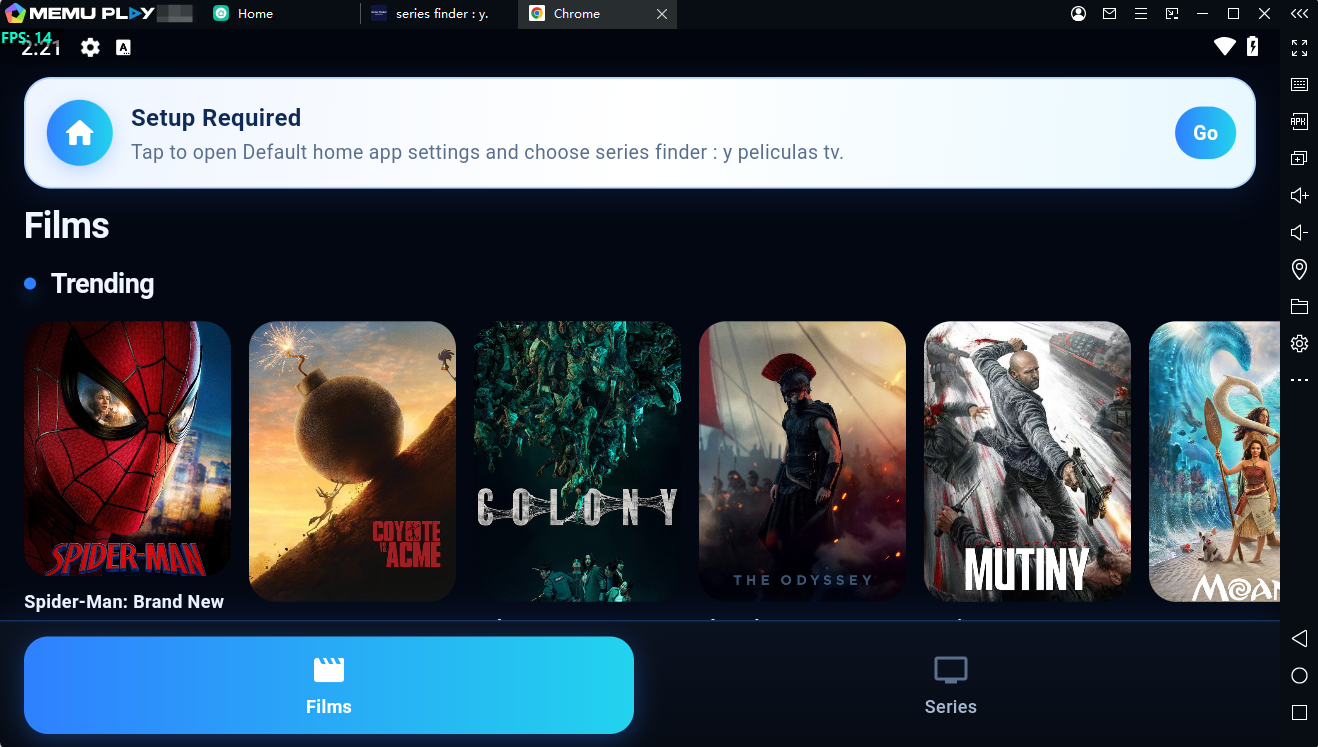

With MEmu, you can run Xuper TV on your Windows PC and enjoy its Android experience with a larger display, keyboard and mouse controls, and the convenience of using your PC.
Contents
What Is Xuper TV?
Xuper TV is an entertainment-focused Android application from SAMTA TEPI PRO NOTE. Its Google Play listing describes it as a platform for Spanish-language TV and Latin entertainment, with content related to sports events, movies, and series.
The app also focuses on a lightweight and modern interface, fast page loading, and smooth scrolling, making it easy to browse its available content.
Xuper TV Key Features
- Spanish-language entertainment – Explore Latin-focused entertainment content.
- Movies and TV series – Browse content related to movies and series.
- Sports content – The app also describes support for following sports events.
- Lightweight interface – Designed with a simple and modern user interface.
- Fast loading – The Google Play listing highlights fast page loading and smooth scrolling.
- Android-based experience – Run the app on your PC through an Android emulator such as MEmu.
Why Run Xuper TV on PC with MEmu?
Although Xuper TV is designed for Android devices, using an Android emulator gives you another way to access the app on a Windows PC.
With MEmu, you can enjoy a larger screen while browsing Xuper TV. A PC setup can also be more convenient when you prefer using a desktop environment instead of switching between mobile devices.
MEmu provides an Android environment on Windows, allowing you to install compatible Android apps directly through Google Play.
How to Download Xuper TV on PC with MEmu
Follow these steps to install and run Xuper TV on your Windows PC.
Step 1: Download and Install MEmu
First, download the latest version of MEmu from the official website:
MEmu - The Best Android Emulator for PC - Free Download
Install MEmu on your PC and launch the emulator after the installation is complete.
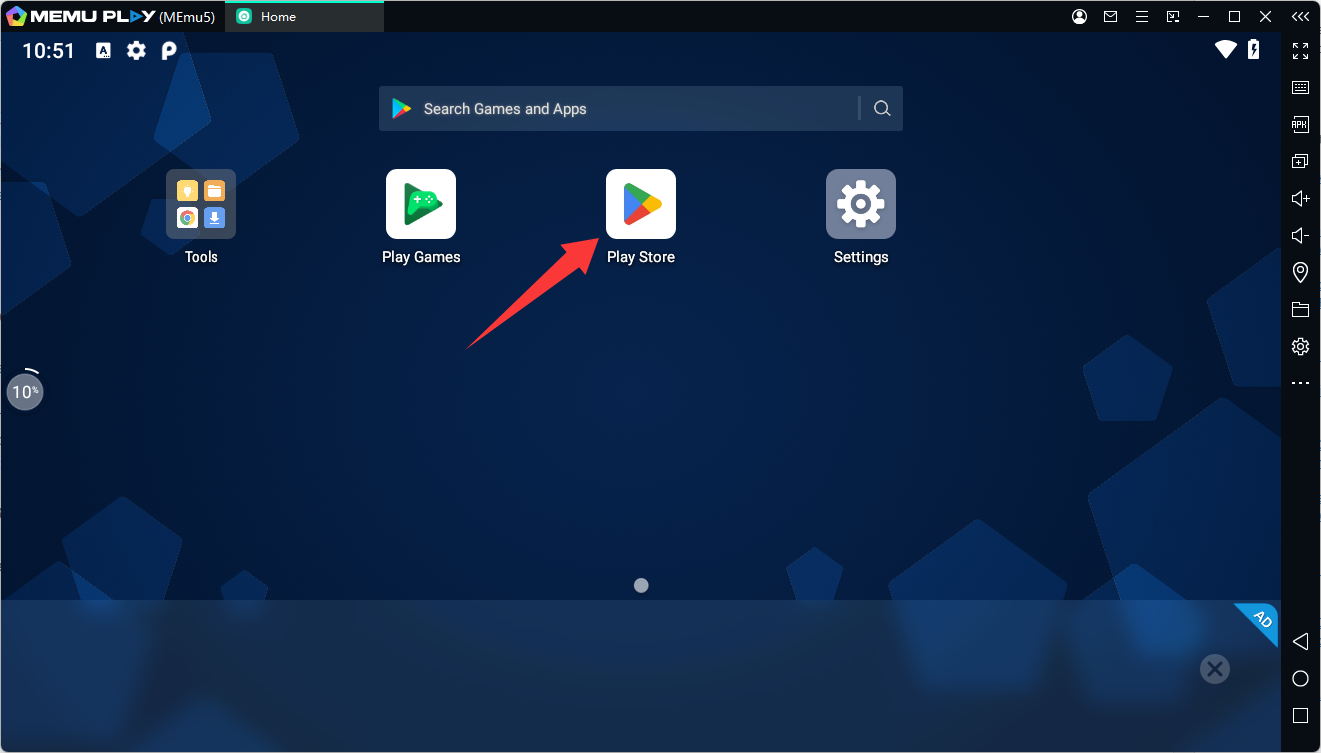
Step 2: Open Google Play
Start MEmu and open the Google Play Store from the Android home screen.
Sign in with your Google account if required.
Step 3: Search for Xuper TV
Enter Xuper TV or Series Finder:TV & y Peliculas in the Google Play search bar.
The current Google Play listing for the package
com.samta.xupertv
is displayed as Series Finder:TV & y Peliculas.
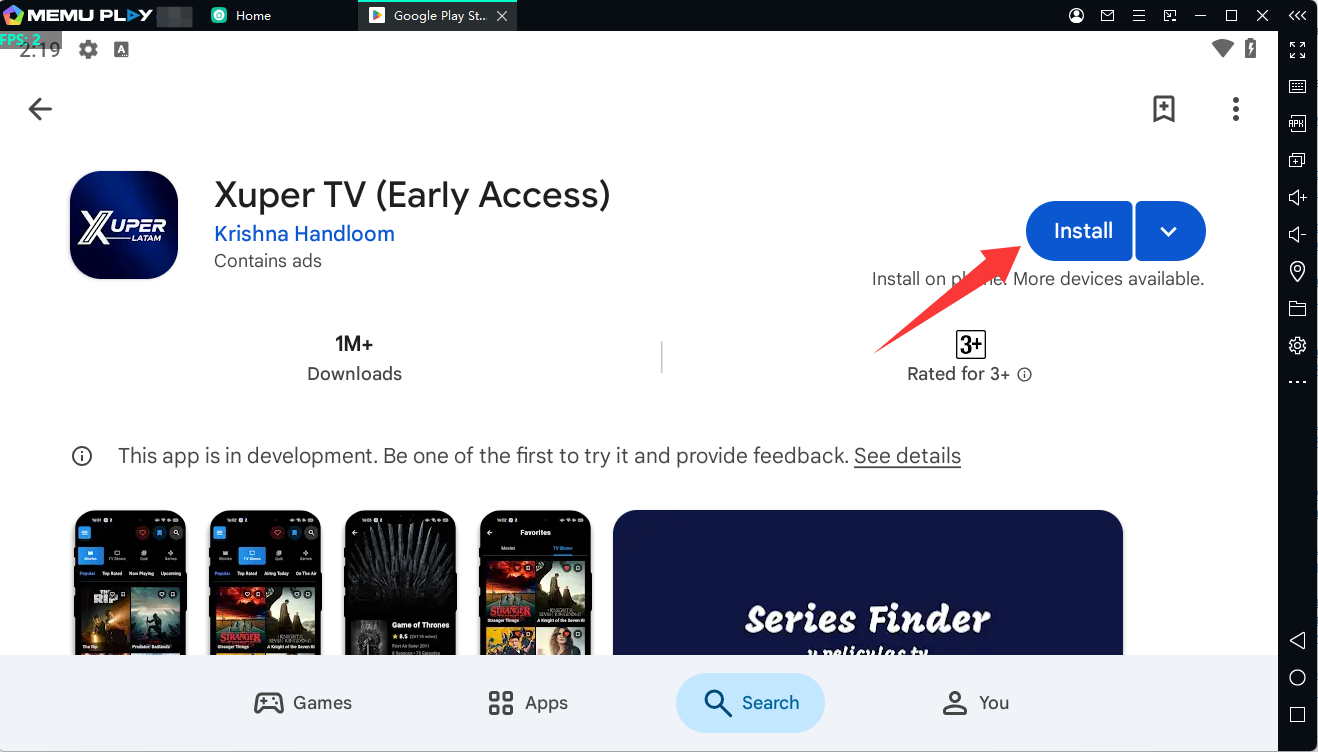
Select the correct app and click Install.
Step 4: Launch Xuper TV on PC
Once the installation is finished, return to the MEmu home screen.
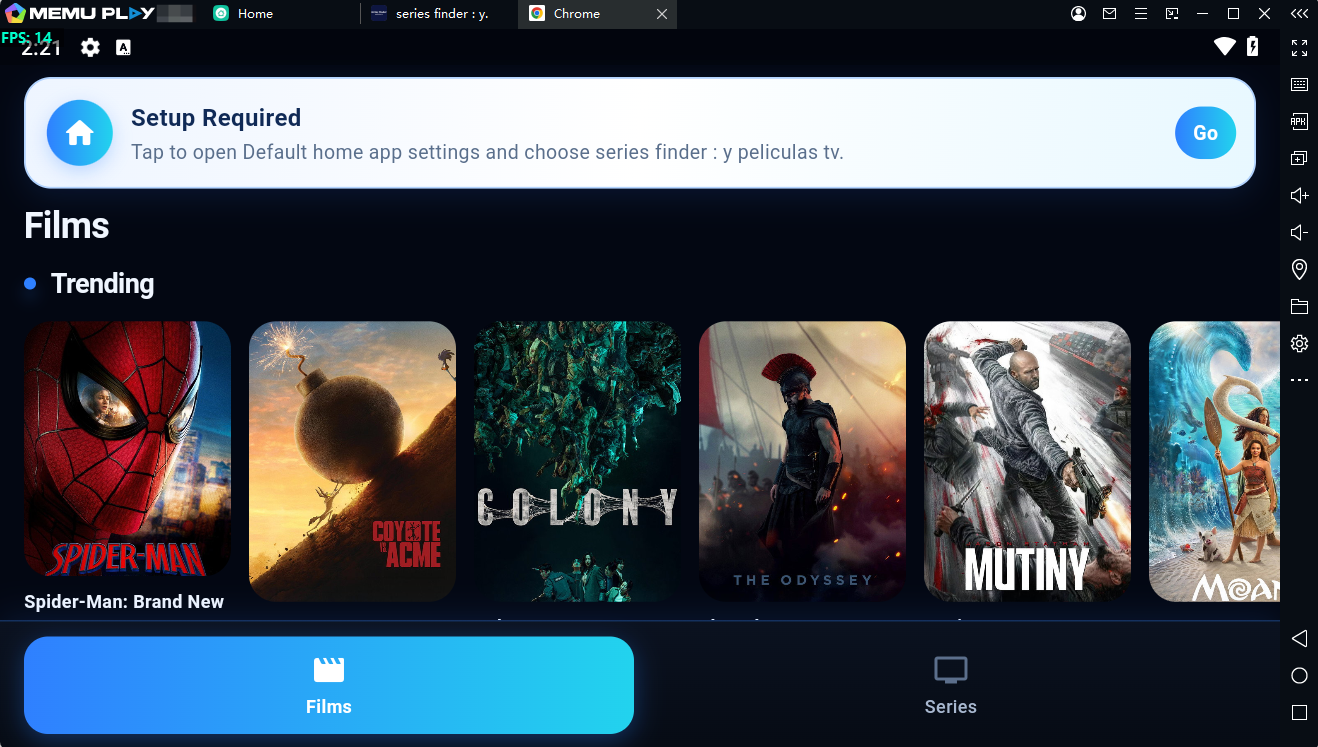
Click the Xuper TV app icon to launch it. You can then browse the app's available Spanish-language entertainment content directly from your PC.
Xuper TV on PC with MEmu
Running Xuper TV with MEmu provides a simple way to bring the Android app experience to your Windows desktop. The larger display can make browsing movies, series, sports-related content, and other available entertainment more comfortable.
For users who prefer accessing Android apps from a PC, MEmu offers an easy setup without requiring an Android phone.
Conclusion
Xuper TV, currently listed as Series Finder:TV & y Peliculas on Google Play, is an entertainment app focused on Spanish-language and Latin content, including movies, TV series, and sports-related content.
If you want to use Xuper TV on a Windows PC, MEmu Android emulator provides a straightforward way to install and run the Android app on your desktop. Download MEmu, install the app through Google Play, and start exploring Xuper TV on a larger screen.