
Kemono Teatime
Aktualisiert
Aktuelle Version
Angeboten von

Bei all Ihrer Leidenschaft für das Spielen von Kemono Teatime sollten Ihre Hände nicht auf einen winzigen Bildschirm Ihres Telefons beschränkt sein. Spielen Sie wie ein Profi und übernehmen Sie die volle Kontrolle über Ihr Spiel mit Tastatur und Maus. MEmu bietet Ihnen all die Dinge, die Sie erwarten. Laden Sie Kemono Teatime herunter und spielen Sie es auf dem PC. Spielen Sie so lange, wie Sie wollen, ohne Grenzwerte für Akku, mobile Daten und störende Anrufe. Das brandneue MEmu 9 ist die beste Wahl, um Kemono Teatime auf dem PC zu spielen. Das exquisite voreingestellte Tastaturbelegungssystem, das mit unserem Fachwissen vorbereitet wurde, macht Kemono Teatime zu einem echten PC-Spiel. Der MEmu Multi-Instanz-Manager ermöglicht das Spielen von 2 oder mehr Konten auf demselben Gerät. Und das Wichtigste: Unsere exklusive Emulations-Engine kann das volle Potenzial Ihres PCs freisetzen und für reibungslose Abläufe sorgen.
Mehr anzeigen
Laden Sie Play Kemono Teatime auf dem PC mit MEmu Android Emulator. Viel Spaß beim Spielen auf großmundieren. Relax in the world of Kemono Teatime, where animal ears are a normal part of everyday life.
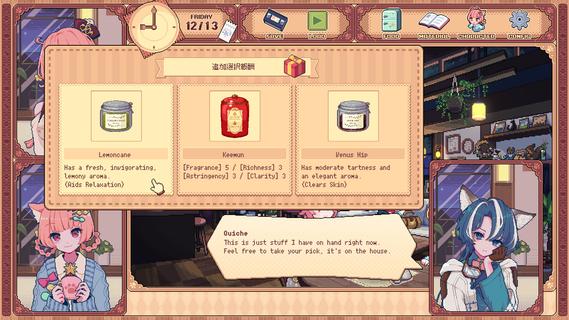
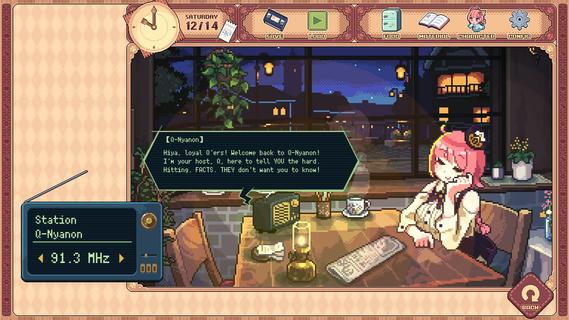
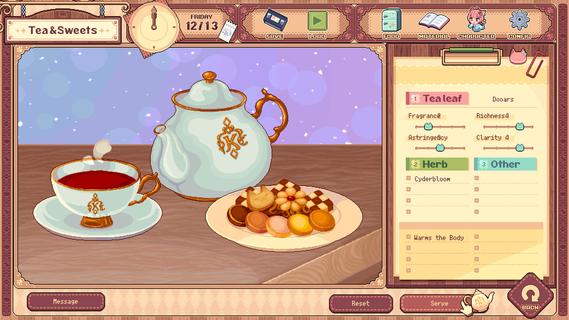
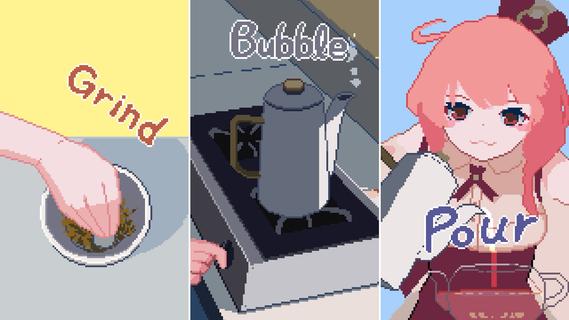
Relax in the world of Kemono Teatime, where animal ears are a normal part of everyday life. Here in Melodius, you can whip up whatever blends of tea you desire in your favorite cafe as you play through an adorable story. Come now and live out your bestest and cutest lifeâdown to the last drop. Though, you do know that once it's run out, that's it, right? It'd do you best to learn that all good things come to an end.Meet all the Kemomimis that come through the cafe and help them wind down, spend a cute and adorable time sipping on some tea, and come to terms with their ultimate fates."Welcome!"Come on in! Here, we strive to make the remainder of our customers' lives as enjoyable as possible, so we've curated a cute space for everyone to relax and find peace in. We also have a great range of tea blends and delicious desserts on offer, so please make yourself at home.Now, to get things started, how about a nice cup of tea blended just for you?"Here's one of our specialties!"Create your own unique teas with our stock of 9 black teas, 15 herbs, and secret ingredients. Get to know the customers and make them something that they'll love while you immerse yourself in the wonderful sounds of the tea-making process."Let your ears enjoy the cute atmosphere too!"De-stress with the cafe's ASMR, with all its sounds and effects recorded in binaural audio. The background music also changes with each customer, giving you unique experiences that come and go with each new soul you meet."All the staff and customers here are adorable Kemomimis!"All the cafe staff and customers (except me) have animal ears! Please savor each encounter and goodbye while you canâI'm sure you'll have a very special and unforgettable time here with all the people you meet.-TarteThe cafe's trusty manager and elder of two sisters. She's the resident tea-blending expert.-MacaronTarte's adorable little sister who is a patissiere and the face of the cafe.-QuicheA traveler who lodges at the cafe in exchange for some handy gifts.-The Kemomimi customersMeet a host of these cute and colorful characters at the cafe!"The cafe will be open for three weeks only!"You caught that, right? The shop's only running for a maximum of 21 days. What kind of people and stories will you get to know during this time? And is the cafe really shutting down after that? Why open up a limited-time cafe to begin with, anyway? The truth is up to you to uncover!"Come back again any time!"If you like what you see, please wishlist Kemono Teatime and we will deliver the latest updates to you. Until then, please sit back with a nice cup of tea and relax.
Mehr anzeigen

1. Laden das MEmu-Installationsprogramm herunter und beenden die Installation

2. MEmu starten und Google Play auf der Homepage öffnen

3. Suchen Kemono Teatime in Google Play
Install
4. Herunterladen und Installieren Kemono Teatime
5. Klicken nach Abschluss der Installation auf das Symbol, um es zu starten

6. Viel Spaß beim Spielen von Kemono Teatime auf dem PC mit MEmu
MEmu App Player ist der beste kostenlose Android-Emulator und 50 Millionen Menschen genießen bereits seine hervorragende Android-Gaming-Erfahrung. Mit der MEmu-Virtualisierungstechnologie können Sie Tausende von Android-Spielen problemlos auf Ihrem PC spielen, selbst bei grafikintensiven Spielen.
BGrößeres Bild mit besserer Grafik; Keine unterbrechungen, keine sorgen um Akku
Komplette Tastenbelegung unterstützt mit Maus und Tastatur oder Controller
Mit dem „Multi-Instance-Manager“ können Sie mehrere Spielkonten oder Spiele gleichzeitig auf einem PC ausführen.
Play Kemono Teatime on PC by following steps: