
Kemono Teatime
Updated
Current Version
Offered By

With your passion for Kemono Teatime, you shouldn’t have to limit yourself to the small screen of a phone. Play like a pro and take full control of the game using a keyboard and mouse. MEmu gives you everything you’re looking for. Download and play Kemono Teatime on PC. Play as long as you want — no more worries about battery life, mobile data, or unexpected calls. The all-new MEmu 9 is the best way to play Kemono Teatime on PC. With our expertly designed keymapping system, Kemono Teatime feels just like a real PC game. The MEmu multi-instance manager lets you run two or more accounts on the same device at the same time. Most importantly, our exclusive emulation engine unlocks your PC’s full potential, delivering smooth and seamless performance.
Show more
Download Kemono Teatime on PC with MEmu Android Emulator. Enjoy playing on big screen. Relax in the world of Kemono Teatime, where animal ears are a normal part of everyday life.
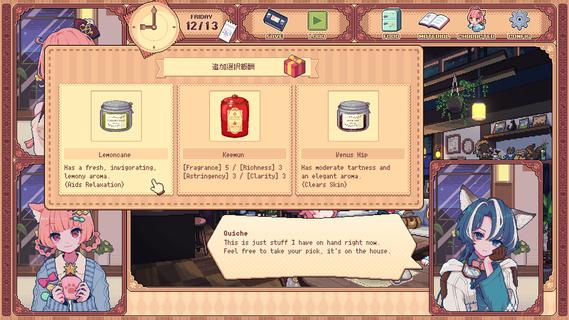
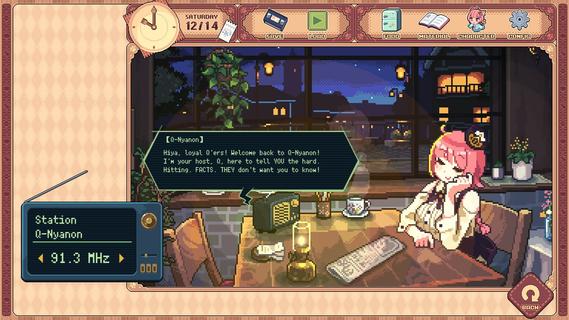
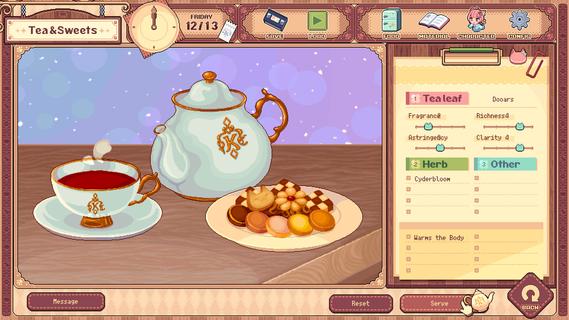

Relax in the world of Kemono Teatime, where animal ears are a normal part of everyday life. Here in Melodius, you can whip up whatever blends of tea you desire in your favorite cafe as you play through an adorable story. Come now and live out your bestest and cutest life—down to the last drop. Though, you do know that once it's run out, that's it, right? It'd do you best to learn that all good things come to an end. Meet all the Kemomimis that come through the cafe and help them wind down, spend a cute and adorable time sipping on some tea, and come to terms with their ultimate fates. "Welcome!" Come on in! Here, we strive to make the remainder of our customers' lives as enjoyable as possible, so we've curated a cute space for everyone to relax and find peace in. We also have a great range of tea blends and delicious desserts on offer, so please make yourself at home. Now, to get things started, how about a nice cup of tea blended just for you? "Here's one of our specialties!" Create your own unique teas with our stock of 9 black teas, 15 herbs, and secret ingredients. Get to know the customers and make them something that they'll love while you immerse yourself in the wonderful sounds of the tea-making process. "Let your ears enjoy the cute atmosphere too!" De-stress with the cafe's ASMR, with all its sounds and effects recorded in binaural audio. The background music also changes with each customer, giving you unique experiences that come and go with each new soul you meet. "All the staff and customers here are adorable Kemomimis!" All the cafe staff and customers (except me) have animal ears! Please savor each encounter and goodbye while you can—I'm sure you'll have a very special and unforgettable time here with all the people you meet. -Tarte The cafe's trusty manager and elder of two sisters. She's the resident tea-blending expert. -Macaron Tarte's adorable little sister who is a patissiere and the face of the cafe. -Quiche A traveler who lodges at the cafe in exchange for some handy gifts. -The Kemomimi customers Meet a host of these cute and colorful characters at the cafe! "The cafe will be open for three weeks only!" You caught that, right? The shop's only running for a maximum of 21 days. What kind of people and stories will you get to know during this time? And is the cafe really shutting down after that? Why open up a limited-time cafe to begin with, anyway? The truth is up to you to uncover! "Come back again any time!" If you like what you see, please wishlist Kemono Teatime and we will deliver the latest updates to you. Until then, please sit back with a nice cup of tea and relax.
Show more

1. Download MEmu installer and finish the setup

2. Start MEmu then open Google Play on the desktop

3. Search Kemono Teatime in Google Play
Install
4. Download and Install Kemono Teatime
5. On install completion click the icon to start

6. Enjoy playing Kemono Teatime on PC with MEmu
MEmu Play is the best Android emulator and 100 million people already enjoy its superb Android gaming experience. The MEmu virtualization technology empowers you to play thousands of Android games smoothly on your PC, even the most graphic-intensive ones.
Bigger screen with better graphics; Long duration, without limitation of battery or mobile data.
Full Keymapping support for precise control of keyboard and mouse or gamepad.
Multiple game accounts or tasks on single PC at one time with Multi-Instance manager.
Play Kemono Teatime on PC by following steps:

















































