Kemono Teatime
Actualizada
Versión actual
Ofrecida por

Con toda tu pasión para jugar Kemono Teatime, no se supone que tus manos estén limitadas en una pequeña pantalla de tu teléfono. Juega como un profesional y obtén el control total de tu juego con el teclado y el mouse. MEmu le ofrece todas las cosas que espera. Descargar y jugar Kemono Teatime en PC. Juega todo el tiempo que quieras, sin más limitaciones de batería, datos móviles y llamadas molestas. El nuevo MEmu 9 es la mejor opción para jugar Kemono Teatime en PC. Preparado con nuestra experiencia, el exquisito sistema de keymapping preestablecido convierte a Kemono Teatime en un verdadero juego de PC. Codificado con nuestra absorción, el administrador de instancias múltiples hace posible jugar 2 o más cuentas en el mismo dispositivo. Y lo más importante, nuestro exclusivo motor de emulación puede liberar todo el potencial de su PC, hacer que todo sea más fluido. Nos importa no solo cómo juegas, sino también todo el proceso de disfrutar de la felicidad de los juegos.
Más detalles
Descargar Kemono Teatime en PC con MEmu Android Emulador. Disfruta jugando en la pentalla grande. Relax in the world of Kemono Teatime, where animal ears are a normal part of everyday life.
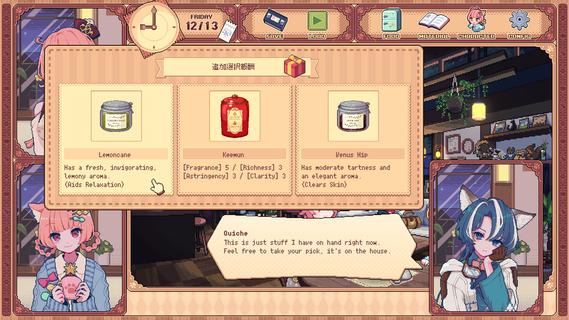
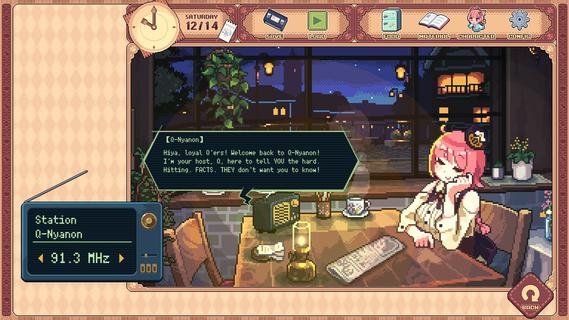
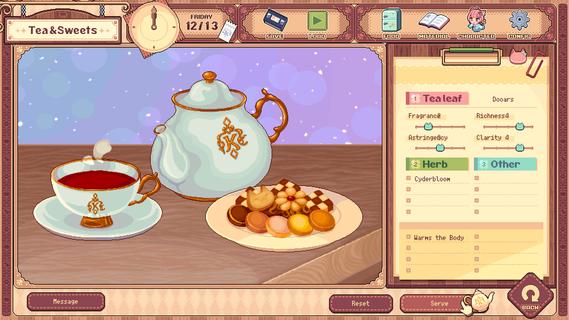
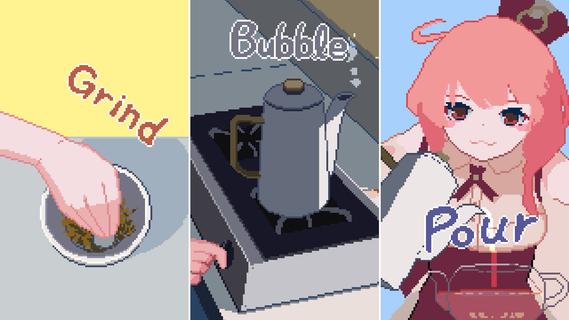
Relax in the world of Kemono Teatime, where animal ears are a normal part of everyday life. Here in Melodius, you can whip up whatever blends of tea you desire in your favorite cafe as you play through an adorable story. Come now and live out your bestest and cutest lifeâdown to the last drop. Though, you do know that once it's run out, that's it, right? It'd do you best to learn that all good things come to an end.Meet all the Kemomimis that come through the cafe and help them wind down, spend a cute and adorable time sipping on some tea, and come to terms with their ultimate fates."Welcome!"Come on in! Here, we strive to make the remainder of our customers' lives as enjoyable as possible, so we've curated a cute space for everyone to relax and find peace in. We also have a great range of tea blends and delicious desserts on offer, so please make yourself at home.Now, to get things started, how about a nice cup of tea blended just for you?"Here's one of our specialties!"Create your own unique teas with our stock of 9 black teas, 15 herbs, and secret ingredients. Get to know the customers and make them something that they'll love while you immerse yourself in the wonderful sounds of the tea-making process."Let your ears enjoy the cute atmosphere too!"De-stress with the cafe's ASMR, with all its sounds and effects recorded in binaural audio. The background music also changes with each customer, giving you unique experiences that come and go with each new soul you meet."All the staff and customers here are adorable Kemomimis!"All the cafe staff and customers (except me) have animal ears! Please savor each encounter and goodbye while you canâI'm sure you'll have a very special and unforgettable time here with all the people you meet.-TarteThe cafe's trusty manager and elder of two sisters. She's the resident tea-blending expert.-MacaronTarte's adorable little sister who is a patissiere and the face of the cafe.-QuicheA traveler who lodges at the cafe in exchange for some handy gifts.-The Kemomimi customersMeet a host of these cute and colorful characters at the cafe!"The cafe will be open for three weeks only!"You caught that, right? The shop's only running for a maximum of 21 days. What kind of people and stories will you get to know during this time? And is the cafe really shutting down after that? Why open up a limited-time cafe to begin with, anyway? The truth is up to you to uncover!"Come back again any time!"If you like what you see, please wishlist Kemono Teatime and we will deliver the latest updates to you. Until then, please sit back with a nice cup of tea and relax.
Más detalles

1. Descargar el instalador de MEmu y finalice la instalación

2. Iniciar MEmu y abrir Google Play en la página de inicio

3. Buscar Kemono Teatime en Google Play
Install
4. Descargar y instalar Kemono Teatime
5. Hacer click al icono para iniciar

6. Disfruta jugando Kemono Teatime en PC con MEmu
MEmu App Player es el mejor emulador de Android gratuito y 50 millones de personas ya están disfrutando su magnífica experiencia jugando en Android. La tecnología de virtualización de MEmu te permite jugar a miles de juegos Android suavemente en tu PC, incluso los más intensivos gráficamente.
Pantalla más grande con mejores gráficos; Larga duración, sin limitación de batería o datos móviles.
Soporte completo de keymapping para un control preciso del teclado y el mouse o gamepad.
Múltiples cuentas de juegos o tareas en una sola PC a la vez con el administrador de instancias múltiples.
Play Kemono Teatime on PC by following steps: