RequiemM
Aktualisiert
Aktuelle Version
1.0.1
Angeboten von

Bei all Ihrer Leidenschaft für das Spielen von RequiemM sollten Ihre Hände nicht auf einen winzigen Bildschirm Ihres Telefons beschränkt sein. Spielen Sie wie ein Profi und übernehmen Sie die volle Kontrolle über Ihr Spiel mit Tastatur und Maus. MEmu bietet Ihnen all die Dinge, die Sie erwarten. Laden Sie RequiemM herunter und spielen Sie es auf dem PC. Spielen Sie so lange, wie Sie wollen, ohne Grenzwerte für Akku, mobile Daten und störende Anrufe. Das brandneue MEmu 9 ist die beste Wahl, um RequiemM auf dem PC zu spielen. Das exquisite voreingestellte Tastaturbelegungssystem, das mit unserem Fachwissen vorbereitet wurde, macht RequiemM zu einem echten PC-Spiel. Der MEmu Multi-Instanz-Manager ermöglicht das Spielen von 2 oder mehr Konten auf demselben Gerät. Und das Wichtigste: Unsere exklusive Emulations-Engine kann das volle Potenzial Ihres PCs freisetzen und für reibungslose Abläufe sorgen.
Mehr anzeigen
Laden Sie Play RequiemM auf dem PC mit MEmu Android Emulator. Viel Spaß beim Spielen auf großmundieren. A Darker Kind of Classic MMORPG Requiem M.
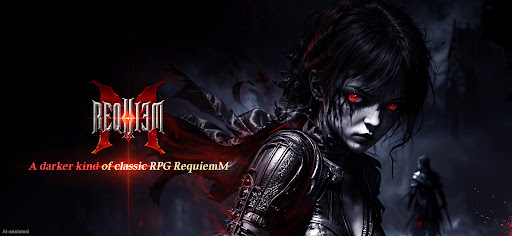

A Darker Kind of Classic MMORPG Requiem M
Experience Requiem M on mobile today!
◆ ABOUT THE GAME ◆
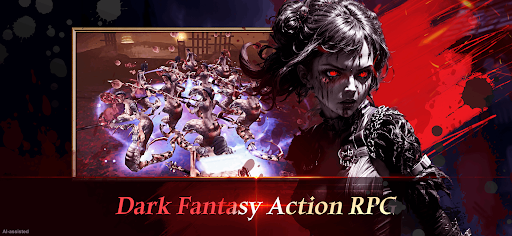
▶ Dark Fantasy Action RPG ◀
Enter a dark fantasy world where blood and darkness intertwine.
A tragedy born of science. Warriors forged in war. As the world teeters on the brink of collapse, you are its last hope.
▶ Hunt Hordes. Feel the Rush. ◀
Experience brutal, blood-soaked combat in a dark fantasy world!
Unleash your power against hordes of enemies and feel the adrenaline of every battle!
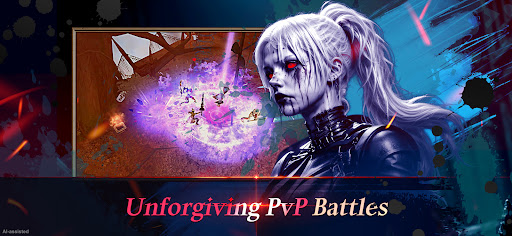
▶ Unforgiving PvP Battles ◀
Enter a ruthless PvP battlefield where alliances are temporary and every opponent is a threat.
Prove your strength and achieve greatness on the battlefield!
▶ One-Tap Progression ◀
Leave behind the slow, repetitive grind of traditional MMORPGs!
Every moment can make you stronger. Progress at lightning speed and begin your legend today!
▶ Unique Races and Classes ◀
Discover extraordinary races and classes unlike anything you've seen before!
Harness the power of science and monster blood to experience exhilarating combat with races of extraordinary origins.
▶ An Open Marketplace ◀
Take part in Requiem M's in-game economy through its open marketplace.
Explore a wide variety of in-game items!
▶ Exciting Events and Rewards ◀
Power up faster with generous rewards from a wide range of events!
Only the strong will survive, while the weak will fall.
Official Community:
https://discord.com/invite/vkasVRsXYM
[APP PERMISSIONS]
▶ Required Permissions
The app may request the following permission while you use it.
Storage: Used to read and save game data.
▶ How to Revoke Permissions
Android 6.0 or later: Go to Settings > Apps > Requiem M > Permissions, then select the permission you want to revoke. Menu names may vary by device.
Android versions below 6.0: Individual permissions cannot be revoked through Settings. Uninstall the app to revoke its access.
※ If the app does not provide in-app permission controls, you can manage permissions through your device's settings.
[PRODUCT INFORMATION AND TERMS OF USE]
※ Additional charges apply when purchasing paid in-game items.
※ This game contains randomized items.
Service Provider: GRAVITY Co., Ltd.
Chief Executive Officers: Park Hyun-chul, KITAMURA YOSHINORI
Terms and Period of Use: As specified in the game. If no expiration date is stated, the period of use is deemed to continue until the service ends.
Payment Amount and Methods: As specified for each product. For payments made in foreign currencies, the actual amount charged may vary due to exchange rates and applicable fees.
Item Delivery: Purchased items are delivered immediately to the in-game mailbox of the character used for the purchase.
Business Address: 15F, Nuritkum Square R&D Tower, 396 World Cup buk-ro, Mapo-gu, Seoul, Republic of Korea
Business Registration Number: 201-81-56197
E-commerce Business Registration Number: 2008-Seoul Mapo-0207
[PRIVACY POLICY]
https://member.gnjoy.com/support/terms/common/commonterm.asp?category=RequiemM_G_privacy
[TERMS OF SERVICE]
https://member.gnjoy.com/support/terms/common/commonterm.asp?category=RequiemM_G_terms
[DEVELOPER CONTACT INFORMATION]
GRAVITY Co., Ltd.
15F, Nuritkum Square, 396 World Cup buk-ro, Mapo-gu, Seoul, Republic of Korea
Mehr anzeigen

1. Laden das MEmu-Installationsprogramm herunter und beenden die Installation

2. MEmu starten und Google Play auf der Homepage öffnen

3. Suchen RequiemM in Google Play
Install
4. Herunterladen und Installieren RequiemM
5. Klicken nach Abschluss der Installation auf das Symbol, um es zu starten

6. Viel Spaß beim Spielen von RequiemM auf dem PC mit MEmu
MEmu App Player ist der beste kostenlose Android-Emulator und 50 Millionen Menschen genießen bereits seine hervorragende Android-Gaming-Erfahrung. Mit der MEmu-Virtualisierungstechnologie können Sie Tausende von Android-Spielen problemlos auf Ihrem PC spielen, selbst bei grafikintensiven Spielen.
BGrößeres Bild mit besserer Grafik; Keine unterbrechungen, keine sorgen um Akku
Komplette Tastenbelegung unterstützt mit Maus und Tastatur oder Controller
Mit dem „Multi-Instance-Manager“ können Sie mehrere Spielkonten oder Spiele gleichzeitig auf einem PC ausführen.
Play RequiemM on PC by following steps: