RequiemM
Atualizada
Versão atual
1.0.1
Oferecido por

Com toda a sua paixão por jogar RequiemM, não deixe os polegares te atrapalharem em uma pequena tela do seu celular. Jogue como um profissional e tenha controle total do seu jogo com teclado e mouse. O MEmu oferece todas as coisas que você está esperando. Baixe e jogue RequiemM no PC. Jogue o tempo que quiser, sem mais limitações de bateria, dados móveis e aquelas ligações enquanto estiver jogando. O novíssimo MEmu 9 é a melhor escolha de jogar RequiemM no PC. Com grandes novidades no sistema de mapeamento que faz RequiemM um jogo de PC real. Nossa equipe melhorou o gerenciamento de várias instâncias do Android, reduzindo tempo de reprodução de 2 ou mais contas no mesmo dispositivo. O mais importante, nosso mecanimos de emulação exclusivo pode liberar todo o potencial do seu PC sem travamentos, rodando tudo liso. Nós nos preocupamos não apenas com você joga, mas com todo o processo de desfrutar de 100% do seu jogo favorito.
Mostre mais
Download do RequiemM no PC com MEmu Android Emulador: Divirta-se jogando na tela grande. A Darker Kind of Classic MMORPG Requiem M.
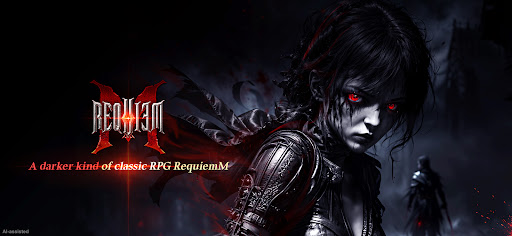
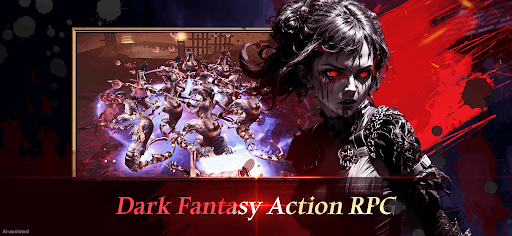


A Darker Kind of Classic MMORPG Requiem M
Experience Requiem M on mobile today!
◆ ABOUT THE GAME ◆
▶ Dark Fantasy Action RPG ◀
Enter a dark fantasy world where blood and darkness intertwine.
A tragedy born of science. Warriors forged in war. As the world teeters on the brink of collapse, you are its last hope.
▶ Hunt Hordes. Feel the Rush. ◀
Experience brutal, blood-soaked combat in a dark fantasy world!
Unleash your power against hordes of enemies and feel the adrenaline of every battle!
▶ Unforgiving PvP Battles ◀
Enter a ruthless PvP battlefield where alliances are temporary and every opponent is a threat.
Prove your strength and achieve greatness on the battlefield!
▶ One-Tap Progression ◀
Leave behind the slow, repetitive grind of traditional MMORPGs!
Every moment can make you stronger. Progress at lightning speed and begin your legend today!
▶ Unique Races and Classes ◀
Discover extraordinary races and classes unlike anything you've seen before!
Harness the power of science and monster blood to experience exhilarating combat with races of extraordinary origins.
▶ An Open Marketplace ◀
Take part in Requiem M's in-game economy through its open marketplace.
Explore a wide variety of in-game items!
▶ Exciting Events and Rewards ◀
Power up faster with generous rewards from a wide range of events!
Only the strong will survive, while the weak will fall.
Official Community:
https://discord.com/invite/vkasVRsXYM
[APP PERMISSIONS]
▶ Required Permissions
The app may request the following permission while you use it.
Storage: Used to read and save game data.
▶ How to Revoke Permissions
Android 6.0 or later: Go to Settings > Apps > Requiem M > Permissions, then select the permission you want to revoke. Menu names may vary by device.
Android versions below 6.0: Individual permissions cannot be revoked through Settings. Uninstall the app to revoke its access.
※ If the app does not provide in-app permission controls, you can manage permissions through your device's settings.
[PRODUCT INFORMATION AND TERMS OF USE]
※ Additional charges apply when purchasing paid in-game items.
※ This game contains randomized items.
Service Provider: GRAVITY Co., Ltd.
Chief Executive Officers: Park Hyun-chul, KITAMURA YOSHINORI
Terms and Period of Use: As specified in the game. If no expiration date is stated, the period of use is deemed to continue until the service ends.
Payment Amount and Methods: As specified for each product. For payments made in foreign currencies, the actual amount charged may vary due to exchange rates and applicable fees.
Item Delivery: Purchased items are delivered immediately to the in-game mailbox of the character used for the purchase.
Business Address: 15F, Nuritkum Square R&D Tower, 396 World Cup buk-ro, Mapo-gu, Seoul, Republic of Korea
Business Registration Number: 201-81-56197
E-commerce Business Registration Number: 2008-Seoul Mapo-0207
[PRIVACY POLICY]
https://member.gnjoy.com/support/terms/common/commonterm.asp?category=RequiemM_G_privacy
[TERMS OF SERVICE]
https://member.gnjoy.com/support/terms/common/commonterm.asp?category=RequiemM_G_terms
[DEVELOPER CONTACT INFORMATION]
GRAVITY Co., Ltd.
15F, Nuritkum Square, 396 World Cup buk-ro, Mapo-gu, Seoul, Republic of Korea
Mostre mais

1. Faça o download do instalador do MEmu e conclua a instalação

2. Inicie o MEmu e depois abra o Google Play na página inicial

3. Pesquise RequiemM no Google Play
Install
4. Baixe e Instale RequiemM
5. Na conclusão da instalação, clique no ícone para iniciar

6. Divirta-se jogando RequiemM no PC com MEmu
O MEmu App Player é o melhor emulador de Android grátis e 50 milhões de pessoas já desfrutam de sua excelente experiência de jogos no Android. A tecnologia de virtualização do MEmu permite que você jogue milhares de jogos do Android sem problemas no seu PC, mesmo os com gráficos mais intensivos.
Tela maior com gráficos melhores; Longa duração e sem limitação de bateria ou dados móveis.
Suporte completo ao Mapaeamento de Teclas para controle preciso do teclado e mouse ou gamepad.
Várias contas de jogos ou tarefas em um único PC de uma só vez com o Gerenciador de várias instâncias.
Play RequiemM on PC by following steps: