Blue Archive
Actualizada
Versión actual
1.69.309377
Ofrecida por

Con toda tu pasión para jugar Blue Archive, no se supone que tus manos estén limitadas en una pequeña pantalla de tu teléfono. Juega como un profesional y obtén el control total de tu juego con el teclado y el mouse. MEmu le ofrece todas las cosas que espera. Descargar y jugar Blue Archive en PC. Juega todo el tiempo que quieras, sin más limitaciones de batería, datos móviles y llamadas molestas. El nuevo MEmu 9 es la mejor opción para jugar Blue Archive en PC. Preparado con nuestra experiencia, el exquisito sistema de keymapping preestablecido convierte a Blue Archive en un verdadero juego de PC. Codificado con nuestra absorción, el administrador de instancias múltiples hace posible jugar 2 o más cuentas en el mismo dispositivo. Y lo más importante, nuestro exclusivo motor de emulación puede liberar todo el potencial de su PC, hacer que todo sea más fluido. Nos importa no solo cómo juegas, sino también todo el proceso de disfrutar de la felicidad de los juegos.
Más detalles
Descargar Blue Archive en PC con MEmu Android Emulador. Disfruta jugando en la pentalla grande. A Story That’s Straight from the Heart.

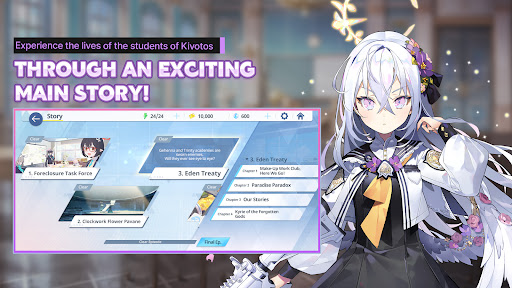
A Story That’s Straight from the Heart
Blue Archive is a fantasy rpg that features stunning art and a heartwarming anime journey through the joys of youth, the challenges of academy life, and epic military battles!
You have been appointed as an advisor to the Federal Investigation Club, Schale, located in Kivotos. This massive city is home to several high school academies rife with drama and teeming with possibility. There’s never a dull moment as you help these extraordinary anime girls resolve their differences. Live the gacha life and build special memories with each and every one of them in this epic journey!
■ Hand pick a team of Kivotos’ most charming military elites and prove your rpg strategy skills.
Navigate dynamic, 3D anime rpg battles in real time.
Fight epic battles with anime girls who have detailed rpg animations and skill cutscenes that will keep you glued to the screen!
Endlessly strategize to find the best combination of your team’s abilities, terrain strengths, and synergy and lead them to victory!
■ The more you get to know them, the more charming your anime allies get.
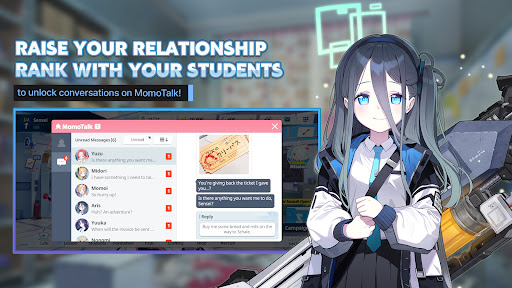
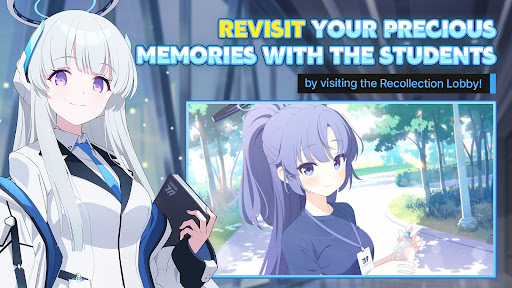
Every girl has a unique story for you to discover! The more time you spend with each one, the deeper your bond will be.
Interact with them via the in-game messaging platform, MomoTalk, and discover all their charming secrets.
In Blue Archive, there’s an epic world of anime students waiting for you to become their Sensei and lead them on an unforgettable journey!
■ This irresistibly charming anime rpg will keep your curiosity piqued.
Students x Friendship x Charisma
Blue Archive is an epic story about friendship, love, and thrilling military action adventures!
Discover the joy and passion of academy life with relationship stories that reveal the girls’ innermost thoughts, as well as sub-stories that give you a glimpse into their daily lives and club activities.
Become their Sensei and experience a bright and wholesome high school life with the delightful girls of Blue Archive!
Follow Us:
Official Site: https://bluearchive.nexon.com/
Facebook: https://www.facebook.com/EN.BlueArchive
Twitter: https://twitter.com/EN_BlueArchive
YouTube: https://www.youtube.com/channel/UCsrnDYrkovQhCCE8kwKcvKQ
Note: An internet connection is required to play this anime game.
*For the best anime gaming experience, the following specs are recommended: Android OS 9.0 or higher / Galaxy Note 8 or higher / 6GB RAM required
By downloading this anime game, you are agreeing to our Terms of Service and Privacy Policy.
- Terms of Service: http://m.nexon.com/terms/304
- Privacy Policy: http://m.nexon.com/terms/305
▣ App Permission Information
In order to provide the services below, we request certain permissions.
[Optional Permission]
Save Photos/Media/Files: To save game execution files and videos, and upload photos/videos
Camera: To take photos or record videos for upload
Phone: To collect phone numbers to send promotional text messages
Notifications: To allow the app to send service notifications
※ Granting or denying optional permissions does not affect gameplay.
[Permission Management]
▶ Android 6.0 or Higher - Go to Settings > Applications, select the app, and toggle permissions.
▶ Under Android 6.0 - Update the OS version to revoke permissions, or uninstall the app.
※ If the app does not request permission, you can manage permissions through the steps above.
※ This app offers in-app purchases. You can disable this feature by adjusting your device settings.
Más detalles

1. Descargar el instalador de MEmu y finalice la instalación

2. Iniciar MEmu y abrir Google Play en la página de inicio

3. Buscar Blue Archive en Google Play
Install
4. Descargar y instalar Blue Archive
5. Hacer click al icono para iniciar

6. Disfruta jugando Blue Archive en PC con MEmu
MEmu App Player es el mejor emulador de Android gratuito y 50 millones de personas ya están disfrutando su magnífica experiencia jugando en Android. La tecnología de virtualización de MEmu te permite jugar a miles de juegos Android suavemente en tu PC, incluso los más intensivos gráficamente.
Pantalla más grande con mejores gráficos; Larga duración, sin limitación de batería o datos móviles.
Soporte completo de keymapping para un control preciso del teclado y el mouse o gamepad.
Múltiples cuentas de juegos o tareas en una sola PC a la vez con el administrador de instancias múltiples.
Play Blue Archive on PC by following steps: