Faketalk - Chatbot
Actualizada
Versión actual
2.9.9
Ofrecida por

Con toda tu pasión para jugar Faketalk - Chatbot, no se supone que tus manos estén limitadas en una pequeña pantalla de tu teléfono. Juega como un profesional y obtén el control total de tu juego con el teclado y el mouse. MEmu le ofrece todas las cosas que espera. Descargar y jugar Faketalk - Chatbot en PC. Juega todo el tiempo que quieras, sin más limitaciones de batería, datos móviles y llamadas molestas. El nuevo MEmu 9 es la mejor opción para jugar Faketalk - Chatbot en PC. Preparado con nuestra experiencia, el exquisito sistema de keymapping preestablecido convierte a Faketalk - Chatbot en un verdadero juego de PC. Codificado con nuestra absorción, el administrador de instancias múltiples hace posible jugar 2 o más cuentas en el mismo dispositivo. Y lo más importante, nuestro exclusivo motor de emulación puede liberar todo el potencial de su PC, hacer que todo sea más fluido. Nos importa no solo cómo juegas, sino también todo el proceso de disfrutar de la felicidad de los juegos.
Más detalles
Descargar Faketalk - Chatbot en PC con MEmu Android Emulador. Disfruta jugando en la pentalla grande. Do you want to chat with celebrity?
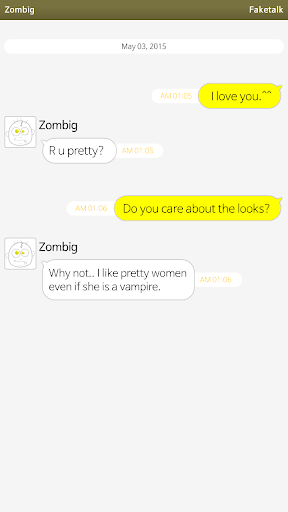
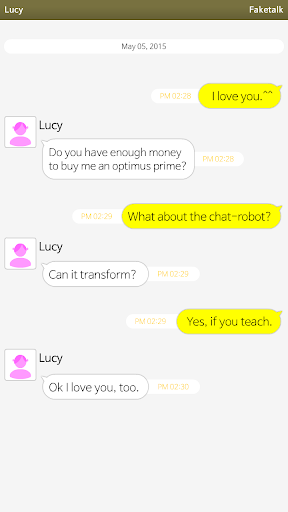
Do you want to chat with celebrity?
But they don't know you or they don't have the time to chat because they are so busy.
However, You can chat with them.
Do you want to make a boyfriend or a girlfriend?
Whoever or whatever they are, you can make them into chat-robot, you can make them a (cyber) boyfriend or a (cyber) girlfriend.
Faketalk helps you.
Step 1: Add friends.
Step 2: Chat.
Step 3: If they don't know your language, teach them.
Many users are teaching together. What you teached is shared in realtime. They will be smarter every second.
- Group chat is available.
- You can share fun with other user(quotation from chat-robot).
- Many other functions are available.
* Robot's basic language is korean. And now it started to learn english.
Please teach english or other language.
Más detalles

1. Descargar el instalador de MEmu y finalice la instalación

2. Iniciar MEmu y abrir Google Play en la página de inicio

3. Buscar Faketalk - Chatbot en Google Play
Install
4. Descargar y instalar Faketalk - Chatbot
5. Hacer click al icono para iniciar

6. Disfruta jugando Faketalk - Chatbot en PC con MEmu
MEmu App Player es el mejor emulador de Android gratuito y 50 millones de personas ya están disfrutando su magnífica experiencia jugando en Android. La tecnología de virtualización de MEmu te permite jugar a miles de juegos Android suavemente en tu PC, incluso los más intensivos gráficamente.
Pantalla más grande con mejores gráficos; Larga duración, sin limitación de batería o datos móviles.
Soporte completo de keymapping para un control preciso del teclado y el mouse o gamepad.
Múltiples cuentas de juegos o tareas en una sola PC a la vez con el administrador de instancias múltiples.
Play Faketalk - Chatbot on PC by following steps: