Paralives
Actualizada
Versión actual
Ofrecida por

Con toda tu pasión para jugar Paralives, no se supone que tus manos estén limitadas en una pequeña pantalla de tu teléfono. Juega como un profesional y obtén el control total de tu juego con el teclado y el mouse. MEmu le ofrece todas las cosas que espera. Descargar y jugar Paralives en PC. Juega todo el tiempo que quieras, sin más limitaciones de batería, datos móviles y llamadas molestas. El nuevo MEmu 9 es la mejor opción para jugar Paralives en PC. Preparado con nuestra experiencia, el exquisito sistema de keymapping preestablecido convierte a Paralives en un verdadero juego de PC. Codificado con nuestra absorción, el administrador de instancias múltiples hace posible jugar 2 o más cuentas en el mismo dispositivo. Y lo más importante, nuestro exclusivo motor de emulación puede liberar todo el potencial de su PC, hacer que todo sea más fluido. Nos importa no solo cómo juegas, sino también todo el proceso de disfrutar de la felicidad de los juegos.
Más detalles
Descargar Paralives en PC con MEmu Android Emulador. Disfruta jugando en la pentalla grande. Paralives is an upcoming life simulation game that offers players an expansive and highly customizable experience centered around building dream homes and managing the lives of unique characters.
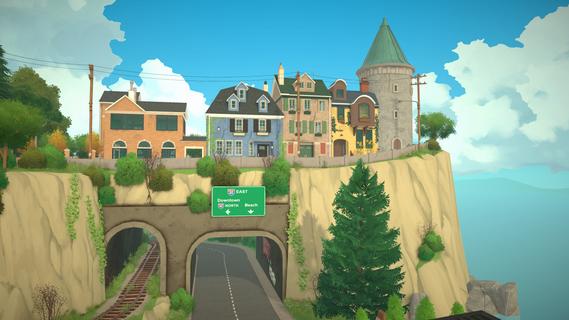
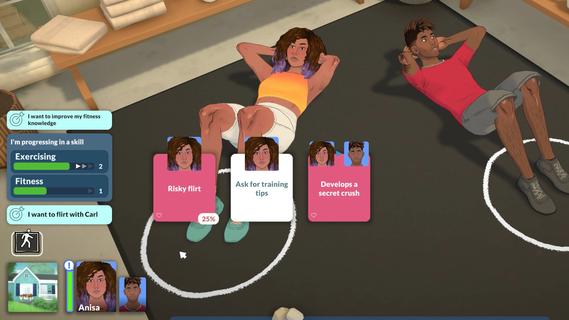
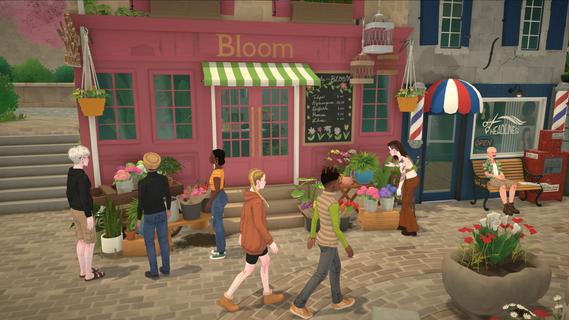

Paralives is an upcoming life simulation game that offers players an expansive and highly customizable experience centered around building dream homes and managing the lives of unique characters. Developed by Alex Massé, Paralives aims to blend the charm of classic life sims with modern design freedom, providing a vibrant and immersive sandbox where creativity and storytelling go hand in hand. At its core, Paralives invites players to design and construct houses with unprecedented flexibility. Unlike many other simulation games that limit architectural choices to preset templates or grids, Paralives features an intuitive and powerful building system. Players can create homes of any shape and size, customizing walls, windows, doors, roofs, and interior layouts with ease. The game’s building tools allow for curved walls, slanted roofs, and a wide variety of architectural elements, enabling truly unique and personalized designs. Whether you dream of a cozy cottage, a sprawling modern mansion, or an eclectic artist’s loft, Paralives gives you the freedom to bring that vision to life. Beyond architecture, Paralives shines in its character creation and life management aspects. Players can create diverse characters with detailed customization options, including appearance, clothing, hairstyles, and personality traits. Each character has their own needs, desires, and relationships, which players can nurture or challenge as they see fit. The game encourages players to craft rich narratives around their characters, from everyday routines to dramatic life events. The life simulation mechanics in Paralives are designed to be both accessible and deep. Characters have needs such as hunger, hygiene, social interaction, and fun, which players must balance to keep them happy and healthy. The game also features skills and careers, allowing characters to pursue jobs, hobbies, and personal growth. Players can guide their characters through various life stages, witnessing their growth and changes over time. Social interaction is another key element. Characters can form friendships, romantic relationships, rivalries, and family bonds, all of which influence their behavior and storylines. Players can organize social gatherings, parties, or quiet family dinners, creating dynamic and evolving social scenes within the game world. Paralives also places a strong emphasis on community and player creativity. The developers have expressed their commitment to supporting modding and custom content, enabling players to share their creations and expand the game’s possibilities. This openness fosters a vibrant community where ideas and inspiration flow freely. Visually, Paralives features charming, stylized graphics with a warm and inviting color palette. The art style strikes a balance between realism and cartoonish appeal, making characters and environments feel lively and relatable without overwhelming detail. The user interface is designed to be intuitive, helping players focus on creativity and storytelling rather than cumbersome controls. While still in development, Paralives has already garnered significant attention for its fresh approach to life simulation. It promises to offer a more flexible and player-driven experience compared to existing titles in the genre. By combining deep building mechanics, rich character customization, and engaging life management systems, Paralives aims to become a beloved sandbox where players can live out their dreams—literally building and shaping lives in a world of their own making. In summary, Paralives is more than just a life sim; it’s a platform for creativity, storytelling, and personal expression. Whether you’re passionate about architecture, character-driven narratives, or simply enjoying the everyday moments of simulated life, Paralives offers a welcoming and expansive playground. As the game continues to develop, it holds the promise of redefining what a life simulation game can be, inviting players to live fully and beautifully—one dream house at a time.
Más detalles

1. Descargar el instalador de MEmu y finalice la instalación

2. Iniciar MEmu y abrir Google Play en la página de inicio

3. Buscar Paralives en Google Play
Install
4. Descargar y instalar Paralives
5. Hacer click al icono para iniciar

6. Disfruta jugando Paralives en PC con MEmu
MEmu App Player es el mejor emulador de Android gratuito y 50 millones de personas ya están disfrutando su magnífica experiencia jugando en Android. La tecnología de virtualización de MEmu te permite jugar a miles de juegos Android suavemente en tu PC, incluso los más intensivos gráficamente.
Pantalla más grande con mejores gráficos; Larga duración, sin limitación de batería o datos móviles.
Soporte completo de keymapping para un control preciso del teclado y el mouse o gamepad.
Múltiples cuentas de juegos o tareas en una sola PC a la vez con el administrador de instancias múltiples.
Play Paralives on PC by following steps: