
Clubhouse
Actualizada
Versión actual
2.13.11
Ofrecida por

Deje de preocuparse por los recargos cuando use Clubhouse en su teléfono celular, libérese de la pequeña pantalla y disfrute usando la aplicación en una pantalla mucho más grande. A partir de ahora, obtenga una experiencia de pantalla completa de su aplicación con teclado y mouse. MEmu le ofrece todas las características sorprendentes que esperaba: instalación rápida y configuración fácil, controles intuitivos, no más limitaciones de batería, datos móviles y llamadas molestas. El nuevo MEmu 9 es la mejor opción para usar Clubhouse en su computadora. Codificado con nuestra absorción, el administrador de instancias múltiples hace posible abrir 2 o más cuentas al mismo tiempo. Y lo más importante, nuestro exclusivo motor de emulación puede liberar todo el potencial de su PC, hacer que todo sea fluido y agradable.
Más detalles
Descargar Clubhouse en PC con MEmu Android Emulador. Disfruta jugando en la pentalla grande. Clubhouse is collaborative project management without all the management.
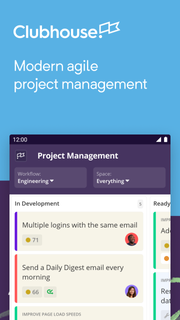
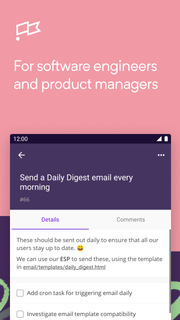
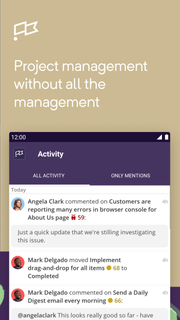

Clubhouse is collaborative project management without all the management. We streamline and refine your existing software development workflow so that managing your tasks (and your team's tasks) is no longer a task.Features of Clubhouse for Android:• Create new Stories quickly with a few taps• Search for, track progress on, update, and add comments to all Stories in your workspace• View details and progress on all Epics in your workspace• Quickly see what you’re working on in the Dashboard• See all activity on the projects that you’re working on in the Activity FeedThousands of technology-driven organizations – from start-ups to large enterprises – enjoy using Clubhouse to develop software more efficiently:“Clubhouse provides the ability to work on a task list at the smallest level where I can check things off, all the way up to tracking my entire company's engineering velocity at the milestone level.”- John Kodumal, CTO/Co-Founder, LaunchDarkly“Clubhouse allows us to provide structure and process. It keeps us organized and focused.”- Yasmin Nozari, VP of Product, MakeSpace“Clubhouse is fine grained enough that each sub-team can track the tasks they're working on, but allows us to zoom out to the team, product, or stack level.”- Clinton Gormley, Team Lead, elasticHave feedback? Shake your device and let us know!
Más detalles

1. Descargar el instalador de MEmu y finalice la instalación

2. Iniciar MEmu y abrir Google Play en la página de inicio

3. Buscar Clubhouse en Google Play
Install
4. Descargar y instalar Clubhouse
5. Hacer click al icono para iniciar

6. Experiencia Clubhouse en PC con MEmu
MEmu App Player es el mejor emulador de Android gratuito y 50 millones de personas ya están disfrutando su magnífica experiencia de aplicación en Android. La tecnología de virtualización de MEmu te permite jugar a miles de aplicaciones Android suavemente en tu PC, incluso los más intensivos gráficamente.
Pantalla más grande con mejores gráficos; Larga duración, sin limitación de batería o datos móviles.
Soporte completo de keymapping para un control preciso del teclado y el mouse o gamepad.
Múltiples cuentas de juegos o tareas en una sola PC a la vez con el administrador de instancias múltiples.
Use Clubhouse on PC by following steps: