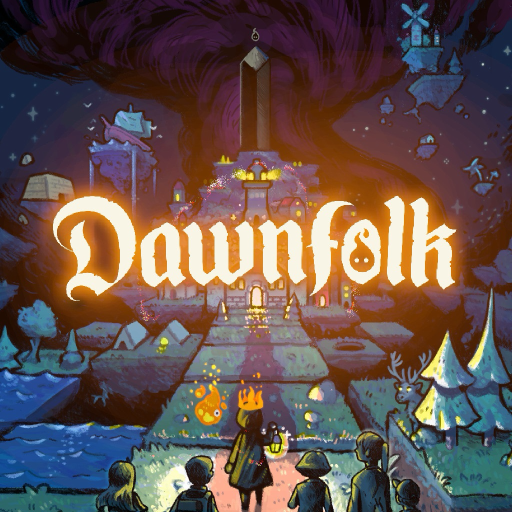
Dawnfolk
Mise à jour
Version actuelle
1.0.8
Proposée par

Avec toute la passion que vous avez à jouer Dawnfolk, vos mains ne sont pas sensées se limiter à l’infime écran de votre téléphone. Jouez comme un pro et ayez le contrôle total de votre jeu à l’aide du clavier et de la souris. MEmu satisfait toutes vos attentes. Téléchargez et jouez Dawnfolk sur PC. Jouez aussi longtemps que vous souhaitez sans aucune limitation de batterie, de données mobiles et d’appels embêtants. La toute nouvelle version de MEmu 9 est la meilleure option de jouer Dawnfolk sur PC. Réalisé par nos experts, l’e magnifique système d’affectation de touches prédéfini fait de Dawnfolk un jeu réaliste sur PC. Le gestionnaire multi-instances de MEmu permet 2 ou plusieurs comptes de jeu sur le même appareil. Et le plus important, le moteur d’émulation exclusif peut libérer le plein potentiel de votre PC, ce qui facilite tout.
Afficher plus
Téléchargez Dawnfolk avec le simulateur d’Android MEmu sur votre PC. Profitez de jouer sur un grand écran. Dans un monde plongé dans les ténèbres, vous êtes à la tête d’un royaume englouti par les ombres.
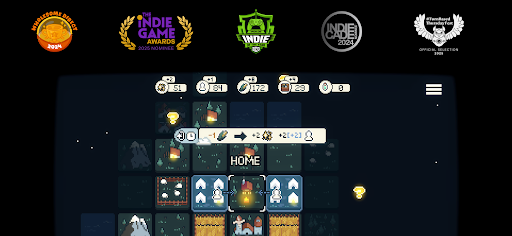
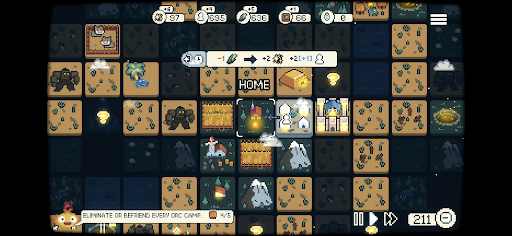
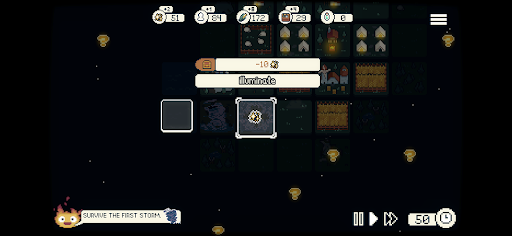
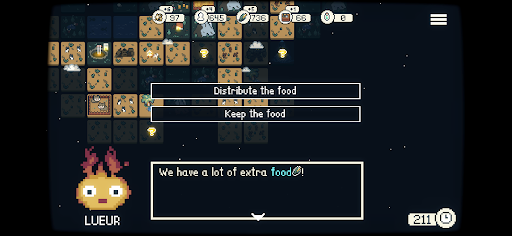
Dans un monde plongé dans les ténèbres, vous êtes à la tête d’un royaume englouti par les ombres. Alors que vous partez sauver votre peuple, vous découvrez Lueur, une créature mythique et flamboyante qui éclairera votre chemin.
Créé par le développeur solo Darenn Keller, Dawnfolk mêle stratégie minimaliste, exploration et construction de villes pour offrir une expérience relaxante, mais profondément gratifiante.
Il y a plusieurs décennies, des monolithes d’obsidienne sont tombés du ciel, apportant avec eux des ténèbres rampantes qui ont dévoré les terres. Désormais, grâce au pouvoir de Lueur, vous pouvez repousser les ombres et reconquérir votre royaume.
Mais quel genre de dirigeant serez-vous ?
Explorez un monde médiéval fantastique encore inconnu, gérez vos ressources, construisez des villes et survivez à de nombreux dangers.
Des mini-jeux ajoutent un défi unique à votre mission. Plus vous êtes performant, plus vous gagnez de ressources pour aider votre communauté à résister aux ténèbres.
Chaque choix compte tandis que vous expérimentez différentes stratégies et façons de jouer. Faites évoluer votre colonie, de quelques tentes à une ville prospère, en moins d’une heure, sans longs tutoriels ni systèmes complexes.
Conçu pour être à la fois familier et original, le jeu met l’accent sur l’exploration et l’expérimentation, faisant de la découverte une véritable partie de l’aventure.
Vos choix façonneront le destin de votre peuple.
Parviendrez-vous à ramener la lumière dans le monde ?
Fonctionnalités
Un jeu relaxant : Une expérience stratégique conçue pour jouer tranquillement, où que vous soyez.
Facile à apprendre : Pas de longs tutoriels ni de menus complexes : lancez-vous et commencez à construire.
Parties courtes : Partez de rien et bâtissez une ville prospère en moins d’une heure.
Entre macro et micro : Combinez construction de villes et mini-jeux inspirés des jeux de ferme et des RPG. Gagnez des ressources bonus grâce à des défis basés sur votre habileté qui viennent rythmer la gestion de votre ville.
Modes de jeu : Plusieurs façons de jouer, notamment en temps réel, au tour par tour et avec une difficulté ajustable.
Découverte récompensée : Explorez, expérimentez et découvrez les différents systèmes à votre rythme : le jeu ne vous révélera pas tout.
Design minimaliste : Des mécaniques ciblées offrant de la profondeur sans complexité superflue.
Histoire interactive : Vos bâtiments façonnent des histoires qui évoluent. Vos choix déterminent leur issue et ont un impact direct sur votre ville : gouvernerez-vous avec bienveillance ou pragmatisme ?
Afficher plus

1. Téléchargez l'installateur MEmu et terminez l'installation

2. Démarrez MEmu puis ouvrez Google Play sur la page d'accueil

3. Recherchez Dawnfolk dans Google Play
Install
4. Téléchargez et installez Dawnfolk
5. Une fois l'installation terminée, cliquez sur l'icône pour démarrer

6. Profitez de jouer Dawnfolk sur PC avec MEmu
Le lecteur d'application MEmu est le meilleur émulateur Android gratuit, et 50 millions de personnes profitent déjà de sa fantastique expérience de jeu Android. La technologie de virtualisation MEmu vous donne la possibilité de jouer à des milliers de jeux Android sur votre PC sans aucune difficulté, même aux plus gourmands.
L’écran plus grand avec de meilleurs graphismes; Une longue durée, sans limitation de batterie ou de données mobiles.
Soutien du Keymapping pour un contrôle précis du clavier et de la souris ou de la manette de jeu
Plusieurs comptes de jeu ou tâches sur un seul PC en même temps avec le gestionnaire de multi-instance.
Play Dawnfolk on PC by following steps: