Dawnfolk
Zaktualizowano
Aktualna wersja
1.0.8
Sprzedawca

Przy całej swojej pasji do grania w Dawnfolk, twoje ręce nie powinny być ograniczone na małym ekranie telefonu. Graj jak zawodowiec i uzyskaj pełną kontrolę nad grą za pomocą klawiatury i myszy. MEmu oferuje ci wszystko, czego oczekujesz. Pobierz i graj Dawnfolk na PC. Graj tak długo, jak chcesz, bez ograniczeń baterii, danych komórkowych i niepokojących połączeń. Zupełnie nowy MEmu 9 to najlepszy wybór do grania w Dawnfolk na PC. Przygotowany dzięki naszej wiedzy, znakomity, wstępnie ustawiony system mapowania klawiszy sprawia, że Dawnfolk jest prawdziwą grą na PC. Zakodowany naszą absorpcją, menedżer wielu instancji umożliwia granie na 2 lub więcej kontach na tym samym urządzeniu. A co najważniejsze, nasz emulator może uwolnić pełny potencjał twojego komputera, sprawić, że wszystko będzie płynne. Dbamy nie tylko o to, jak grasz, ale także o cały proces czerpania radości z grania.
Pokaż więcej
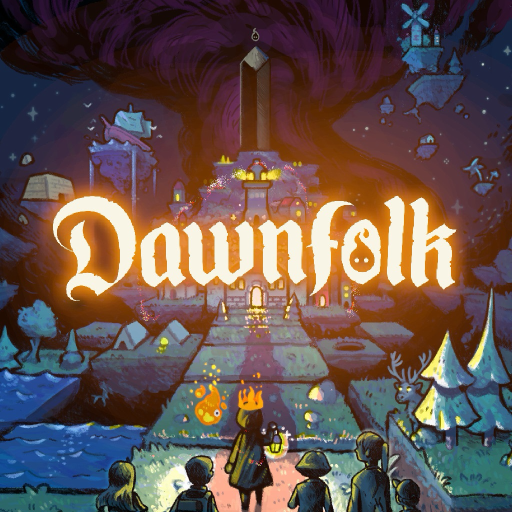
Ciesz się wspaniałym doświadczeniem podczas grania w Dawnfolk na komputerze z aplikacją MEMU App Player. Jest to potężny darmowy emulator Androida pozwalający grać w tysiące gier na Androida. W świecie pogrążonym w ciemności jesteś władcą królestwa, które zaginęło wśród cieni.
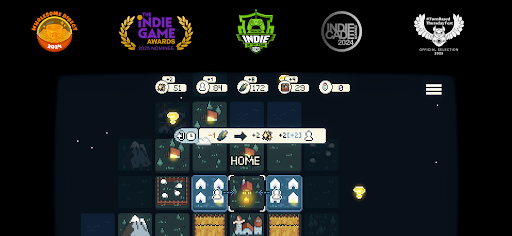
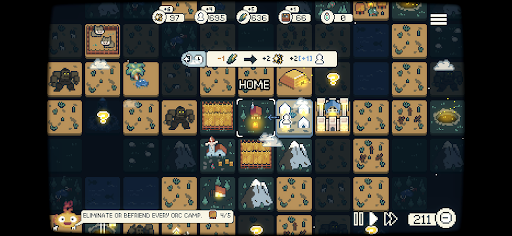
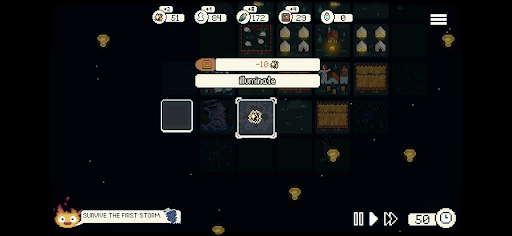
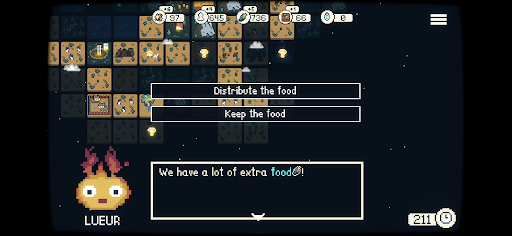
W świecie pogrążonym w ciemności jesteś władcą królestwa, które zaginęło wśród cieni. Wyruszając na wyprawę, by ocalić swój lud, odkrywasz Lueur — mitycznego, ognistego towarzysza, który rozświetli ci drogę.
Stworzone przez niezależnego dewelopera Darenn Keller Dawnfolk łączy minimalistyczną strategię, eksplorację i budowanie miast w relaksującym, a zarazem niezwykle satysfakcjonującym doświadczeniu.
Kilkadziesiąt lat temu z nieba spadły obsydianowe monolity, przynosząc ze sobą pełzającą ciemność, która pochłonęła krainę. Teraz, dzięki mocy Lueur, możesz odeprzeć cienie i odzyskać swoje królestwo.
Ale jakim władcą będziesz?
Odkrywaj nieznany średniowieczny świat fantasy, zarządzaj zasobami, buduj miasta i przetrwaj liczne niebezpieczeństwa.
Minigry dodają wyjątkowe wyzwania do zadania wspierania twojego ludu. Im lepiej sobie radzisz, tym więcej zasobów zdobywasz, pomagając swojej społeczności przetrwać ciemność.
Każda decyzja ma znaczenie, gdy wypróbowujesz różne strategie i style gry. Rozwiń swoją osadę od kilku namiotów do tętniącego życiem miasta w mniej niż godzinę — bez długich samouczków i skomplikowanych systemów.
Gra została zaprojektowana tak, by jednocześnie wydawała się znajoma i świeża, skupiając się na eksploracji i eksperymentowaniu, gdzie odkrywanie jest częścią samej podróży.
Twoje wybory ukształtują los twojego ludu.
Czy uda ci się przywrócić światło światu?
Cechy
Relaksująca rozgrywka: Strategiczne doświadczenie stworzone z myślą o spokojnej grze, gdziekolwiek jesteś.
Łatwa do nauczenia: Bez długich samouczków i skomplikowanych menu — zacznij grać i budować od razu.
Krótkie sesje: Zacznij od zera i zbuduj tętniące życiem miasto w mniej niż godzinę.
Połączenie makro i mikro: Łącz budowanie miasta z minigrami inspirowanymi symulatorami farmy i grami RPG. Zdobywaj dodatkowe zasoby dzięki wyzwaniom opartym na umiejętnościach, które urozmaicają zarządzanie miastem.
Tryby gry: Różne sposoby rozgrywki, w tym czas rzeczywisty, tryb turowy i regulowany poziom trudności.
Odkrywanie nagradzane: Eksploruj, eksperymentuj i odkrywaj systemy we własnym tempie — gra nie powie ci wszystkiego.
Minimalistyczny design: Skupione mechaniki zapewniają głębię bez zbędnej złożoności.
Interaktywna historia: Twoje budynki kształtują rozwijające się historie. Twoje decyzje określają ich wynik i bezpośrednio wpływają na miasto — będziesz rządzić z dobrocią czy pragmatyzmem?
Pokaż więcej

1. Pobierz instalator MEmu i zakończ instalację

2. Uruchom MEmu, a następnie otwórz Google Play na pulpicie

3. Wyszukaj Dawnfolk w Google Play
Install
4. Pobierz i zainstaluj Dawnfolk
5. Po zakończeniu instalacji kliknij ikonę, aby rozpocząć

6. Ciesz się grą Dawnfolk na PC z MEmu
MEmu Play to najlepszy emulator Androida, a 100 milionów ludzi już korzysta z jego i dosta doskonałe wrażenia z gier na Androida. Technologia wirtualizacji MEmu umożliwia płynne granie w tysiące gier Androida na komputerze, nawet tych najbardziej wymagających grafiki.
Większy ekran z lepszą grafiką; Długi czas, bez ograniczeń baterii lub danych mobilnych.
Pełna obsługa mapowania klawiszy dla precyzyjnego sterowania klawiaturą i myszą lub gamepadem.
Wiele kont gier lub zadań na jednym komputerze jednocześnie z menedżerem wielu instancji.
Play Dawnfolk on PC by following steps: