Prinny Party: Going Overboard!
Mise à jour
Version actuelle
Proposée par

Avec toute la passion que vous avez à jouer Prinny Party: Going Overboard!, vos mains ne sont pas sensées se limiter à l’infime écran de votre téléphone. Jouez comme un pro et ayez le contrôle total de votre jeu à l’aide du clavier et de la souris. MEmu satisfait toutes vos attentes. Téléchargez et jouez Prinny Party: Going Overboard! sur PC. Jouez aussi longtemps que vous souhaitez sans aucune limitation de batterie, de données mobiles et d’appels embêtants. La toute nouvelle version de MEmu 9 est la meilleure option de jouer Prinny Party: Going Overboard! sur PC. Réalisé par nos experts, l’e magnifique système d’affectation de touches prédéfini fait de Prinny Party: Going Overboard! un jeu réaliste sur PC. Le gestionnaire multi-instances de MEmu permet 2 ou plusieurs comptes de jeu sur le même appareil. Et le plus important, le moteur d’émulation exclusif peut libérer le plein potentiel de votre PC, ce qui facilite tout.
Afficher plus
Téléchargez Prinny Party: Going Overboard! avec le simulateur d’Android MEmu sur votre PC. Profitez de jouer sur un grand écran. Get your friends together for Prinny Party: Going Overboard!
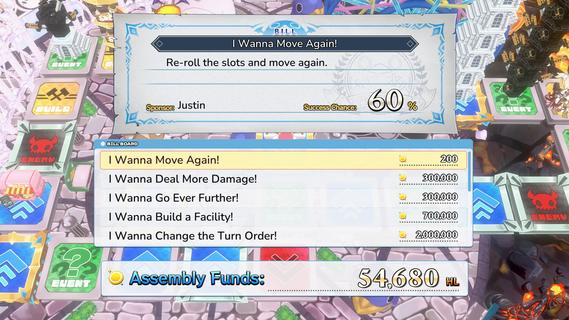
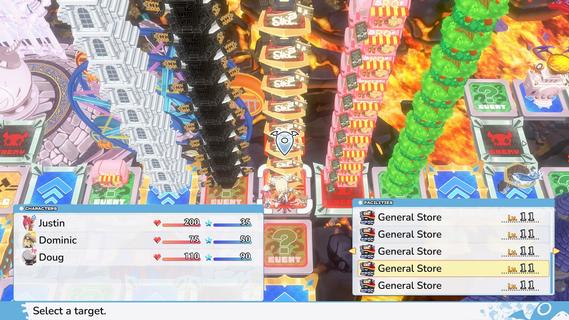
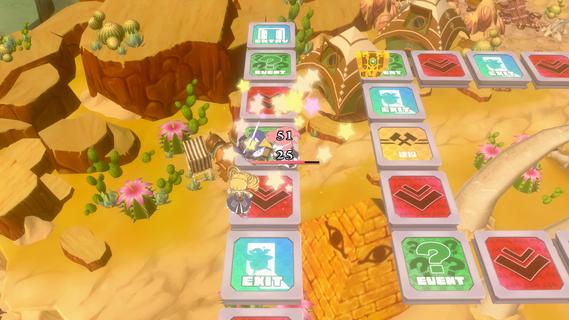
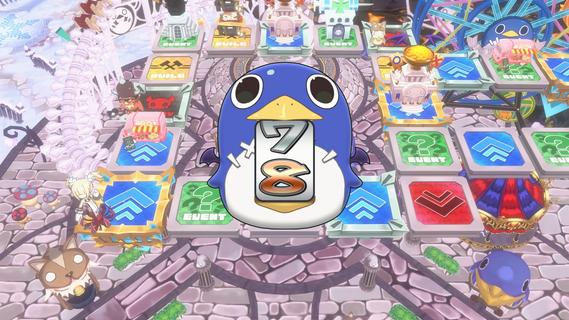
Get your friends together for Prinny Party: Going Overboard! In this party game, youâll traverse the board as you take down demons, earn experience, and buy new equipmentâall to make sure youâre strong enough to defeat the Supreme Overboard!In Prinny Party: Going Overboard!, you and your friends will do whatever it takes to defeat the Supreme Overboard and his Protago-Knights! In practice, itâs quite simple: move around the board, earn experience, acquire more powerful equipment, and turn in quests to stay ahead of the curve. Then, when a boss spawns, work together to take him down!But friendships donât last long in Prinny Partyâonly the player who brings the boss back to spawn gets the credit, so do whatever it takes to be the hero!Throw, fight, and squabble your way to victory! Whatever you do, just donât die all at once, or itâll be game overâfor everyone!Huck, Chuck, Boom!Pick up and throw your friends, enemies, and frenemies to put things in their place. As always, be careful when handling Prinnies!Build a Better TomorrowBy landing on a build space, you can build and upgrade facilities, such as hospitals or armories. Just remember: other players will be able to shop there, too!It Pays to Pass Some BillsTriple your damage, move again, or build a cannon capable of wiping out even the most powerful demons. Everything is possible when you pass bills at the Assembly!
Afficher plus

1. Téléchargez l'installateur MEmu et terminez l'installation

2. Démarrez MEmu puis ouvrez Google Play sur la page d'accueil

3. Recherchez Prinny Party: Going Overboard! dans Google Play
Install
4. Téléchargez et installez Prinny Party: Going Overboard!
5. Une fois l'installation terminée, cliquez sur l'icône pour démarrer

6. Profitez de jouer Prinny Party: Going Overboard! sur PC avec MEmu
Le lecteur d'application MEmu est le meilleur émulateur Android gratuit, et 50 millions de personnes profitent déjà de sa fantastique expérience de jeu Android. La technologie de virtualisation MEmu vous donne la possibilité de jouer à des milliers de jeux Android sur votre PC sans aucune difficulté, même aux plus gourmands.
L’écran plus grand avec de meilleurs graphismes; Une longue durée, sans limitation de batterie ou de données mobiles.
Soutien du Keymapping pour un contrôle précis du clavier et de la souris ou de la manette de jeu
Plusieurs comptes de jeu ou tâches sur un seul PC en même temps avec le gestionnaire de multi-instance.
Play Prinny Party: Going Overboard! on PC by following steps: