
Prinny Party: Going Overboard!
อัปเดตเมื่อ
เวอร์ชันปัจจุบัน
ให้บริการโดย

เวลาคุณเล่น Prinny Party: Going Overboard!, คุณอาจรู้สึกว่ามือคุณอาจบังจอแล้วทำให้ไม่ได้เล่นแบบเต็มที่. เล่นแบบไร้ขีดจำกัดด้วยเม้าส์และคีย์บอร์ด. MEmu มีตัวเลือกหลายอย่างให้คุณใช้งานเกมที่คุณเล่นแบบที่คุณต้องการ. ดาวน์โหลดและเล่น Prinny Party: Going Overboard! บน PC. เล่นนานแค่ไหนก็ได้, ไม่ต้องชาร์จแบตเตอรี่, หรือเจอคนโทรเข้ามาระหว่างเล่น. MEmu 9 เป็นตัวเลือกสำหรับการเล่น Prinny Party: Going Overboard! บน PC. ทางทีมงานเราได้ปรับแต่งเกม, ปรับให้เล่นเกมบางเกมได้เหมือนเล่น Prinny Party: Going Overboard! เป็นเกม PC เช่นเล็งด้วยเม้าส์หรือใช้คีย์บอร์ด. ระบบของเรายังทำให้คุณสามารถเปิดเล่นได้มากกว่า 2 เกมพร้อมๆกันในคอมของคุณ. และที่สำคัญที่สุด, ระบบโปรแกรมของเราสามารถทำให้คุณใช้ระบบของ PC ทำให้เกมลื่นเหมือนกับใช้โทรศัพท์รุ่นล่าสุด. เราไม่ได้ดูแลเรื่องการเล่นเกม, แต่เราดูแลถึงความสนุกสนานที่คุณได้จากการเล่นด้วย.
แสดงเพิ่มเติม
ดาวน์โหลด Prinny Party: Going Overboard! บน PC ด้วย MEmu Android Emulator สนุกกับการเล่นบนหน้าจอขนาดใหญ่ Get your friends together for Prinny Party: Going Overboard!
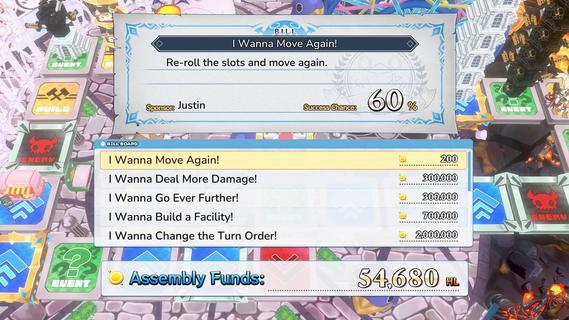
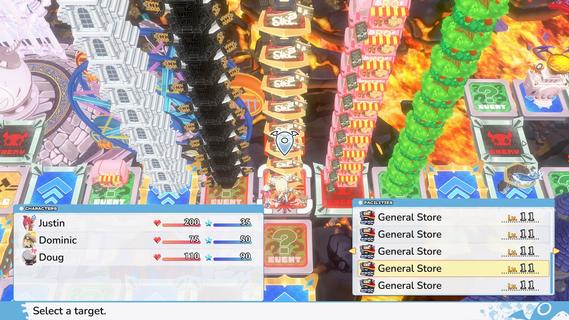
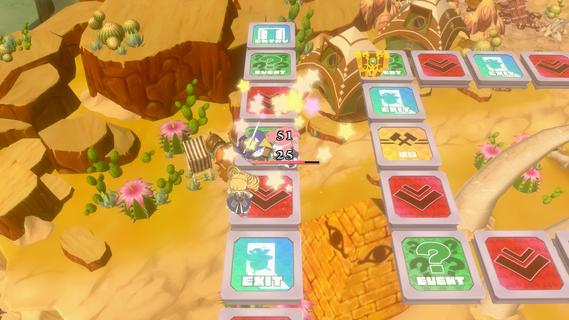
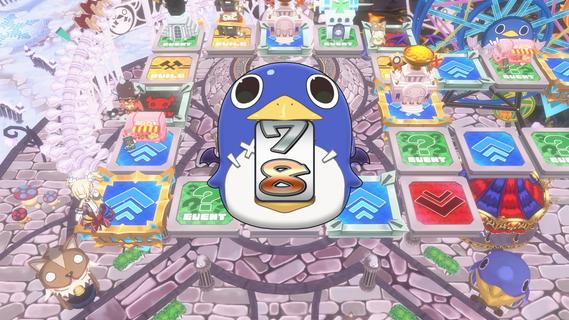
Get your friends together for Prinny Party: Going Overboard! In this party game, youâll traverse the board as you take down demons, earn experience, and buy new equipmentâall to make sure youâre strong enough to defeat the Supreme Overboard!In Prinny Party: Going Overboard!, you and your friends will do whatever it takes to defeat the Supreme Overboard and his Protago-Knights! In practice, itâs quite simple: move around the board, earn experience, acquire more powerful equipment, and turn in quests to stay ahead of the curve. Then, when a boss spawns, work together to take him down!But friendships donât last long in Prinny Partyâonly the player who brings the boss back to spawn gets the credit, so do whatever it takes to be the hero!Throw, fight, and squabble your way to victory! Whatever you do, just donât die all at once, or itâll be game overâfor everyone!Huck, Chuck, Boom!Pick up and throw your friends, enemies, and frenemies to put things in their place. As always, be careful when handling Prinnies!Build a Better TomorrowBy landing on a build space, you can build and upgrade facilities, such as hospitals or armories. Just remember: other players will be able to shop there, too!It Pays to Pass Some BillsTriple your damage, move again, or build a cannon capable of wiping out even the most powerful demons. Everything is possible when you pass bills at the Assembly!
แสดงเพิ่มเติม

1. ดาวน์โหลดตัวติดตั้ง MEmu และสิ้นสุดการติดตั้ง

2. เริ่ม MEmu จากนั้นเปิด Google Play บนหน้าแรก

3. ค้นหา Prinny Party: Going Overboard! ใน Google Play
Install
4. ดาวน์โหลดและติดตั้ง Prinny Party: Going Overboard!
5. เมื่อติดตั้งเสร็จให้คลิกที่ไอคอนเพื่อเริ่มใช้งาน

6. สนุกกับการเล่น Prinny Party: Going Overboard! บนพีซีด้วย MEmu
MEmu App Player เป็นอีมูเลเตอร์ Android ที่ดีที่สุดและผู้คนกว่า 50 ล้านคนเพลิดเพลินไปกับประสบการณ์การเล่นเกม Android ที่ยอดเยี่ยม เทคโนโลยีการจำลองเสมือนของ MEmu ช่วยให้คุณเล่นเกม Android หลายพันเกมได้อย่างราบรื่นบนพีซีของคุณแม้แต่เกมที่ต้องใช้กราฟิกมากที่สุด
จอใหญ่และกราฟฟิกสวยกว่า; เล่นได้นาน, ไม่ต้องใช้แบตเตอรี่โทรศัพท์หรือเน็ตโทรศัพท์.
ระบบปรับแต่งปุ่มคีย์บอร์ดและเม้าส์ตามที่คุณเลือก
เล่นมากกว่าหนึ่งเกมบน PC ในเวลาเดียวกันด้วยระบบหลายจอหรือ Multi-Instance manager.
Play Prinny Party: Going Overboard! on PC by following steps:

























![[ไกด์เกม] CookieRun Classic แนะนำ 5 คุกกี้น่าปั้น น่าลงทุน ที่มือใหม่ห้ามพลาด! (เล่นบน PC ผ่าน MEmu ให้ลื่นสุด ๆ) PC](https://www.memuplay.com/blog/wp-content/uploads/2026/08/579c01ab-a953-45b3-8115-9b6279b7d6f9.png)