Prinny Party: Going Overboard!
Updated
Current Version
Offered By

With your passion for Prinny Party: Going Overboard!, you shouldn’t have to limit yourself to the small screen of a phone. Play like a pro and take full control of the game using a keyboard and mouse. MEmu gives you everything you’re looking for. Download and play Prinny Party: Going Overboard! on PC. Play as long as you want — no more worries about battery life, mobile data, or unexpected calls. The all-new MEmu 9 is the best way to play Prinny Party: Going Overboard! on PC. With our expertly designed keymapping system, Prinny Party: Going Overboard! feels just like a real PC game. The MEmu multi-instance manager lets you run two or more accounts on the same device at the same time. Most importantly, our exclusive emulation engine unlocks your PC’s full potential, delivering smooth and seamless performance.
Show more
Download Prinny Party: Going Overboard! on PC with MEmu Android Emulator. Enjoy playing on big screen. Prinny Party: Going Overboard!
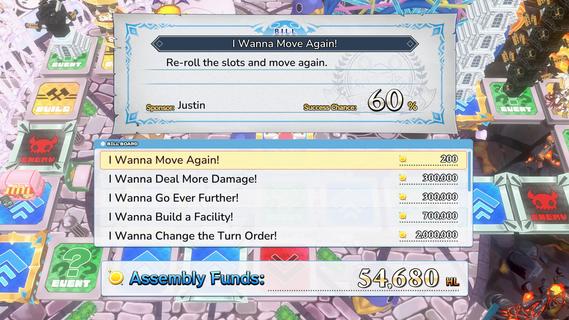
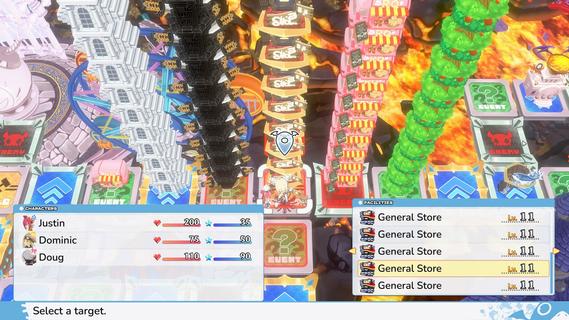
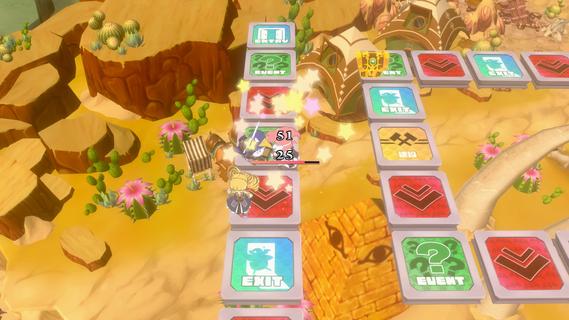
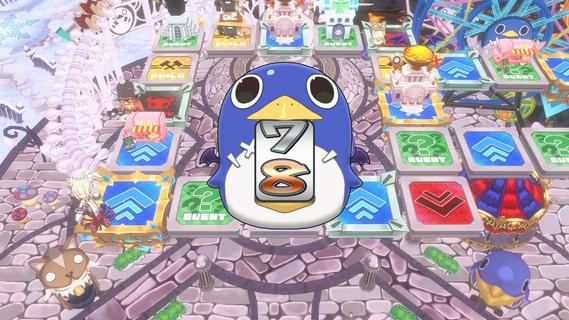
Prinny Party: Going Overboard! suits players who want a board game session where teamwork can quickly turn into competition. You move around a sugoroku-style board, face demons, and prepare for larger fights as the match develops. Although players need to help each other survive, only one player can claim the credit for a key boss defeat. This setup makes each turn matter when you download Prinny Party: Going Overboard! for solo or shared play.Board, battles, and party rulesMove across a sugoroku boardPrinny Party: Going Overboard! uses a board-based format where players roll, move, and land on different spaces. Your route can lead to enemies, quests, shops, or places where you can build. As a result, movement affects both your own progress and the options available to other players.Fight demons in turn-based commandsYou fight demons through command-style RPG battles rather than direct action controls. Winning encounters gives experience and helps your character become ready for stronger enemies. Equipment can also be purchased during a match, so you can adjust your preparation before a difficult encounter.Work together, then compete for creditWhen the Supreme Overboard or the Protago-Knights appear, players need to cooperate to avoid being overwhelmed. However, the player who sends a boss back to its starting location receives the victory credit. This creates situations where you may support another player in one turn, then try to secure the final attack yourself.Throw Prinnies, enemies, and rivalsIn Prinny Party: Going Overboard!, you can pick up and throw friends, enemies, and rival players during the game. Throwing can interrupt another player’s plan, move a target into a different position, or create an opening near a boss. Because every player shares the same board, this action can change the situation for the whole party.Build locations and pass Assembly billsLanding on build spaces lets you create facilities such as hospitals and armories. These locations can help you, but opponents may use them as well. In addition, Assembly bills can grant effects such as extra turns, triple damage, or cannons that can defeat major demons.What to know before playing Prinny Party: Going Overboard!Prinny Party: Going Overboard! supports one to four players. A solo session lets you play through the same board and battle format alone, while local group play makes the cooperative and competitive rules more noticeable. Before starting a group match, it helps to agree whether the goal is simply party survival or claiming the final boss credit.The game includes English and Japanese text and audio options. This can be useful for players who prefer either language while following quests, battle commands, and Assembly bill choices. The setting and character names include the Prinnies, Supreme Overboard, and Protago-Knights.How to play Prinny Party: Going Overboard!Start by choosing whether to play alone or with up to three other players. Each session follows a cycle of board movement, preparation, and battles, so Prinny Party: Going Overboard! APK is best approached by watching how each space affects the current match.Begin a session and take turns rolling to move around the board. Watch the spaces ahead, since they can lead to battles, quests, stores, or construction opportunities.Fight demons when you encounter them by selecting commands during battle. Gain experience from victories and use the progress to handle stronger enemies later in the game.Use shops to purchase stronger equipment when available. If you land on a build space, choose a facility that may help the party during future turns.When a major boss appears, join the other players in reducing its strength. Keep track of its position, because the player who returns it to its spawn receives the credit.Use throws and Assembly bills when the timing supports your plan. Avoid a situation where every player is defeated at once, since this causes the entire party to lose.Start a board sessionPrinny Party: Going Overboard! combines shared board movement, command battles, and party decisions where cooperation does not remove competition. Make sure to check the Prinny Party: Going Overboard! latest version before starting a solo match or a session with other players. Right now, there's no package available. Once the game is officially available on Android, you can download Prinny PartyL Going Overboard! APK on APKPure.
Show more

1. Download MEmu installer and finish the setup

2. Start MEmu then open Google Play on the desktop

3. Search Prinny Party: Going Overboard! in Google Play
Install
4. Download and Install Prinny Party: Going Overboard!
5. On install completion click the icon to start

6. Enjoy playing Prinny Party: Going Overboard! on PC with MEmu
MEmu Play is the best Android emulator and 100 million people already enjoy its superb Android gaming experience. The MEmu virtualization technology empowers you to play thousands of Android games smoothly on your PC, even the most graphic-intensive ones.
Bigger screen with better graphics; Long duration, without limitation of battery or mobile data.
Full Keymapping support for precise control of keyboard and mouse or gamepad.
Multiple game accounts or tasks on single PC at one time with Multi-Instance manager.
Play Prinny Party: Going Overboard! on PC by following steps:

















































