Prinny Party: Going Overboard!
Actualizada
Versión actual
Ofrecida por

Con toda tu pasión para jugar Prinny Party: Going Overboard!, no se supone que tus manos estén limitadas en una pequeña pantalla de tu teléfono. Juega como un profesional y obtén el control total de tu juego con el teclado y el mouse. MEmu le ofrece todas las cosas que espera. Descargar y jugar Prinny Party: Going Overboard! en PC. Juega todo el tiempo que quieras, sin más limitaciones de batería, datos móviles y llamadas molestas. El nuevo MEmu 9 es la mejor opción para jugar Prinny Party: Going Overboard! en PC. Preparado con nuestra experiencia, el exquisito sistema de keymapping preestablecido convierte a Prinny Party: Going Overboard! en un verdadero juego de PC. Codificado con nuestra absorción, el administrador de instancias múltiples hace posible jugar 2 o más cuentas en el mismo dispositivo. Y lo más importante, nuestro exclusivo motor de emulación puede liberar todo el potencial de su PC, hacer que todo sea más fluido. Nos importa no solo cómo juegas, sino también todo el proceso de disfrutar de la felicidad de los juegos.
Más detalles
Descargar Prinny Party: Going Overboard! en PC con MEmu Android Emulador. Disfruta jugando en la pentalla grande. Get your friends together for Prinny Party: Going Overboard!
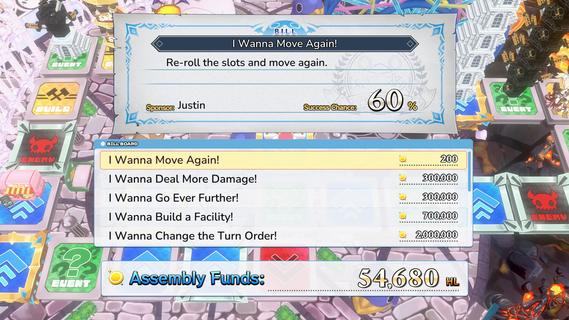
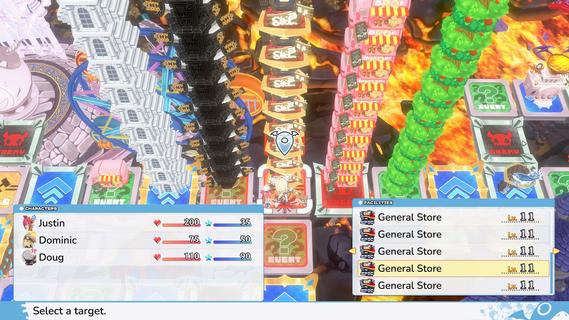
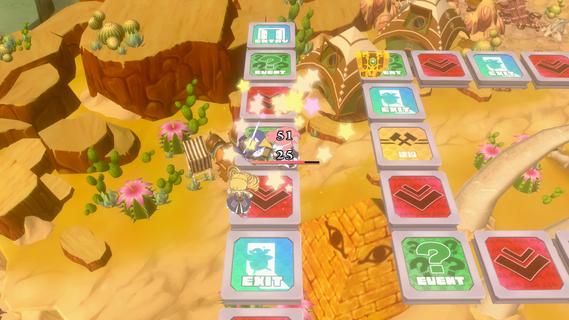
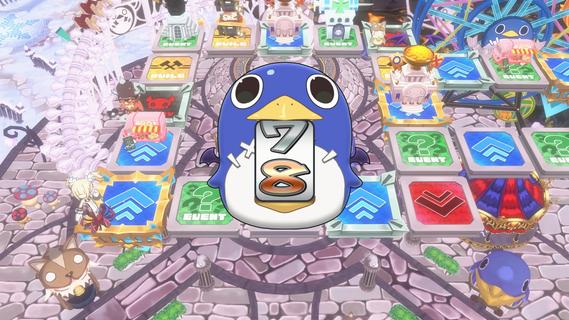
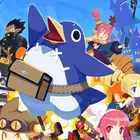
Get your friends together for Prinny Party: Going Overboard! In this party game, youâll traverse the board as you take down demons, earn experience, and buy new equipmentâall to make sure youâre strong enough to defeat the Supreme Overboard!In Prinny Party: Going Overboard!, you and your friends will do whatever it takes to defeat the Supreme Overboard and his Protago-Knights! In practice, itâs quite simple: move around the board, earn experience, acquire more powerful equipment, and turn in quests to stay ahead of the curve. Then, when a boss spawns, work together to take him down!But friendships donât last long in Prinny Partyâonly the player who brings the boss back to spawn gets the credit, so do whatever it takes to be the hero!Throw, fight, and squabble your way to victory! Whatever you do, just donât die all at once, or itâll be game overâfor everyone!Huck, Chuck, Boom!Pick up and throw your friends, enemies, and frenemies to put things in their place. As always, be careful when handling Prinnies!Build a Better TomorrowBy landing on a build space, you can build and upgrade facilities, such as hospitals or armories. Just remember: other players will be able to shop there, too!It Pays to Pass Some BillsTriple your damage, move again, or build a cannon capable of wiping out even the most powerful demons. Everything is possible when you pass bills at the Assembly!
Más detalles

1. Descargar el instalador de MEmu y finalice la instalación

2. Iniciar MEmu y abrir Google Play en la página de inicio

3. Buscar Prinny Party: Going Overboard! en Google Play
Install
4. Descargar y instalar Prinny Party: Going Overboard!
5. Hacer click al icono para iniciar

6. Disfruta jugando Prinny Party: Going Overboard! en PC con MEmu
MEmu App Player es el mejor emulador de Android gratuito y 50 millones de personas ya están disfrutando su magnífica experiencia jugando en Android. La tecnología de virtualización de MEmu te permite jugar a miles de juegos Android suavemente en tu PC, incluso los más intensivos gráficamente.
Pantalla más grande con mejores gráficos; Larga duración, sin limitación de batería o datos móviles.
Soporte completo de keymapping para un control preciso del teclado y el mouse o gamepad.
Múltiples cuentas de juegos o tareas en una sola PC a la vez con el administrador de instancias múltiples.
Play Prinny Party: Going Overboard! on PC by following steps: