Prinny Party: Going Overboard!
अपडेट किया गया
वर्तमान वर्शन
संसाधन

अपने सेलफोन पर Prinny Party: Going Overboard! का उपयोग करते समय ओवरचार्ज के बारे में चिंता करना बंद करें, अपने आप को छोटी स्क्रीन से मुक्त करें और बहुत बड़े डिस्प्ले पर ऐप का उपयोग करने का आनंद लें। अब से, कीबोर्ड और माउस के साथ अपने ऐप का पूर्ण-स्क्रीन अनुभव प्राप्त करें। एमईएमयू आपको उन सभी आश्चर्यजनक सुविधाओं की पेशकश करता है जिनकी आपको उम्मीद थी: त्वरित इंस्टॉल और आसान सेटअप, सहज नियंत्रण, बैटरी की कोई सीमा नहीं, मोबाइल डेटा और परेशान कॉल। आपके कंप्यूटर पर Prinny Party: Going Overboard! का उपयोग करने का सबसे अच्छा विकल्प नया MEmu 9 है। हमारे अवशोषण के साथ कोडित, बहु-उदाहरण प्रबंधक एक ही समय में 2 या अधिक खाते खोलना संभव बनाता है। और सबसे महत्वपूर्ण, हमारा अनन्य उत्सर्जन इंजन आपके पीसी की पूरी क्षमता को जारी कर सकता है, सब कुछ सुचारू और सुखद बना सकता है।
और दिखाएं
डाउनलोड करें Prinny Party: Going Overboard! पीसी पर MEmu एंड्रॉयड एमुलेटर के साथ बड़े पर्दे पर खेलने का आनंद लें। Get your friends together for Prinny Party: Going Overboard!
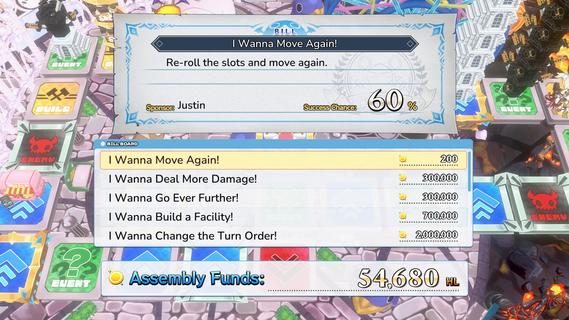
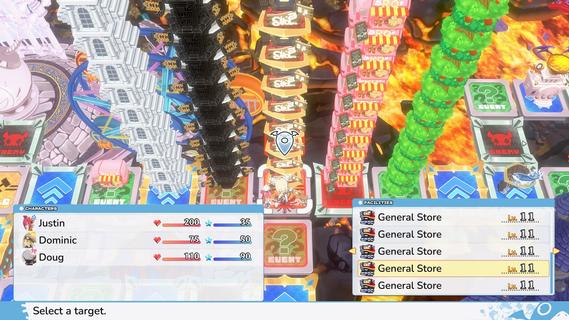
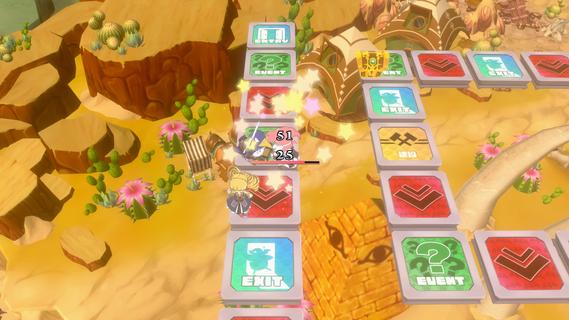
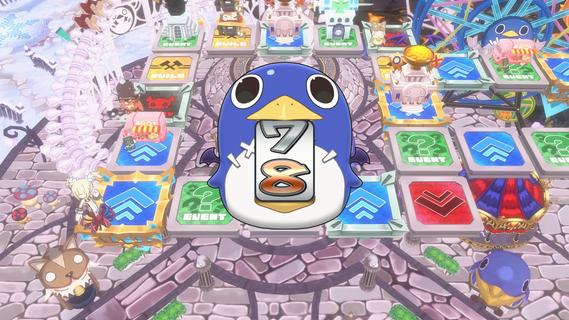
Get your friends together for Prinny Party: Going Overboard! In this party game, youâll traverse the board as you take down demons, earn experience, and buy new equipmentâall to make sure youâre strong enough to defeat the Supreme Overboard!In Prinny Party: Going Overboard!, you and your friends will do whatever it takes to defeat the Supreme Overboard and his Protago-Knights! In practice, itâs quite simple: move around the board, earn experience, acquire more powerful equipment, and turn in quests to stay ahead of the curve. Then, when a boss spawns, work together to take him down!But friendships donât last long in Prinny Partyâonly the player who brings the boss back to spawn gets the credit, so do whatever it takes to be the hero!Throw, fight, and squabble your way to victory! Whatever you do, just donât die all at once, or itâll be game overâfor everyone!Huck, Chuck, Boom!Pick up and throw your friends, enemies, and frenemies to put things in their place. As always, be careful when handling Prinnies!Build a Better TomorrowBy landing on a build space, you can build and upgrade facilities, such as hospitals or armories. Just remember: other players will be able to shop there, too!It Pays to Pass Some BillsTriple your damage, move again, or build a cannon capable of wiping out even the most powerful demons. Everything is possible when you pass bills at the Assembly!
और दिखाएं

1. MEmu इंस्टॉलर को डाउनलोड करें और इंस्टॉलेशन को पूरा करें

2. MEmu शुरू करें फिर होमपेज पर Google Play खोलें

3. Google Play में Prinny Party: Going Overboard! खोजें
Install
4. Prinny Party: Going Overboard! डाउनलोड कर इंस्टॉल करें
5. इंस्टॉल पूरा होने पर आइकन दबाएं

6. MEmu से पीसी पर Prinny Party: Going Overboard! खेलने का आनंद लें
MEmu Play सबसे बेहतरीन मुफ़्त Android एमुलेटर है और 5 करोड़ लोग पहले ही इसके शानदार Android गेमिंग अनुभव का आनंद ले चुके हैं। MEmu 9 वर्चुअलाइज़ेशन तकनीक आपको अपने PC पर हज़ारों Android गेम, यहाँ तक कि सबसे ज़्यादा ग्राफ़िक्स वाले गेम भी, आसानी से खेलने की सुविधा देती है।
असीमित बैटरी या मोबाइल डेटा के साथ बेहतर ग्राफिक्स के साथ बड़ी स्क्रीन; लंबी अवधि।
कीबोर्ड और माउस या गेमपैड के उत्तम नियंत्रण के लिए संपूर्ण कीमैपिंग का समर्थन करता हैं।
एक ही पीसी पर मल्टी-इंस्टेंस मैनेजर के साथ एक समय में कई गेम खाते या कार्य कर सकते हैं।
Play Prinny Party: Going Overboard! on PC by following steps: