Prinny Party: Going Overboard!
Zaktualizowano
Aktualna wersja
Sprzedawca

Przy całej swojej pasji do grania w Prinny Party: Going Overboard!, twoje ręce nie powinny być ograniczone na małym ekranie telefonu. Graj jak zawodowiec i uzyskaj pełną kontrolę nad grą za pomocą klawiatury i myszy. MEmu oferuje ci wszystko, czego oczekujesz. Pobierz i graj Prinny Party: Going Overboard! na PC. Graj tak długo, jak chcesz, bez ograniczeń baterii, danych komórkowych i niepokojących połączeń. Zupełnie nowy MEmu 9 to najlepszy wybór do grania w Prinny Party: Going Overboard! na PC. Przygotowany dzięki naszej wiedzy, znakomity, wstępnie ustawiony system mapowania klawiszy sprawia, że Prinny Party: Going Overboard! jest prawdziwą grą na PC. Zakodowany naszą absorpcją, menedżer wielu instancji umożliwia granie na 2 lub więcej kontach na tym samym urządzeniu. A co najważniejsze, nasz emulator może uwolnić pełny potencjał twojego komputera, sprawić, że wszystko będzie płynne. Dbamy nie tylko o to, jak grasz, ale także o cały proces czerpania radości z grania.
Pokaż więcej
Ciesz się wspaniałym doświadczeniem podczas grania w Prinny Party: Going Overboard! na komputerze z aplikacją MEMU App Player. Jest to potężny darmowy emulator Androida pozwalający grać w tysiące gier na Androida. Get your friends together for Prinny Party: Going Overboard!
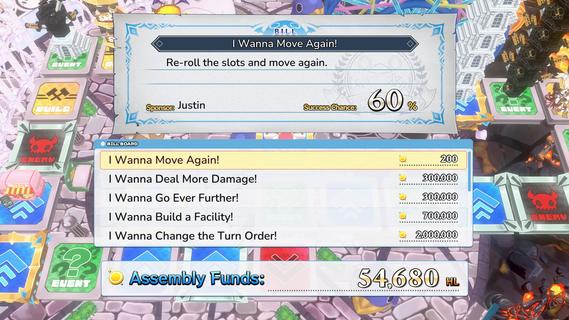
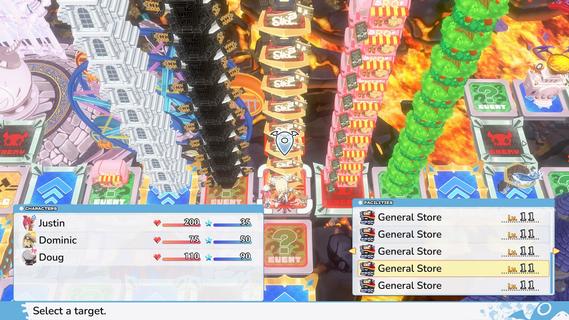
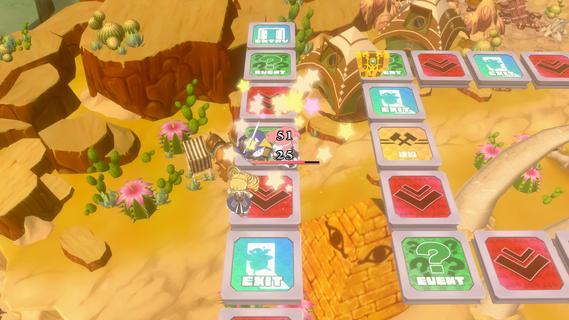
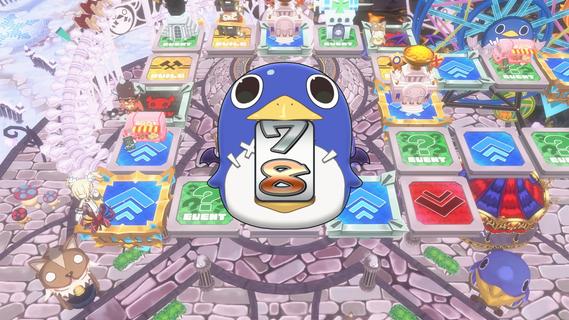
Get your friends together for Prinny Party: Going Overboard! In this party game, youâll traverse the board as you take down demons, earn experience, and buy new equipmentâall to make sure youâre strong enough to defeat the Supreme Overboard!In Prinny Party: Going Overboard!, you and your friends will do whatever it takes to defeat the Supreme Overboard and his Protago-Knights! In practice, itâs quite simple: move around the board, earn experience, acquire more powerful equipment, and turn in quests to stay ahead of the curve. Then, when a boss spawns, work together to take him down!But friendships donât last long in Prinny Partyâonly the player who brings the boss back to spawn gets the credit, so do whatever it takes to be the hero!Throw, fight, and squabble your way to victory! Whatever you do, just donât die all at once, or itâll be game overâfor everyone!Huck, Chuck, Boom!Pick up and throw your friends, enemies, and frenemies to put things in their place. As always, be careful when handling Prinnies!Build a Better TomorrowBy landing on a build space, you can build and upgrade facilities, such as hospitals or armories. Just remember: other players will be able to shop there, too!It Pays to Pass Some BillsTriple your damage, move again, or build a cannon capable of wiping out even the most powerful demons. Everything is possible when you pass bills at the Assembly!
Pokaż więcej

1. Pobierz instalator MEmu i zakończ instalację

2. Uruchom MEmu, a następnie otwórz Google Play na pulpicie

3. Wyszukaj Prinny Party: Going Overboard! w Google Play
Install
4. Pobierz i zainstaluj Prinny Party: Going Overboard!
5. Po zakończeniu instalacji kliknij ikonę, aby rozpocząć

6. Ciesz się grą Prinny Party: Going Overboard! na PC z MEmu
MEmu Play to najlepszy emulator Androida, a 100 milionów ludzi już korzysta z jego i dosta doskonałe wrażenia z gier na Androida. Technologia wirtualizacji MEmu umożliwia płynne granie w tysiące gier Androida na komputerze, nawet tych najbardziej wymagających grafiki.
Większy ekran z lepszą grafiką; Długi czas, bez ograniczeń baterii lub danych mobilnych.
Pełna obsługa mapowania klawiszy dla precyzyjnego sterowania klawiaturą i myszą lub gamepadem.
Wiele kont gier lub zadań na jednym komputerze jednocześnie z menedżerem wielu instancji.
Play Prinny Party: Going Overboard! on PC by following steps: