AFK Journey
Updated
Current Version
1.2.41
Offered By

With your passion for AFK Journey, you shouldn’t have to limit yourself to the small screen of a phone. Play like a pro and take full control of the game using a keyboard and mouse. MEmu gives you everything you’re looking for. Download and play AFK Journey on PC. Play as long as you want — no more worries about battery life, mobile data, or unexpected calls. The all-new MEmu 9 is the best way to play AFK Journey on PC. With our expertly designed keymapping system, AFK Journey feels just like a real PC game. The MEmu multi-instance manager lets you run two or more accounts on the same device at the same time. Most importantly, our exclusive emulation engine unlocks your PC’s full potential, delivering smooth and seamless performance.
Show more
Download AFK Journey on PC with MEmu Android Emulator. Enjoy playing on big screen. Step into Esperia, a fantasy world full of magic—a lone seed of life meandering among the sea of stars.
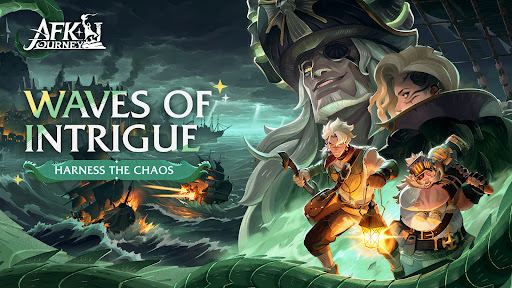
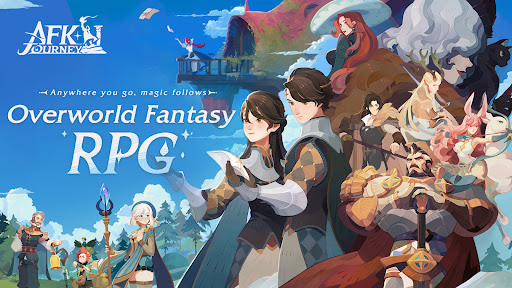
Step into Esperia, a fantasy world full of magic—a lone seed of life meandering among the sea of stars. And on Esperia, it took root. As the river of time flowed, the once all-powerful gods fell. As the seed grew, each branch sprouted leaves, which became the races of Esperia.
You will play as the legendary mage Merlin and experience strategically tactical battles. It's time to dive into an unexplored world and embark on a journey to unlock a hidden mystery together with the heroes of Esperia.
ANYWHERE YOU GO, MAGIC FOLLOWS.
Remember, only you can guide heroes to pull the sword from the stone and learn the truth about the world.
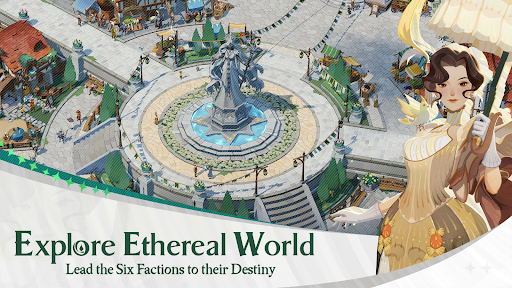
Explore Ethereal World
Lead the Six Factions to their Destiny
• Immerse yourself in the captivating realm of a magical storybook, where you can singlehandedly explore the world. From the shining fields of Golden Wheatshire to the luminous beauty of the Dark Forest, from the Remnant Peaks to the Vaduso Mountains, journey through the wondrously diverse landscapes of Esperia.
• Form bonds with the heroes of the Six Factions on your journey. You are Merlin. Be their guide and help them become who they were meant to be.
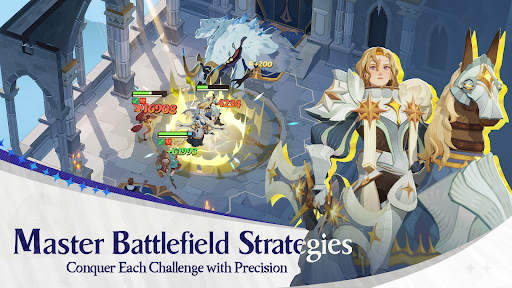
Master Battlefield Strategies
Conquer Each Challenge with Precision
• A hex battle map allows players to freely assemble their hero lineup and strategically position them. Choose between a bold strategy centered around a powerful main damage dealer or a more balanced team. Witness different outcomes as you experiment with various hero formations, creating an engaging and unpredictable gameplay experience in this fantasy adventure.
• Heroes come with three distinct skills, with the ultimate skill requiring manual release. You must time your attack at the right moment to disrupt enemy actions and seize command of the battle.
• Various battle maps offer different challenges. Woodland battlefields offer strategic cover with obstacle walls, and clearings favor rapid assaults. Embrace the distinct strategies that allow a variety of tactics to thrive.
• Master the use of flamethrowers, landmines, and other mechanisms to triumph against your enemies. Skillfully arrange your heroes, strategically utilizing isolating walls to turn the tide and reverse the course of battle.
Collect Epic Heroes
Customize Your Formations for Victory
• Join our open beta and discover 46 heroes from all six factions. Witness the Lightbearers, who carry the pride of humanity. Watch the Wilders flourish at the heart of their forest. Observe how the Maulers survive against all odds through strength alone. The Graveborn legions are amassing, and the eternal clash between the Celestials and the Hypogeans continues. — All are waiting for you in Esperia.
• Choose from the six commonly-used RPG classes to create different lineups and adapt to various battle scenarios.
Acquire Resources Effortlessly
Upgrade Your Equipment with a Simple Tap
• Say goodbye to grinding for resources. Collect rewards effortlessly with our auto-battle and AFK features. Continue gathering resources even while you're sleeping.
• Level up and share equipment across all heroes. After upgrading your team, new heroes can share experience instantly and be played right away. Dive into the crafting system, where old equipment can be directly disassembled for resources. No need for tedious grinding. Level up now!
AFK Journey provides all heroes for free upon release. New heroes after release are not included.Note: Seasons are only accessible if your server has been open for at least 40 days.
Show more

1. Download MEmu installer and finish the setup

2. Start MEmu then open Google Play on the desktop

3. Search AFK Journey in Google Play
Install
4. Download and Install AFK Journey
5. On install completion click the icon to start

6. Enjoy playing AFK Journey on PC with MEmu
MEmu Play is the best Android emulator and 100 million people already enjoy its superb Android gaming experience. The MEmu virtualization technology empowers you to play thousands of Android games smoothly on your PC, even the most graphic-intensive ones.
Bigger screen with better graphics; Long duration, without limitation of battery or mobile data.
Full Keymapping support for precise control of keyboard and mouse or gamepad.
Multiple game accounts or tasks on single PC at one time with Multi-Instance manager.
Play AFK Journey on PC by following steps: