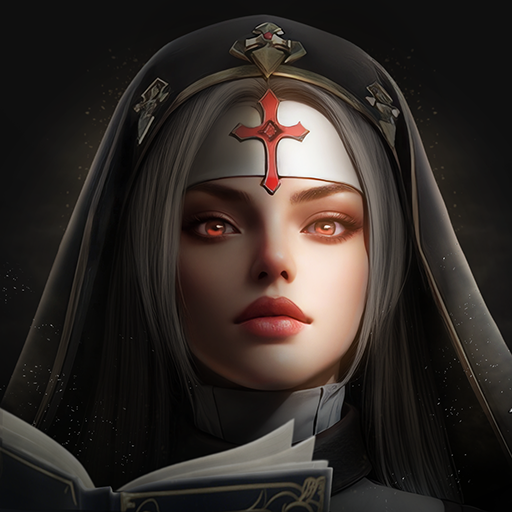
Age of Ashes: Dark Nuns
Updated
Current Version
1.3
Offered By

With your passion for Age of Ashes: Dark Nuns, you shouldn’t have to limit yourself to the small screen of a phone. Play like a pro and take full control of the game using a keyboard and mouse. MEmu gives you everything you’re looking for. Download and play Age of Ashes: Dark Nuns on PC. Play as long as you want — no more worries about battery life, mobile data, or unexpected calls. The all-new MEmu 9 is the best way to play Age of Ashes: Dark Nuns on PC. With our expertly designed keymapping system, Age of Ashes: Dark Nuns feels just like a real PC game. The MEmu multi-instance manager lets you run two or more accounts on the same device at the same time. Most importantly, our exclusive emulation engine unlocks your PC’s full potential, delivering smooth and seamless performance.
Show more
Download Age of Ashes: Dark Nuns on PC with MEmu Android Emulator. Enjoy playing on big screen. In 2025, a brand-new MMORPG with the theme of exorcism by the Dark Nun is making a grand debut!
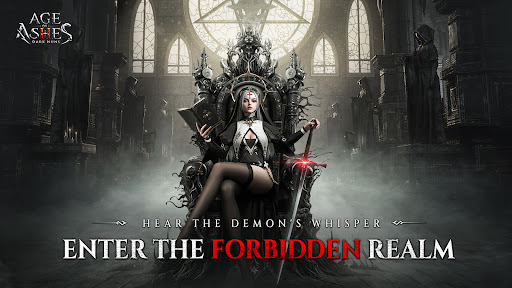
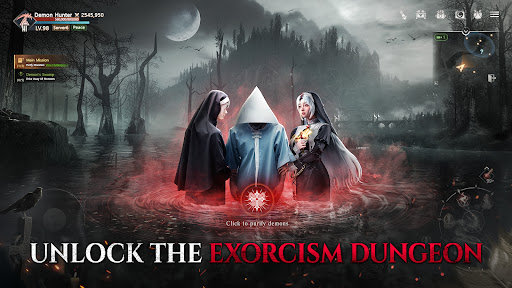
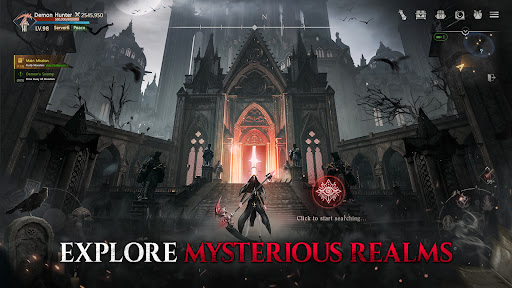
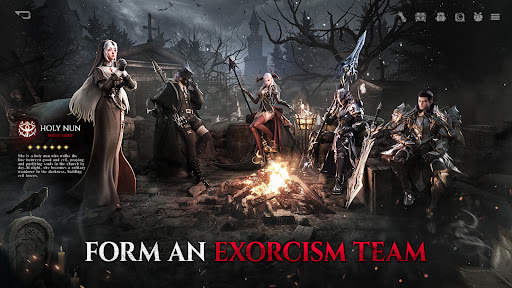
In 2025, a brand-new MMORPG with the theme of exorcism by the Dark Nun is making a grand debut!
In the mysterious legend, the ancient monastery once protected the world and radiated a sacred brilliance. However, a sudden and catastrophic disaster struck. The sun was corroded by dark forces and turned into ashes. At the same time, demons swarmed the world, and the evil forces spread far and wide, plunging all living beings into great suffering.
When darkness enshrouded the land, a nun chosen by fate stepped forward bravely. She bore the sacred mission of purifying the world and banishing the demons. Players will assume the role of this Black Nun and embark on an adventurous journey in a world infested with demons.
Brave adventurers, are you ready to step into this Age of Ashes filled with uncertainties and challenges, take up the mission of exorcism, and write your very own legendary chapter?
■Game Features
Diverse Exorcism Dungeons
- There are over a hundred exorcism dungeons for you to challenge. Places like hospitals, bell towers, altars, churches, and graveyards... The excitement level is beyond your imagination!
- Utilizing top-notch scene modeling and special effects rendering technologies, we've meticulously crafted traps and mechanisms: the ancient altar that sprays toxic fumes, the magic corridor that reverses space, all bringing you a unique exorcism experience!
A Brand-New Ultra-Realistic Dark World
- With a main storyline spanning over a million words, the grand narrative allows you to immerse yourself in this apocalyptic world where darkness and hope coexist!
- Crafted with the Unreal Engine, it boasts a top-notch artistic quality. The character and scene models are exquisitely detailed and incredibly lifelike, delivering a cinematic visual effect that will take your breath away!
A Vast and Boundless Open World Map
-It's a truly seamless large world. You can move freely without any time-consuming loading, offering an extremely smooth and immersive experience of exploring the map!
- You can explore freely in all 360° dimensions without any restricted areas! It's a genuinely unrestrained and free world!
Large-scale Wars Beyond Limits
- A vast dark world battlefield! Exorcism battles, Monastery Defense battles, and Archbishop Contests. Up to a thousand players can fight simultaneously!
- Strive to grow stronger! Join hands with your companions to conquer the challenging group dungeons, and together, shed your blood on this exorcism battlefield to engrave an immortal legend!
A Truly World-class MMO
- This popular MMO has exceeded ten million downloads globally. Are you ready to fight side by side with tens of millions of exorcists around the world?!
- Players from different regions and countries are on the same server, competing for the title of the world-class champion!
■Official Website
FB:https://www.facebook.com/profile.php?id=61575805670363
DC:https://discord.gg/YeUNtHeFE7
[Required access rights]
- Camera/Microphone/Memory/Battery:
The following permissions are required for normal game use. Touch OK to allow:
Camera access is required to implement the in-game profile photo function
Microphone access is required to use the in-game chat function
Memory read permission is required to ensure smooth game use
Memory write permission is required to ensure smooth game use
Phone battery information is required to ensure smooth game use, so phone status access is required
Show more

1. Download MEmu installer and finish the setup

2. Start MEmu then open Google Play on the desktop

3. Search Age of Ashes: Dark Nuns in Google Play
Install
4. Download and Install Age of Ashes: Dark Nuns
5. On install completion click the icon to start

6. Enjoy playing Age of Ashes: Dark Nuns on PC with MEmu
MEmu Play is the best Android emulator and 100 million people already enjoy its superb Android gaming experience. The MEmu virtualization technology empowers you to play thousands of Android games smoothly on your PC, even the most graphic-intensive ones.
Bigger screen with better graphics; Long duration, without limitation of battery or mobile data.
Full Keymapping support for precise control of keyboard and mouse or gamepad.
Multiple game accounts or tasks on single PC at one time with Multi-Instance manager.
Play Age of Ashes: Dark Nuns on PC by following steps: