The legend of Pamons
Updated
Current Version
4.5
Offered By

With your passion for The legend of Pamons, you shouldn’t have to limit yourself to the small screen of a phone. Play like a pro and take full control of the game using a keyboard and mouse. MEmu gives you everything you’re looking for. Download and play The legend of Pamons on PC. Play as long as you want — no more worries about battery life, mobile data, or unexpected calls. The all-new MEmu 9 is the best way to play The legend of Pamons on PC. With our expertly designed keymapping system, The legend of Pamons feels just like a real PC game. The MEmu multi-instance manager lets you run two or more accounts on the same device at the same time. Most importantly, our exclusive emulation engine unlocks your PC’s full potential, delivering smooth and seamless performance.
Show more
Download The legend of Pamons on PC with MEmu Android Emulator. Enjoy playing on big screen. A skyborne saga where ancient tempests whisper forgotten truths.
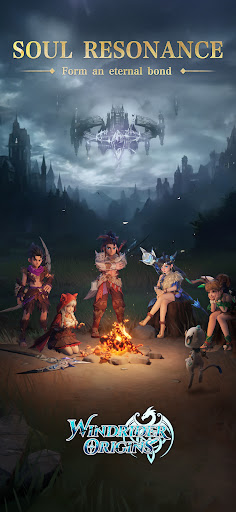
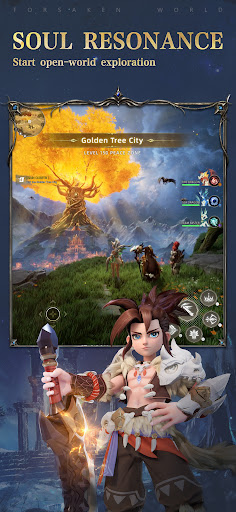

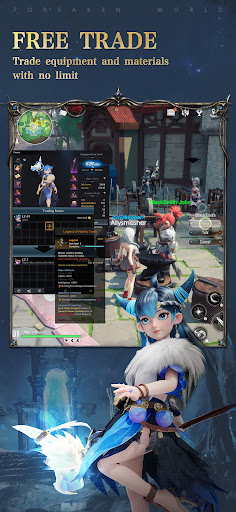
A skyborne saga where ancient tempests whisper forgotten truths...
Thousands of years ago, the malevolent storm dragon Nero descended from the void, unleashing chaos and destruction upon the lands. With great sacrifice and unity, the gods and ancient dragons managed to seal Nero away — restoring peace to the realm.
But now, after centuries of silence, Nero’s power begins to stir once more. As the youngest and most gifted Skyborn Rider of the Howling Wind Clan, you must rise to meet this looming threat and become the hero destined to protect the skies!
=====Features=====
【Choose Your Destiny】
Will you be a fearless warrior, a divine mage who guides allies, a shadow-lurking, precision-striking mysterious assassin, Or perhaps the wind-wielding Archer? Discover your path among many powerful classes — each offering unique abilities, strategies, and gameplay styles!
【Ride with Loyal Companions】
You'll never journey alone in Windrider Origins! From adorable cloud foxes to fierce young thunderhawks, you can bond with hundreds of magical companions to join you on your adventure.
【Evolve Your Allies】
Witness metamorphosis beyond mortal ken! Combine their skills creatively for devastating tactics and fight side by side with your evolved partners in epic battles!
【Team Up Against Evil】
Form unstoppable teams with your friends! Forge alliances, master strategic class combinations, and take on fearsome bosses together to overcome impossible odds and protect the skies of Windrider Origins!
Show more

1. Download MEmu installer and finish the setup

2. Start MEmu then open Google Play on the desktop

3. Search The legend of Pamons in Google Play
Install
4. Download and Install The legend of Pamons
5. On install completion click the icon to start

6. Enjoy playing The legend of Pamons on PC with MEmu
MEmu Play is the best Android emulator and 100 million people already enjoy its superb Android gaming experience. The MEmu virtualization technology empowers you to play thousands of Android games smoothly on your PC, even the most graphic-intensive ones.
Bigger screen with better graphics; Long duration, without limitation of battery or mobile data.
Full Keymapping support for precise control of keyboard and mouse or gamepad.
Multiple game accounts or tasks on single PC at one time with Multi-Instance manager.
Play The legend of Pamons on PC by following steps: