
Airport Idle
Updated
Current Version
1.2.0
Offered By

With your passion for Airport Idle, you shouldn’t have to limit yourself to the small screen of a phone. Play like a pro and take full control of the game using a keyboard and mouse. MEmu gives you everything you’re looking for. Download and play Airport Idle on PC. Play as long as you want — no more worries about battery life, mobile data, or unexpected calls. The all-new MEmu 9 is the best way to play Airport Idle on PC. With our expertly designed keymapping system, Airport Idle feels just like a real PC game. The MEmu multi-instance manager lets you run two or more accounts on the same device at the same time. Most importantly, our exclusive emulation engine unlocks your PC’s full potential, delivering smooth and seamless performance.
Show more
Download Airport Idle on PC with MEmu Android Emulator. Enjoy playing on big screen. ► TAKE OFF TO IDLE AIRPORT GLORY.
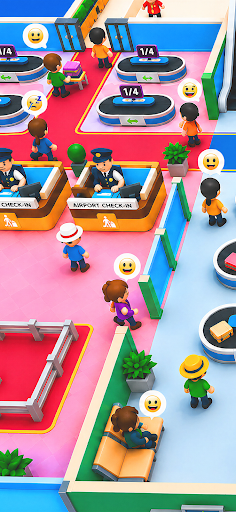
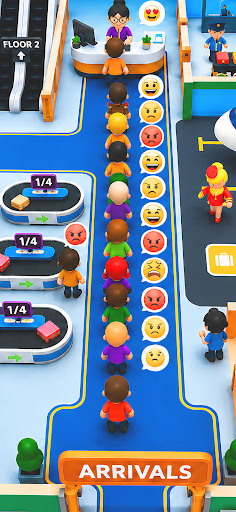
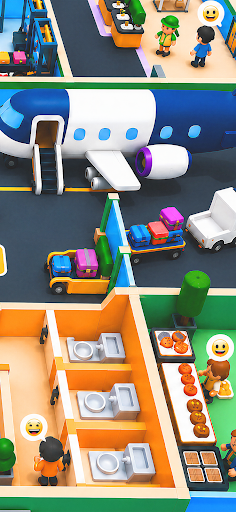

► TAKE OFF TO IDLE AIRPORT GLORY
Ready to manage your own airport empire? From check-in counters to control towers, baggage belts to boarding gates — step into the world of aviation and build your own bustling empire in Airport Idle, the ultimate mobile game for travel lovers and strategy fans alike.
Manage flights, serve passengers, hire helpful staff, and expand your airport one terminal at a time. The skies are the limit in this addictive idle simulation game!
► CONTROL THE CHAOS
• Start Small, Fly Big: Begin with a modest regional terminal and transform it into a world-class international hub. Upgrade your facilities, streamline your services, and watch the planes — and profits — roll in.
• Passenger Power: Serve incoming travelers by guiding them through check-in, security, shopping, and boarding. Keep them happy, on time, and spending money in your growing airport city.
• Hire Helpers: Tired of running everywhere? Recruit helpers like check-in clerks, cleaners, baggage handlers, and boarding agents. Each helper makes your operation faster and smoother — for a price.
• Expand Your World: Unlock new terminals, international gates, luxury lounges, and even private jet areas. Every expansion brings more opportunities and more challenges.
• Idle, but Intense: Your airport keeps earning even when you're away. But if you want to truly soar, you’ll need to optimize every corner — from staff speed to service timing.
► JET-SET FUN AWAITS
Whether you're a management master or just love seeing things run like clockwork, Airport Idle is your ticket to high-flying fun. With charming visuals, strategic upgrades, and satisfying progression, you’ll be hooked from your first takeoff.
Build the airport of your dreams — and keep passengers happy while cashing in on every flight!
Show more

1. Download MEmu installer and finish the setup

2. Start MEmu then open Google Play on the desktop

3. Search Airport Idle in Google Play
Install
4. Download and Install Airport Idle
5. On install completion click the icon to start

6. Enjoy playing Airport Idle on PC with MEmu
MEmu Play is the best Android emulator and 100 million people already enjoy its superb Android gaming experience. The MEmu virtualization technology empowers you to play thousands of Android games smoothly on your PC, even the most graphic-intensive ones.
Bigger screen with better graphics; Long duration, without limitation of battery or mobile data.
Full Keymapping support for precise control of keyboard and mouse or gamepad.
Multiple game accounts or tasks on single PC at one time with Multi-Instance manager.
Play Airport Idle on PC by following steps: