Antistress Fun Mini Games
Updated
Current Version
0.11.1
Offered By

With your passion for Antistress Fun Mini Games, you shouldn’t have to limit yourself to the small screen of a phone. Play like a pro and take full control of the game using a keyboard and mouse. MEmu gives you everything you’re looking for. Download and play Antistress Fun Mini Games on PC. Play as long as you want — no more worries about battery life, mobile data, or unexpected calls. The all-new MEmu 9 is the best way to play Antistress Fun Mini Games on PC. With our expertly designed keymapping system, Antistress Fun Mini Games feels just like a real PC game. The MEmu multi-instance manager lets you run two or more accounts on the same device at the same time. Most importantly, our exclusive emulation engine unlocks your PC’s full potential, delivering smooth and seamless performance.
Show more
Download Antistress Fun Mini Games on PC with MEmu Android Emulator. Enjoy playing on big screen. Take a break and dive into Satisfying Toys : Calm Games designed for anxiety relief and fun for all!
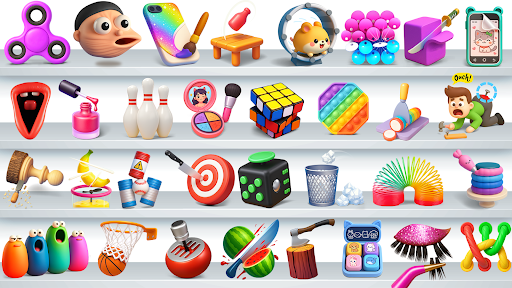
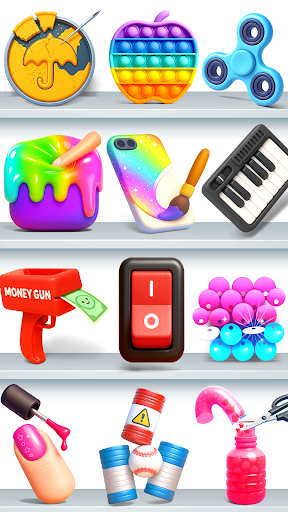
Take a break and dive into Satisfying Toys : Calm Games designed for anxiety relief and fun for all!
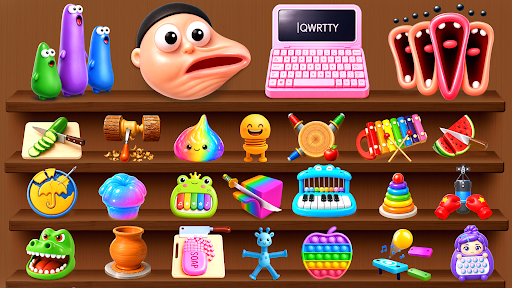
Enjoy a wide variety of stress relief games where you can tap, pop, and fidget your way through trending mini games that are as soothing as they are satisfying. This collection brings you relaxing gameplay paired with ASMR sounds, challenging brain puzzles, and smooth visuals making it super easy to zone out and reset anytime, anywhere with our satisfying toys.
Whether you're craving a pop it game, addictive ASMR, or some cleaning, repairing and cutting games to unwind, this antistress mini games collection brings you all-in-one sensory fun. These calming, antistress challenges are perfect for all ages looking for a little peace, a little focus, and a lot of calm.
Step into your cozy corner of calm and begin your journey to relief with the antistress mini games.
Here are just a few of the oddly satisfying games waiting for you:
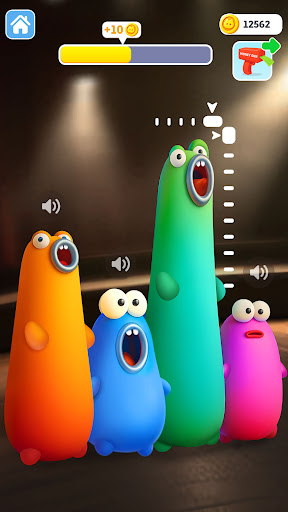
- Blob Opera: Drag the blob and feel the bass roar louder!
- Say the word on beat challenge: Speak the right word on beat and stay perfectly timed!
- Stretch the boy: Stretch faces to the max & watch them squish into funny shapes.
- Keyboard: Smash the keys and enjoy the clicky, satisfying keyboard sounds.
- Fireworks flare: Launch fireworks and watch them sparkle with blasts.
- Slime squeezer: Squish and play with slime anytime, anywhere.
- Ping pong hop: Quick reflex fun to refresh your brain.
- Bubble blister: Drag your finger across the screen to pop every bubble.
- Arrow games: Aim and land the perfect shot every time.
- Dalgona cutter: Carve the dalgona candy carefully, so satisfying when done right.
- Cooking Games: Chop, cook and create delicious dishes.
- Spinner challenge: Spin your stress away with a fidget spinner.
- Nail grooming: Apply stunning nails with one smooth tap.
- Hair makeover games: Give hair a fresh cleaning and satisfying makeover.
Download now and discover more crazy mini games! Release your stress anytime with our satisfying virtual toys collection!
Show more

1. Download MEmu installer and finish the setup

2. Start MEmu then open Google Play on the desktop

3. Search Antistress Fun Mini Games in Google Play
Install
4. Download and Install Antistress Fun Mini Games
5. On install completion click the icon to start

6. Enjoy playing Antistress Fun Mini Games on PC with MEmu
MEmu Play is the best Android emulator and 100 million people already enjoy its superb Android gaming experience. The MEmu virtualization technology empowers you to play thousands of Android games smoothly on your PC, even the most graphic-intensive ones.
Bigger screen with better graphics; Long duration, without limitation of battery or mobile data.
Full Keymapping support for precise control of keyboard and mouse or gamepad.
Multiple game accounts or tasks on single PC at one time with Multi-Instance manager.
Play Antistress Fun Mini Games on PC by following steps: