Antolin Lesespiele 3/4
Updated
Current Version
2.2.3
Offered By

With your passion for Antolin Lesespiele 3/4, you shouldn’t have to limit yourself to the small screen of a phone. Play like a pro and take full control of the game using a keyboard and mouse. MEmu gives you everything you’re looking for. Download and play Antolin Lesespiele 3/4 on PC. Play as long as you want — no more worries about battery life, mobile data, or unexpected calls. The all-new MEmu 9 is the best way to play Antolin Lesespiele 3/4 on PC. With our expertly designed keymapping system, Antolin Lesespiele 3/4 feels just like a real PC game. The MEmu multi-instance manager lets you run two or more accounts on the same device at the same time. Most importantly, our exclusive emulation engine unlocks your PC’s full potential, delivering smooth and seamless performance.
Show more
Download Antolin Lesespiele 3/4 on PC with MEmu Android Emulator. Enjoy playing on big screen. With Antolin the reader, children can improve their reading skills in a playful way.
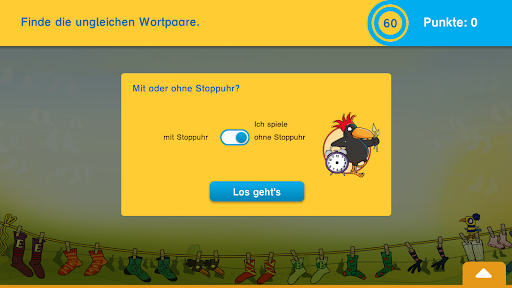
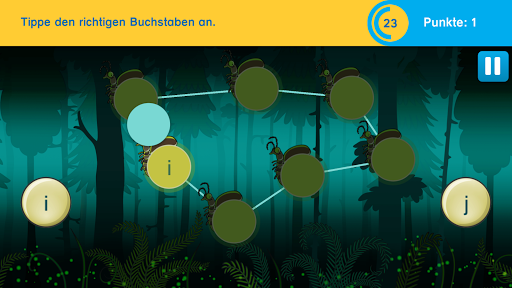
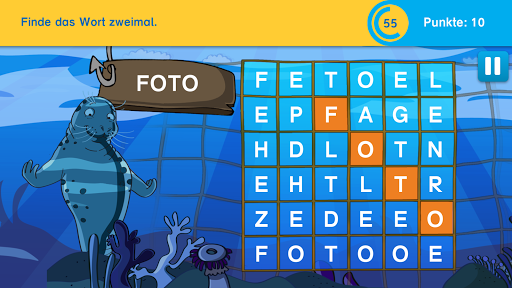
With Antolin the reader, children can improve their reading skills in a playful way. Perception and word comprehension as well as meaning-understanding and information-extracting reading are practiced. The child learns to grasp words faster, so that their reading fluency and reading speed increase.
The lovingly designed and fast-paced exercises also offer a lot of action and fun so that reading training takes place on the side! By playing against time, the children are motivated to improve their high score and thus to repeat frequently. Different speeds and levels of difficulty allow every child to start according to their reading ability.
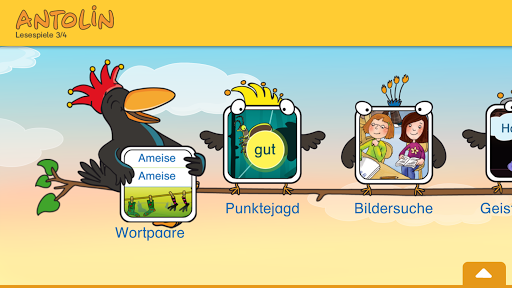
The 8 reading games promote central reading skills:
Chasing points
A rapidly moving point is followed with the eyes, in which another letter or another word appears from time to time. This exercise trains the ability to concentrate as well as smooth and quick eye movement. At the same time, reflexive reactions and gazing leaps are practiced. Because when reading fluently and quickly, the eyes do not move evenly from letter to letter, but rather they jump from one stopping point to the next.
Ghost words
A word is shown which disappears after a short time. This word should be recognized from a selection of four words.
This exercise trains the holistic understanding and recognition of the word form of up to four-syllable words. As a result, the child can grasp words faster, so that his reading fluency increases.
Word pairs
The dissimilar word pairs are to be recognized from a number of word pairs and tapped.
This exercise trains the reading speed of known and unfamiliar words. The words are perceived as images and are not laboriously read letter by letter.
Word grid
The word you are looking for should be found twice in a letter field as quickly as possible.
The words are hidden horizontally and vertically or diagonally and around the corner, depending on the level.
This exercise trains the understanding of words and the discrimination of word images.
Bookworm
The words and phrases you are looking for should be read as quickly as possible in a continuum of moving letters. This exercise trains the recognition of words and word boundaries.
Image search
In a picture, the described situations should be found and tapped as quickly as possible. This exercise trains meaningful and information-extracting reading as well as the ability to relate information (from text and image) to one another, to draw conclusions and to distinguish important from unimportant.
Soap bubbles
This exercise trains the gaze span, concentration and word comprehension. The children's eye must wander over the entire playing field, as the choices are spread over the whole playing field and are constantly moving. With a concentrated look and reading, it must be noticed in a short time whether the scrambled word in the balloon contains the same letters as the search word. Reading skills and abilities are thereby further consolidated and promoted.
Reading puzzle
In so-called logicals, after carefully reading the information, the children assign jobs, characteristics and favorite colors to people, for example.
This exercise trains meaningful and information-extracting reading as well as the ability to relate information (from several texts) to one another, to draw conclusions and to distinguish important from unimportant.
The points that the children achieve in the Antolin Lesepiele app are not added to the points account on www.antolin.de.
We want to continuously improve our apps. Please send suggestions for improvement and error messages by email to: apps@westermanngruppe.de. Many Thanks!
Show more

1. Download MEmu installer and finish the setup

2. Start MEmu then open Google Play on the desktop

3. Search Antolin Lesespiele 3/4 in Google Play
Install
4. Download and Install Antolin Lesespiele 3/4
5. On install completion click the icon to start

6. Enjoy playing Antolin Lesespiele 3/4 on PC with MEmu
MEmu Play is the best Android emulator and 100 million people already enjoy its superb Android gaming experience. The MEmu virtualization technology empowers you to play thousands of Android games smoothly on your PC, even the most graphic-intensive ones.
Bigger screen with better graphics; Long duration, without limitation of battery or mobile data.
Full Keymapping support for precise control of keyboard and mouse or gamepad.
Multiple game accounts or tasks on single PC at one time with Multi-Instance manager.
Play Antolin Lesespiele 3/4 on PC by following steps: