AoC - Medieval Simulator PRO
Updated
Current Version
1.0.63
Offered By

With your passion for AoC - Medieval Simulator PRO, you shouldn’t have to limit yourself to the small screen of a phone. Play like a pro and take full control of the game using a keyboard and mouse. MEmu gives you everything you’re looking for. Download and play AoC - Medieval Simulator PRO on PC. Play as long as you want — no more worries about battery life, mobile data, or unexpected calls. The all-new MEmu 9 is the best way to play AoC - Medieval Simulator PRO on PC. With our expertly designed keymapping system, AoC - Medieval Simulator PRO feels just like a real PC game. The MEmu multi-instance manager lets you run two or more accounts on the same device at the same time. Most importantly, our exclusive emulation engine unlocks your PC’s full potential, delivering smooth and seamless performance.
Show more
Download AoC - Medieval Simulator PRO on PC with MEmu Android Emulator. Enjoy playing on big screen. Lead a great empire, command an army, lead people into battle, and win on the battlefield.
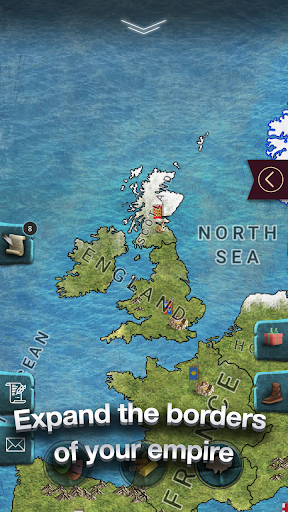
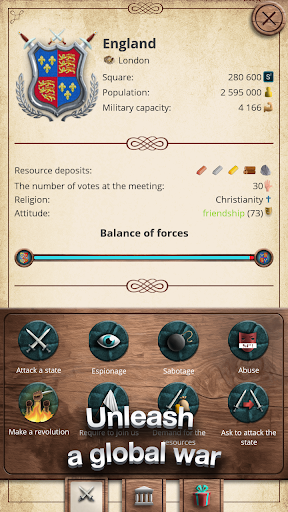
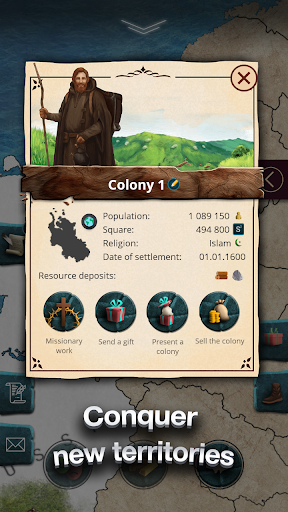
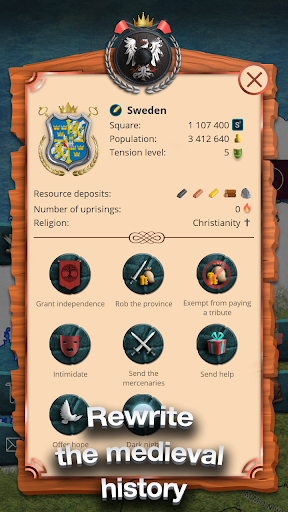
Lead a great empire, command an army, lead people into battle, and win on the battlefield. Build an economy that will rival the strongest nations, engage in diplomatic games, and become an active player on the international stage. Fight as the greatest civilization in world history!
Age of Colonization is the best strategy for governing a state, army, and politics. Your battlefield will be the year 1600, and you will face the mightiest empires of Europe, Asia, and African countries.
Choose any of more than 40 nations and embark on exciting battles, creating your own new timeline. Each civilization, from the Holy Roman Empire to Japan, from the Great Chinese Min Empire to England, will be your opponent and possesses its own ambitions and strong will. Create your army and test your luck against other nations, showcase your historical might in battles, establish alliances, and sign treaties to conquer the entire world.
Build your empire from the Pacific Ocean to the Atlantic, embark on a historical conquest journey right now!
In the game, you can expect:
▪ Real-time strategy, even works offline
▪ Colonization of new lands with endless possibilities and resources
▪ Challenging opponents with powerful armies and their allies
▪ Conquest of new territories, plundering defeated enemies
▪ Historical countries and empires, deep immersion in the era
▪ Trade with other countries for economic growth
▪ A multitude of exciting research to improve your army, diplomacy, economy, and colonization
▪ Cunning and challenging tasks with unique bonuses
▪ Pirates, bandits, saboteurs, spies, epidemics, pandemics, rebellions, and many other challenges
Build the greatest civilization in history, develop battle strategies and tactics to defeat your enemies. Join millions of players around the world and achieve global dominance in the Age of Colonization!
Download the game now and start building your great civilization!
The game is localized in the following languages: English, Spanish, Ukrainian, Portuguese, French, Chinese, Russian, Turkish, Polish, German, Arabic, Italian, Japanese, Indonesian.
Have questions or issues with the game? Write to us at info@oxiwyle.com.
Join the community on Discord to be the first to learn about all the news and updates: https://discord.com/invite/bNzwYDNstc
*** Benefits of premium version: ***
1. You’ll be able to play as any available country
2. No ads
3. +100% to day play speed button available
Show more

1. Download MEmu installer and finish the setup

2. Start MEmu then open Google Play on the desktop

3. Search AoC - Medieval Simulator PRO in Google Play
Install
4. Download and Install AoC - Medieval Simulator PRO
5. On install completion click the icon to start

6. Enjoy playing AoC - Medieval Simulator PRO on PC with MEmu
MEmu Play is the best Android emulator and 100 million people already enjoy its superb Android gaming experience. The MEmu virtualization technology empowers you to play thousands of Android games smoothly on your PC, even the most graphic-intensive ones.
Bigger screen with better graphics; Long duration, without limitation of battery or mobile data.
Full Keymapping support for precise control of keyboard and mouse or gamepad.
Multiple game accounts or tasks on single PC at one time with Multi-Instance manager.
Play AoC - Medieval Simulator PRO on PC by following steps: