MA 2: President Simulator Lite
Updated
Current Version
Offered By

With your passion for MA 2: President Simulator Lite, you shouldn’t have to limit yourself to the small screen of a phone. Play like a pro and take full control of the game using a keyboard and mouse. MEmu gives you everything you’re looking for. Download and play MA 2: President Simulator Lite on PC. Play as long as you want — no more worries about battery life, mobile data, or unexpected calls. The all-new MEmu 9 is the best way to play MA 2: President Simulator Lite on PC. With our expertly designed keymapping system, MA 2: President Simulator Lite feels just like a real PC game. The MEmu multi-instance manager lets you run two or more accounts on the same device at the same time. Most importantly, our exclusive emulation engine unlocks your PC’s full potential, delivering smooth and seamless performance.
Show more
Download MA 2: President Simulator Lite on PC with MEmu Android Emulator. Enjoy playing on big screen. Start with one of 181 modern countries and see how far you can take it.
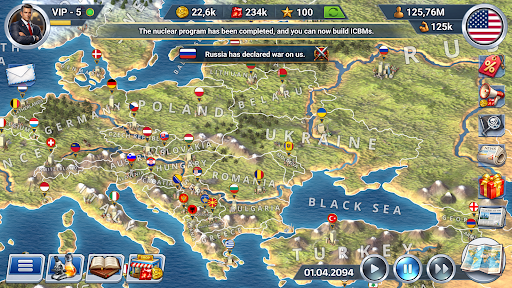
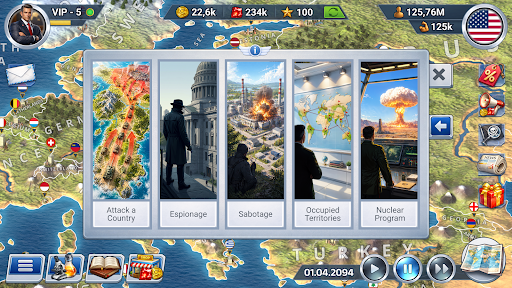
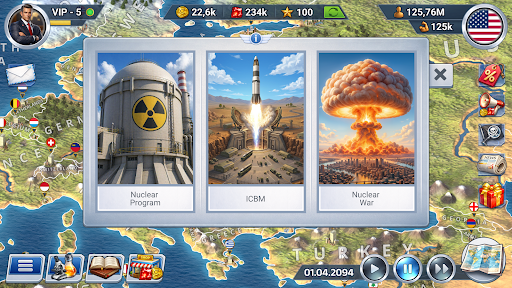
Start with one of 181 modern countries and see how far you can take it. Build a stronger economy, a more stable society and enough influence to matter on the world stage.
Play a realistic, offline, real-time president simulation game. Build your geopolitical strategy through trade, diplomacy, country development and military power. Invest in people, create alliances or prepare for war - the direction is yours.
BUILD THE ECONOMY
Turn taxes, production and trade into growth. Manage loans, produce resources and goods, build factories, mines, farms and power facilities, and use the budget to create the next stage of development.
DEVELOP THE COUNTRY
Make progress visible at home. Fund healthcare, education, science, infrastructure, culture, sports, tourism and justice. Appoint ministers and commanders and keep public mood from turning against you.
BUILD ALLIES (OR RIVALS)
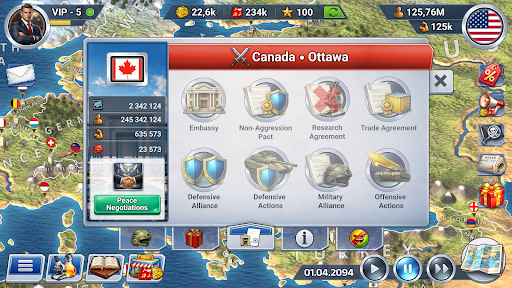
Decide who gets cooperation and who gets pressure. Open embassies, sign agreements, create alliances, vote in the UN, use sanctions and embargoes, and build a diplomatic network that supports your goals.
STRENGTHEN THE ARMY
Diplomacy can fail. Prepare land, air and naval forces, research military technologies, use spies and saboteurs, defend your borders and fight turn-based 3D battles with infantry, artillery, tanks, aircraft, helicopters, submarines and warships.
PREPARE FOR CRISES
Growth means little if one crisis destroys it. Build reserves and react to epidemics, natural disasters, protests, economic crises, piracy and terrorism before they undo years of progress.
GROW YOUR INFLUENCE
Decide what your country stands for. Pass laws, choose ideology and state religion, develop tourism, build landmarks and host international cultural and sporting events. Use every system to grow your influence.
Choose your own grand strategy - economy, diplomacy, internal development, military power or a mix of everything. Build the country you want and see whether your plan can turn it into a global power.
The game is designed for entertainment purposes only. Any similarities to the real world, real people and geopolitical situations are coincidental.
Do you have questions or issues with the game? Email us at info@oxiwyle.com
Join the community on Discord, be the first to learn about all the news and updates: https://discord.com/invite/bNzwYDNstc
Show more

1. Download MEmu installer and finish the setup

2. Start MEmu then open Google Play on the desktop

3. Search MA 2: President Simulator Lite in Google Play
Install
4. Download and Install MA 2: President Simulator Lite
5. On install completion click the icon to start

6. Enjoy playing MA 2: President Simulator Lite on PC with MEmu
MEmu Play is the best Android emulator and 100 million people already enjoy its superb Android gaming experience. The MEmu virtualization technology empowers you to play thousands of Android games smoothly on your PC, even the most graphic-intensive ones.
Bigger screen with better graphics; Long duration, without limitation of battery or mobile data.
Full Keymapping support for precise control of keyboard and mouse or gamepad.
Multiple game accounts or tasks on single PC at one time with Multi-Instance manager.
Play MA 2: President Simulator Lite on PC by following steps: