Baby Panda Care
Updated
Current Version
8.70.00.00
Offered By

With your passion for Baby Panda Care, you shouldn’t have to limit yourself to the small screen of a phone. Play like a pro and take full control of the game using a keyboard and mouse. MEmu gives you everything you’re looking for. Download and play Baby Panda Care on PC. Play as long as you want — no more worries about battery life, mobile data, or unexpected calls. The all-new MEmu 9 is the best way to play Baby Panda Care on PC. With our expertly designed keymapping system, Baby Panda Care feels just like a real PC game. The MEmu multi-instance manager lets you run two or more accounts on the same device at the same time. Most importantly, our exclusive emulation engine unlocks your PC’s full potential, delivering smooth and seamless performance.
Show more
Download Baby Panda Care on PC with MEmu Android Emulator. Enjoy playing on big screen. Do you want to know how to take care of a baby?
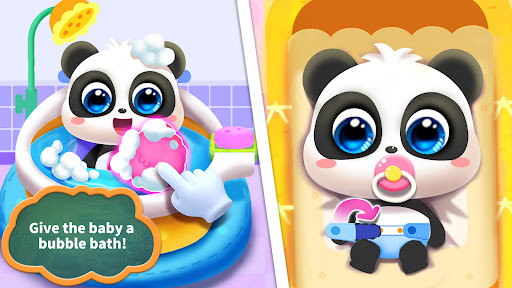
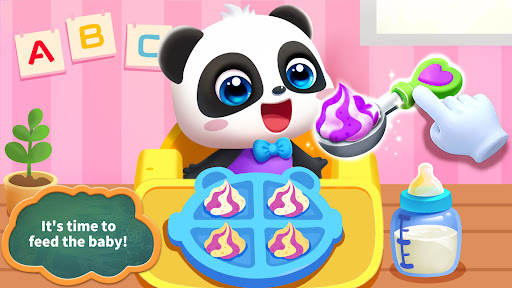
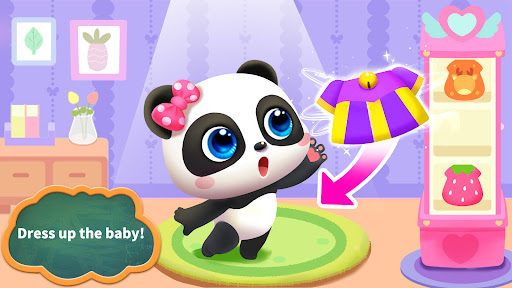
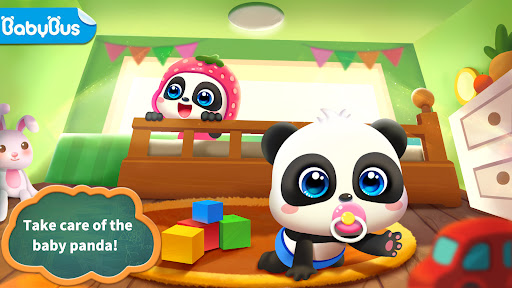
Do you want to know how to take care of a baby? Try Baby Panda Care to learn! Take care of babies at different stages (swaddling - crawling - learning to walk) and help them grow up healthy.
FEEDING BABIES
What kinds of baby foods are there? Milk powder, rice cereal, biscuits, and pureed vegetables! These foods are nutritious for babies. Feed babies food that is appropriate for their development stage!
PLAYING WITH BABIES
It's time for activities. What do babies like to play? Dress-up and block stacking? How about hide-and-seek and sandcastle building? Experience 20+ interesting activities in the various corners. Come and explore!
PUTTING BABIES TO SLEEP
The babies are sleepy. Let's take them to the bathroom for their bath! Let's soap up, rinse off, and get ready for bed! Play a lullaby and gently swing their cradles to put them to sleep!
Look! The babies are asleep. You've done a great job taking care of them today!
FEATURES:
- Take care of baby boys & girls;
- See them grow up in three stages: swaddling, crawling, and learning to walk;
- 20+ fun interactions to help improve kids' hands-on skills, reflexes, and more;
- Dress up the babies in six sets of adorable clothes;
- Learn baby care skills: feed the babies, bathe them, and put them to sleep;
- Learn to care for others and develop a sense of responsibility.
About BabyBus
—————
At BabyBus, we dedicate ourselves to sparking kids' creativity, imagination and curiosity,and designing our products through the kids' perspective to help them explore the world on their own.
Now BabyBus offers a wide variety of products, videos and other educational content for over 600 million fans from ages 0-8 around the world! We have released over 200 children's apps, over 2500 episodes of nursery rhymes and animations, over 9000 stories of various themes spanning the Health, Language, Society, Science, Art and other fields.
—————
Contact us: ser@babybus.com
Visit us: http://www.babybus.com
Show more

1. Download MEmu installer and finish the setup

2. Start MEmu then open Google Play on the desktop

3. Search Baby Panda Care in Google Play
Install
4. Download and Install Baby Panda Care
5. On install completion click the icon to start

6. Enjoy playing Baby Panda Care on PC with MEmu
MEmu Play is the best Android emulator and 100 million people already enjoy its superb Android gaming experience. The MEmu virtualization technology empowers you to play thousands of Android games smoothly on your PC, even the most graphic-intensive ones.
Bigger screen with better graphics; Long duration, without limitation of battery or mobile data.
Full Keymapping support for precise control of keyboard and mouse or gamepad.
Multiple game accounts or tasks on single PC at one time with Multi-Instance manager.
Play Baby Panda Care on PC by following steps: