Babytopia
Updated
Current Version
5.5.0
Offered By

With your passion for Babytopia, you shouldn’t have to limit yourself to the small screen of a phone. Play like a pro and take full control of the game using a keyboard and mouse. MEmu gives you everything you’re looking for. Download and play Babytopia on PC. Play as long as you want — no more worries about battery life, mobile data, or unexpected calls. The all-new MEmu 9 is the best way to play Babytopia on PC. With our expertly designed keymapping system, Babytopia feels just like a real PC game. The MEmu multi-instance manager lets you run two or more accounts on the same device at the same time. Most importantly, our exclusive emulation engine unlocks your PC’s full potential, delivering smooth and seamless performance.
Show more
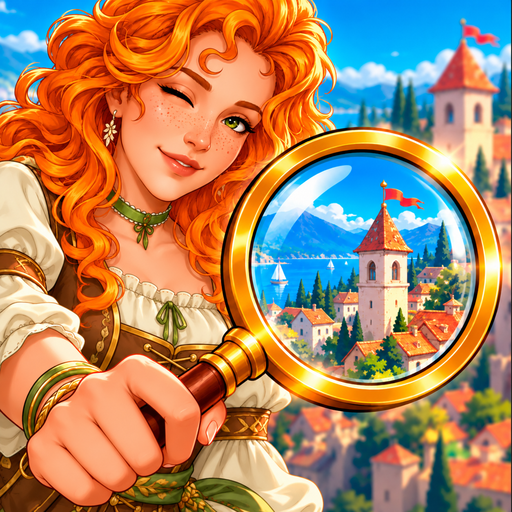
Download Babytopia on PC with MEmu Android Emulator. Enjoy playing on big screen. Charlotte's inheritance of the empire sparks a lethal mansion fire.


Charlotte's inheritance of the empire sparks a lethal mansion fire. As her best friend, you investigate her disappearance after she's arrested by the police. How many secrets does this family mansion truly hold?
Crush It in Match-3!
Dive into addictive match-3 puzzles. Keep winning to unlock even more fun!
Unravel the Mystery!
Meet cool characters, find clues, and get closer to saving your friend Charlotte with every chat!
Decorate & Explore!
Unlock new areas and make them awesome! Thrilling adventures await!
Unlock 500+ Outfits!
Stay on a winning streak to unlock 500+ chic outfits. You can even find more options in the Outfit Shop.
Challenge Yourself!
Non-stop activities! Claim tremendous rewards for your achievements!
If you have any questions regarding our game or need support?
Contact Us: Within the game, go to Settings⚙️ --> Support.
Show more

1. Download MEmu installer and finish the setup

2. Start MEmu then open Google Play on the desktop

3. Search Babytopia in Google Play
Install
4. Download and Install Babytopia
5. On install completion click the icon to start

6. Enjoy playing Babytopia on PC with MEmu
MEmu Play is the best Android emulator and 100 million people already enjoy its superb Android gaming experience. The MEmu virtualization technology empowers you to play thousands of Android games smoothly on your PC, even the most graphic-intensive ones.
Bigger screen with better graphics; Long duration, without limitation of battery or mobile data.
Full Keymapping support for precise control of keyboard and mouse or gamepad.
Multiple game accounts or tasks on single PC at one time with Multi-Instance manager.
Play Babytopia on PC by following steps: