BOKURA
Updated
Current Version
1.3.0
Offered By

With your passion for BOKURA, you shouldn’t have to limit yourself to the small screen of a phone. Play like a pro and take full control of the game using a keyboard and mouse. MEmu gives you everything you’re looking for. Download and play BOKURA on PC. Play as long as you want — no more worries about battery life, mobile data, or unexpected calls. The all-new MEmu 9 is the best way to play BOKURA on PC. With our expertly designed keymapping system, BOKURA feels just like a real PC game. The MEmu multi-instance manager lets you run two or more accounts on the same device at the same time. Most importantly, our exclusive emulation engine unlocks your PC’s full potential, delivering smooth and seamless performance.
Show more
Download BOKURA on PC with MEmu Android Emulator. Enjoy playing on big screen. Are you and I really seeing the world the same way?
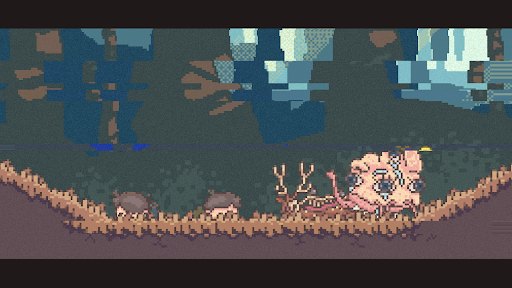
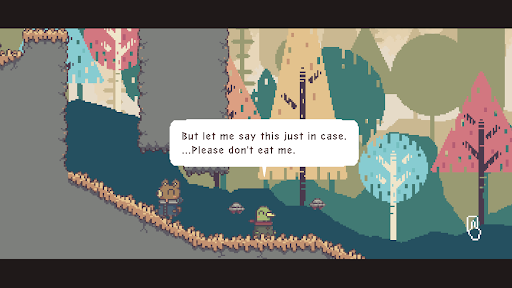
Are you and I really seeing the world the same way?
An exclusively two-player puzzle adventure game that makes you question your reality.
*Players must communicate with each other to play this game. If you are not playing in the same location, you will need another communication method, such as voice chat. Before buying the game, please keep in mind that the game itself does not provide a separate communication method.
BOKURA is a puzzle adventure game that can only be played with two players. To play the game, two people must play on two separate machines.
While you have to work together, what you see on your game screens is completely different.
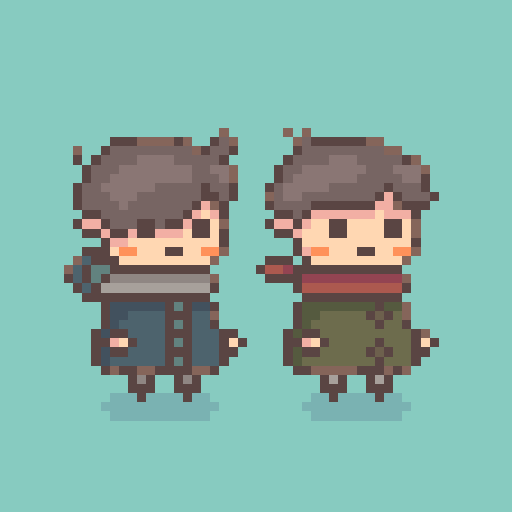
Even though the same character should be displayed on both of your screens, to one of you, they might look like an animal out of a picture book, while to the other, they might look like a robot. (The objects you can interact with might move differently for each of you too!)
You will need to talk to each other to find out what you can and cannot see. Work together to solve the puzzles and continue your journey.
You can play online in different locations while talking to each other over a call.
Gameplay
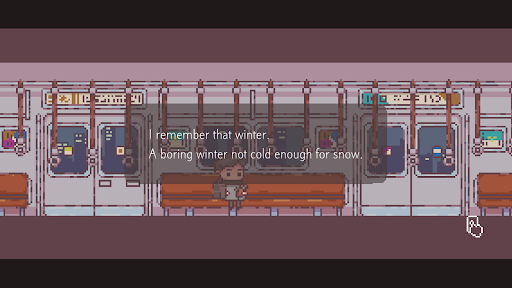
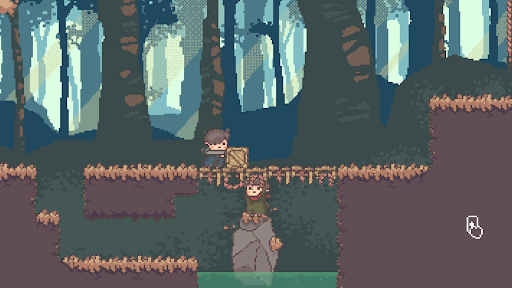
The game is a side-scrolling co-op puzzle adventure. You will be faced with a number of critical choices throughout the story which will lead your journey in different directions.
You Can't Play Alone
A unique feature of this game is that you cannot play it alone. You cannot play it singleplayer or with a computer as player two. It can only be played with two people—no more, no less.
As such, the very first choice you make in this game takes place before you even start: Who should I play this game with?
The total gameplay time is around three to four hours. While you play, you and the other player will need to talk to each other to understand what is happening, solve problems, and make important decisions together.
Story
Two boys who run away from home encounter a dead deer. The sight of it causes them to faint, but when they wake up, the worlds they see are no longer the same.
One of them sees a world of animals, while the other sees a world of machines. Will the boys be able to find out what has happened to them and return to the world they used to be in?
Creator Profile
tokoronyori
An indie game dev with a distinctive style that fills his games with originality and mystery. He is known for his 2016 hit game Hitoribocchi Wakusei (Lonely Planet). He created the two-player puzzle adventure game BOKURA as a member of the first round of Kodansha's Game Creators' Lab. He specializes in making experiences only possible through games with his characteristic game mechanics.
Creator Comment
Have you ever wondered if the world you see is the same as the world everyone else sees?
BOKURA is a game about two boys whose worlds are no longer the same as everyone else's. When you play, you'll find that what you and the other player see are not the same either. I hope you'll overcome the differences in how you see the world and relive the friendship of your childhood through the story of these two boys.
Show more

1. Download MEmu installer and finish the setup

2. Start MEmu then open Google Play on the desktop

3. Search BOKURA in Google Play
Install
4. Download and Install BOKURA
5. On install completion click the icon to start

6. Enjoy playing BOKURA on PC with MEmu
MEmu Play is the best Android emulator and 100 million people already enjoy its superb Android gaming experience. The MEmu virtualization technology empowers you to play thousands of Android games smoothly on your PC, even the most graphic-intensive ones.
Bigger screen with better graphics; Long duration, without limitation of battery or mobile data.
Full Keymapping support for precise control of keyboard and mouse or gamepad.
Multiple game accounts or tasks on single PC at one time with Multi-Instance manager.
Play BOKURA on PC by following steps: